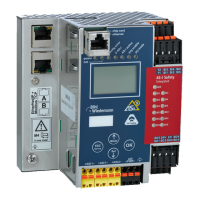
AS-i/PROFIBUS-Gateway Table of Contents
Subject to reasonable modifications due to technical advances. Copyright Bihl+Wiedemann, Printed in Germany
Bihl+Wiedemann GmbH · D-68199 Mannheim · Tel. +49-621-339960 · Fax +49-621-3392239 · Internet http://www.bihl-wiedemann.de
issue date 7.1.2002
4
8.3.2.41 GET_TECB ........................................................................................................ 86
8.3.2.42 GET_TEC_X ...................................................................................................... 87
8.3.2.43 EXT_DIAG ......................................................................................................... 87
8.3.2.44 BUTTONS .......................................................................................................... 88
8.3.2.45 RD_EXT_DIAG .................................................................................................. 88
8.3.2.46 INVERTER ......................................................................................................... 89
8.3.2.47 FP_PARAM ........................................................................................................ 89
8.3.2.48 FP_DATA ...........................................................................................................90
8.3.3 Functional Profils ...............................................................................................90
8.3.3.1 „Safety at Work“ List 1 ....................................................................................... 90
8.3.3.2 „Safety at Work“ Monitor Diagnosis ................................................................... 92
8.3.3.3 Integrated AS-i Sensors: Warnings .................................................................... 93
8.3.3.4 Integrated AS-i Sensors: Availability .................................................................. 94
8.3.3.5 Restrictions ........................................................................................................ 95
8.3.4 Mailbox example ................................................................................................ 95
9 Commissioning Tools and Accessories ......................................... 97
9.1 Windows Software AS-i Control Tools .......................................................... 97
9.2 PROFIBUS-DP Master Simulator .................................................................. 100
9.3 Serial PROFIBUS Master ............................................................................... 101
10 Appendix: Displays of the Figure Display .................................... 103
11 Appendix: The First Commissioning of AS-i ................................ 105
12 Appendix: Putting PROFIBUS into Operation with a
Siemens S5 ...................................................................................... 107
12.1 Putting into Operation in Easy Mode ...........................................................107
13 We Are Interested in Your Opinion! ............................................... 111



 To Next Page