_____________________________________________________________________
724-746-5500 | blackbox.com Page 110
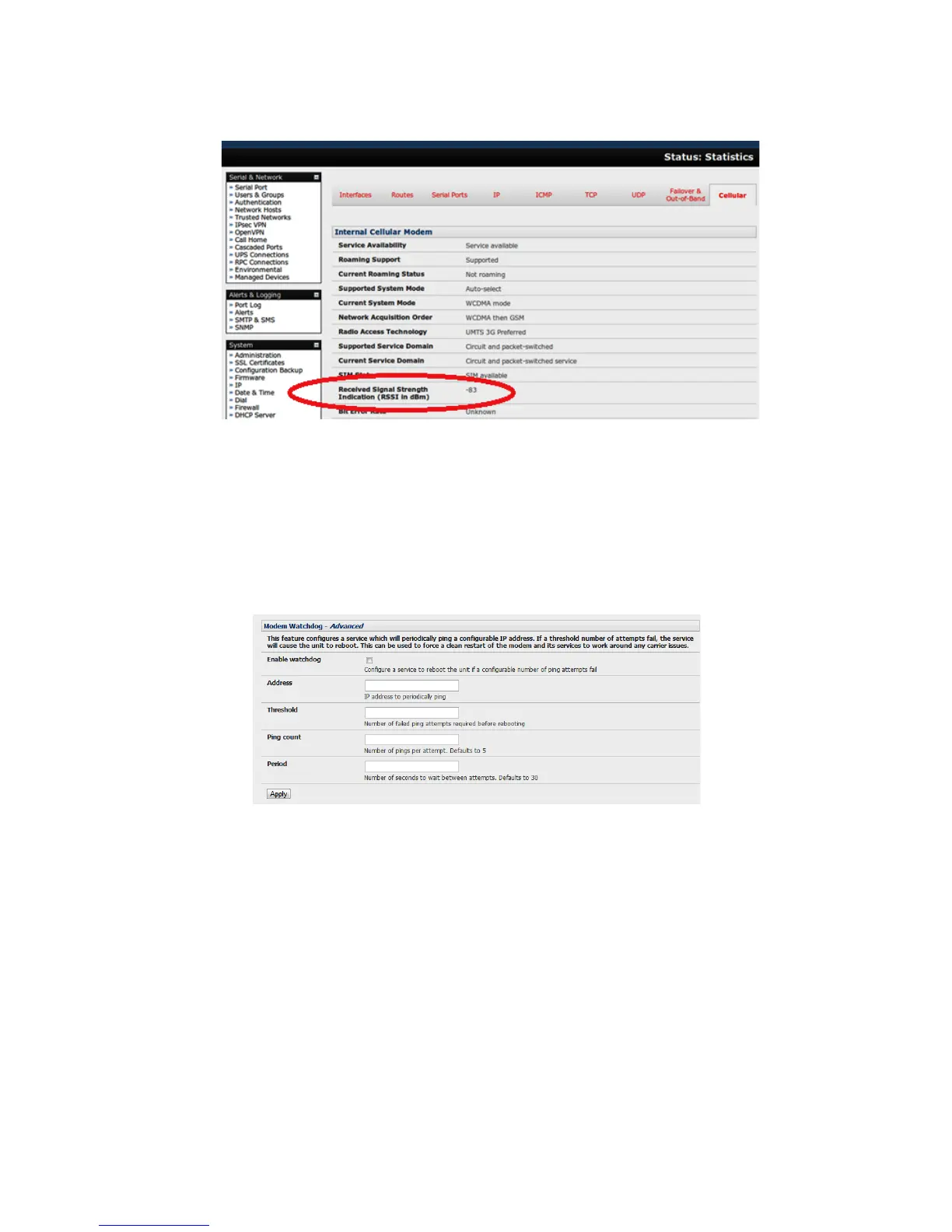
With the cellular modem connection on, you can also see the connection status from the LEDs
on top of the unit.
5.6.4 Cellular modem watchdog
When you select Enable Dial-Out on the System: Dial menu, you will be given the option to configure a
cellar modem watchdog service (with firmware V3.5.2u13 and later). This service will periodically ping a
configurable IP address. If a threshold number of consecutive attempts fail, the service will cause the unit
to reboot. This can be used to force a clean restart of the modem and its services to work around any
carrier issues.
5.6.5 Dual SIM failover
Some console server models allow you to insert two SIM cards (so you can connect selectively to two
carrier networks). The dual SIM failover feature allows the cell modem to selectively failover to the
secondary SIM when communications over the primary SIM fails.
To configure dual SIM failover, you need to:
Choose which of the SIMs is to be the Primary, and the other SIM will be the secondary/failover.
Select Internal Cellular Modem panel on the System: Dial menu nominate which slot (Top or
Bottom) contains the Primary.
Check Enable SIM Failover.











 To Next Page