_____________________________________________________________________
724-746-5500 | blackbox.com Page 280
15.5.2 Check firewall rules
Select System: Services and ensure the SNMP daemon box has been checked for the interface required. This
will allow SNMP requests through the firewall for the specified interface.
15.5.3 Enable SNMP Service
The console server supports different versions of SNMP including SNMPv1, SNMPv2c and SNMPv3.
SNMP, although an industry standard, brings with it a variety of security concerns. For example, SNMPv1 and SNMPv2c
offer no inherent privacy, while SNMPv3 is susceptible to man-in-the-middle attacks. Recent IETF developments
suggests tunnelling SNMP over widely accepted technologies such as SSH (Secure Shell) or TLS (Transport Layer
Security) rather than relying on a less mature security systems such as SNMPv3's USM (User-based Security Model).
Additional information regarding SNMP security issues and SNMPv3 can be found at:
http://net-snmp.sourceforge.net/wiki/index.php/TUT:Security
http://www.ietf.org/html.charters/snmpv3-charter.html.
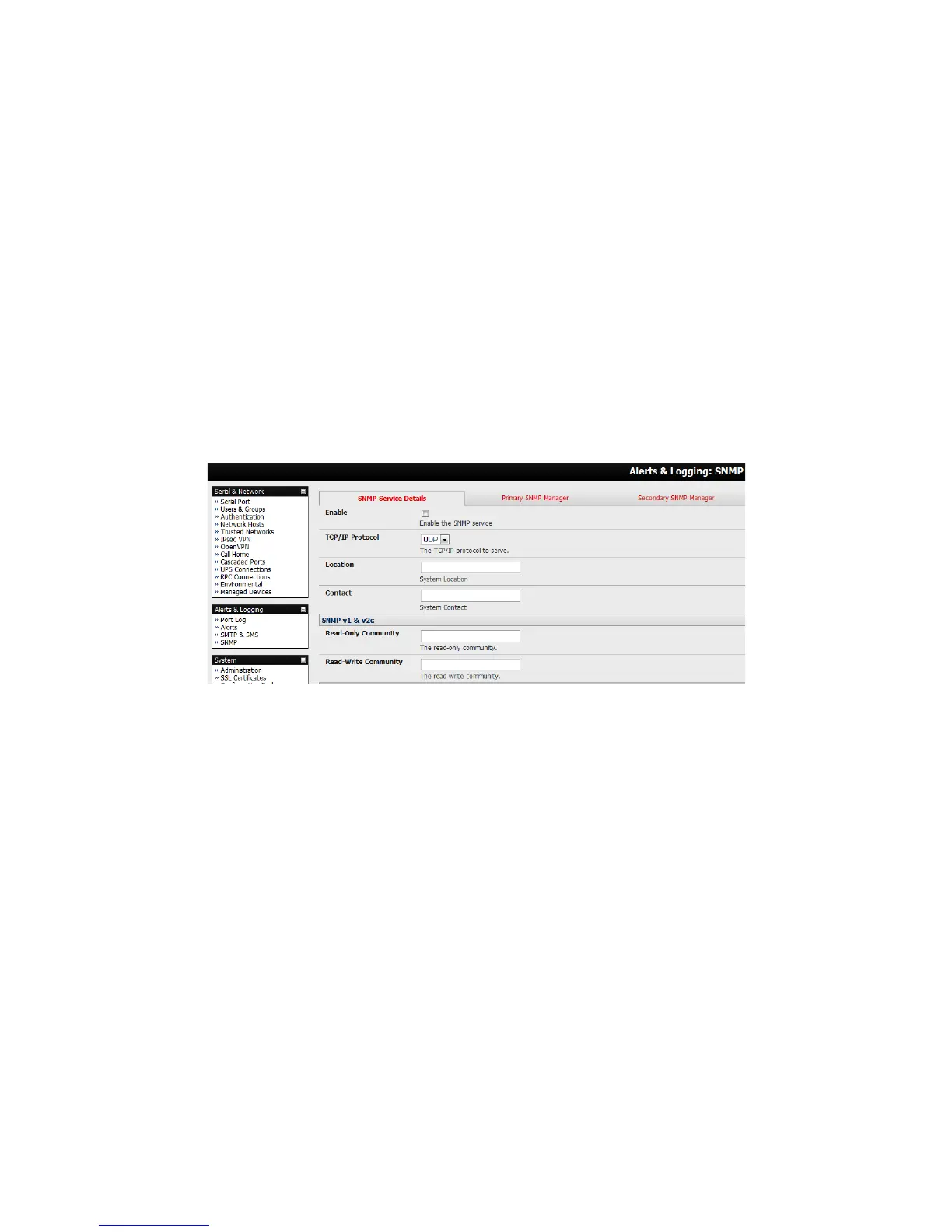
Select Alerts & Logging: SNMP
The SNMP Service Details tab is shown by default. The SNMP Service Details tab controls aspects of the
SNMP Service including Security Level. It manages requests from external agents for Console server status
information.
Check the Enable the SNMP Service box to start the SNMP Service. The Service is disabled by default.
Select either UDP or TCP for the TCP/IP Protocol. UDP is the recommended protocol and is selected by default.
TCP should only be used in special cases such as when Port Forwarding SNMP requests/responses to or from
the Console server device is required.
Complete the Location and Contact fields. The Location field should describe the physical location of the
Console server and will be used in response to requests for the SNMPv2-MIB::sysLocation.0 of the device. The
Contact field refers to the person responsible for the Console server such as the System Administrator and will be
used in response to requests as follows: SNMPv2-MIB::sysContact.0.
Enter the Read-Only Community and Read-Write Community. This is required for SNMP v1 & v2c only. The
Read-Only Community field is used to specify the SNMPv1 or SNMPv2c community that will be allowed read-only
(GET and GETNEXT) access. This must be specified in order for both versions to become enabled. The Read-
Write Community field is used to specify the SNMPv1 or SNMPv2c community that will be allowed read-write
(GET, GETNEXT and SET) access.
Configure SNMP v3, if required. SNMP v3 provides secure SNMP operations through the use of USM (User-
based Security Model). It offers various levels of security including user-based authentication and basic
encryption.











 To Next Page