_____________________________________________________________________
724-746-5500 | blackbox.com Page 87
Note VCMS maintains public key authenticated SSH connections to each of its Managed Console
Servers. These connections are used for monitoring, commanding and accessing the Managed
Console Servers and the Managed Devices connected to the Managed Console Server.
To manage Local Console Servers, or console servers that are reachable from the VCMS, the
SSH connections are initiated by VCMS.
To manage Remote Console Servers, or console servers that are firewalled, not routable, or
otherwise unreachable from the VCMS, the SSH connections are initiated by the Managed
Console Server via an initial Call Home connection.
This ensures secure, authenticated communications and enables Managed Console Servers
units to be distributed locally on a LAN, or remotely around the world.
4.12.1 Set up Call Home candidate
To set up the console server as a Call Home management candidate on the VCMS:
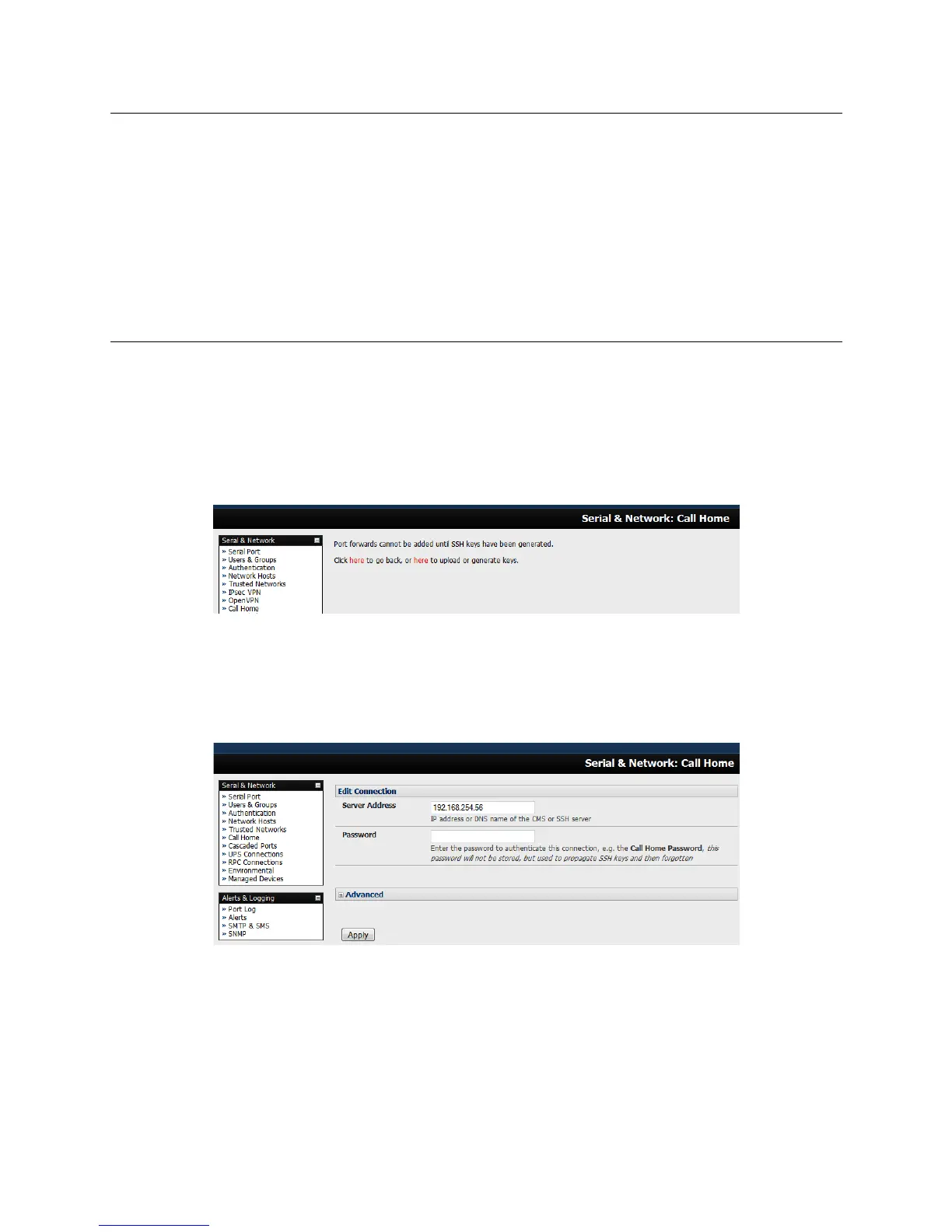
Select Call Home on the Serial & Network menu.
If you have not already generated or uploaded an SSH key pair for this console server, you will
need to do so before proceeding (refer to Chapter 3).
Click Add.
Enter the IP address or DNS name (e.g. the dynamic DNS address) of the VCMS.
Enter the Password that you configured on the VCMS as the Call Home Password.
Click Apply.
These steps initiate the Call Home connection from the console server to the VCMS. This creates
an SSH listening port on the VCMS, and sets the console server up as a candidate.











 To Next Page