_____________________________________________________________________
724-746-5500 | blackbox.com Page 45
TDSDU% L--,3-'/#(-%/"3%(3/G 0 ,H%2 0,/$%
81! 5'7+-.3E! 12-! 6+,! 2,.1! +66'%%! 3#'! !"#$"%&' $&()&(o%! *+ , + 4 'O',3! >DT! ,'3/ 2(0! N2(3%! -%$,4! ;;\!
3-,,'.$,4_N2 (3!72(/+(5 $,4!2(! R1!'%3+R.$%#$,4!+,! UW%'6!]WT!3-,,'.!32! 3#'! !"#$"%&'$&()&(M! \ 2 / ' < '(E!+..!3#'!
/$('5!,'3/2(0!N2(3%!2,!3#'!!"#$"%&'$&()&(%!6+, !+.%2!+44('4+3'5!R1!R'$,4!R($54'5!2 (!R2,5'5M!
!
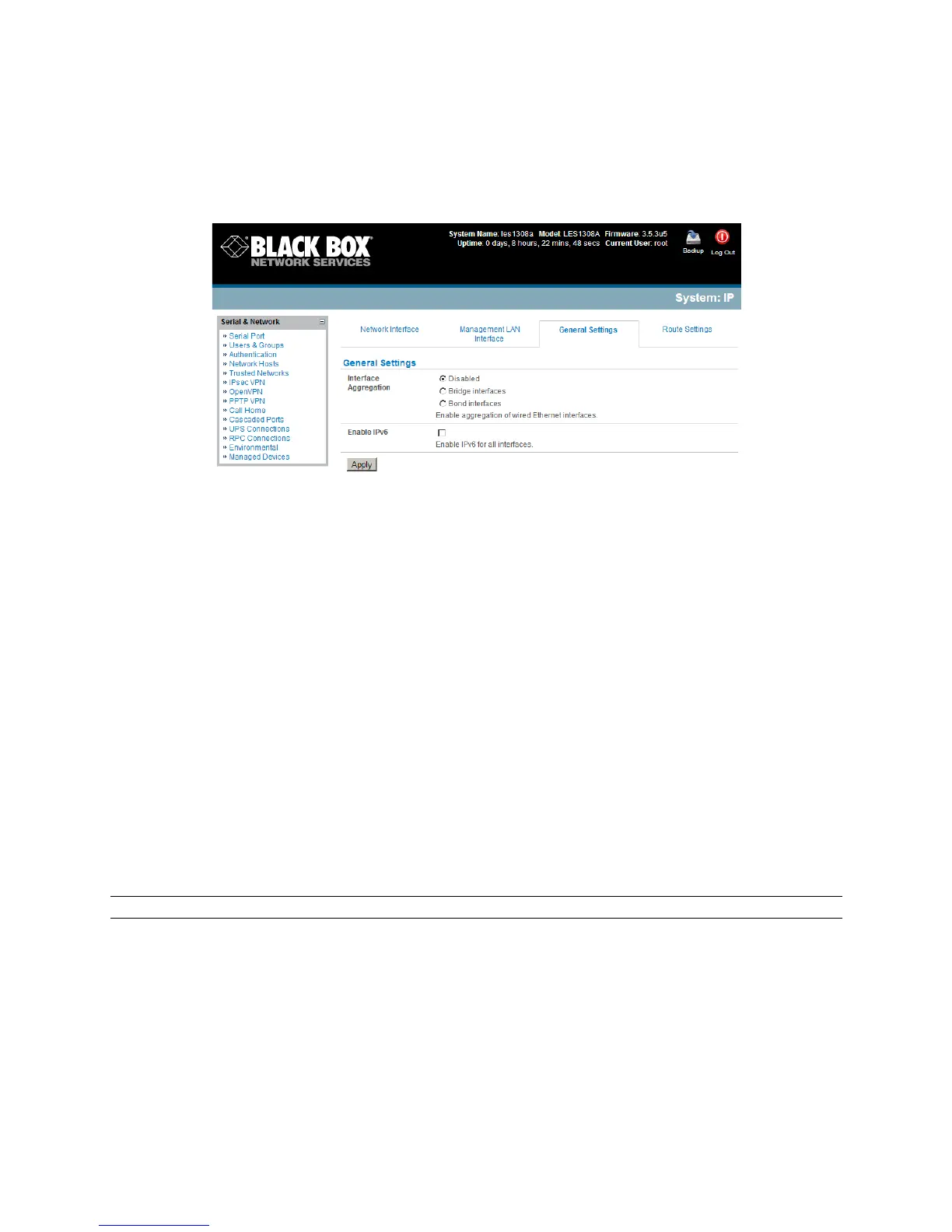
;'.'63!O('< *3%9,#5-#(-!2,!3#'!F1$/36]%B;!Y3(3,'*%F3//#(-$!O',-M!!
;'.'63!9,#5-3%B(/3,4'A3$!2(!90(5%B(/3,4'A3$D!
o i#',!R($54$,4!$% !', + R .' 5E!, ' 3/2(0!3(+77$6!$%!72 (/ + (5 ' 5 !+6 (2 % %!+ ..!? 3# ' (, '3 !N 2( 3% !/ $3# !, 2 !
7$('/+..!('%3($63$2,%M!D ..!3#'!? 3#' (,' 3!N2(3% !+('!+..!3(+, %N +(' ,3.1!62 , ,' 63'5 !+3!3#' !5+ 3+!
.$,0!.+1'(!=.+ 1' (!H J E!%2!3#'1!52!('3+$,!3#'$(!-,$S-'!*D:!+55('%%'%M!
o i$3#!R2,5$,4E!3#'!,'3/2(0!3(+77$6!$%!6+(($'5!R'3/'',!3#'!N2(3%E!R-3!3#'1!N('%',3!/ $3#!
2,'!*D:!+55('%%M!!!!
o 823#!O25'%!('O2<'!+..!3#'!&'('-363(/%NL@%B(/3,4'A3!+,5!+)/V04V9'(5KZ'#*083,%
B(/3,4'A 3 !7- , 63$2, %!+, 5 !5$%+R.'!3#'!=a7;%F3,83,D!
o D..!3#'!?3#'(,'3!N2(3%!+('!3(+,%N+(',3.1!62,,'63'5!+3!3#'!5+3+!.$,0!.+1'(!=.+1'(!HJ!+,5!
3#'1!+('!62,7$4- ('5 !62..'63$<' .1!-%$, 4!3#' !@3/G0,H%B(/3,4'A3!O',-M!
TDSDP%^#VZ#%^#,3*3$$%NL@%
The console servers have an internal 802.11 WiFi adapter and come with an external WiFi antenna. The
WiFi can be configured as a Wi-Fi Wireless Access Point (WAP) or as a Wi-Fi client. The inbuilt WiFi is
inactive by default. If you wish to use the WiFi facility you will need to attach the WiFi antenna (and any
auxiliary WiFi antenna you may have ordered).
Note: A custom model also has an internal wireless adapter, however this can only operate as a client.
To activate and configure the Wireless Access Point functionality, navigate to the System: IP
page and then click the Wireless Network Interface tab.











 To Next Page