_____________________________________________________________________
724-746-5500 | blackbox.com Page 46
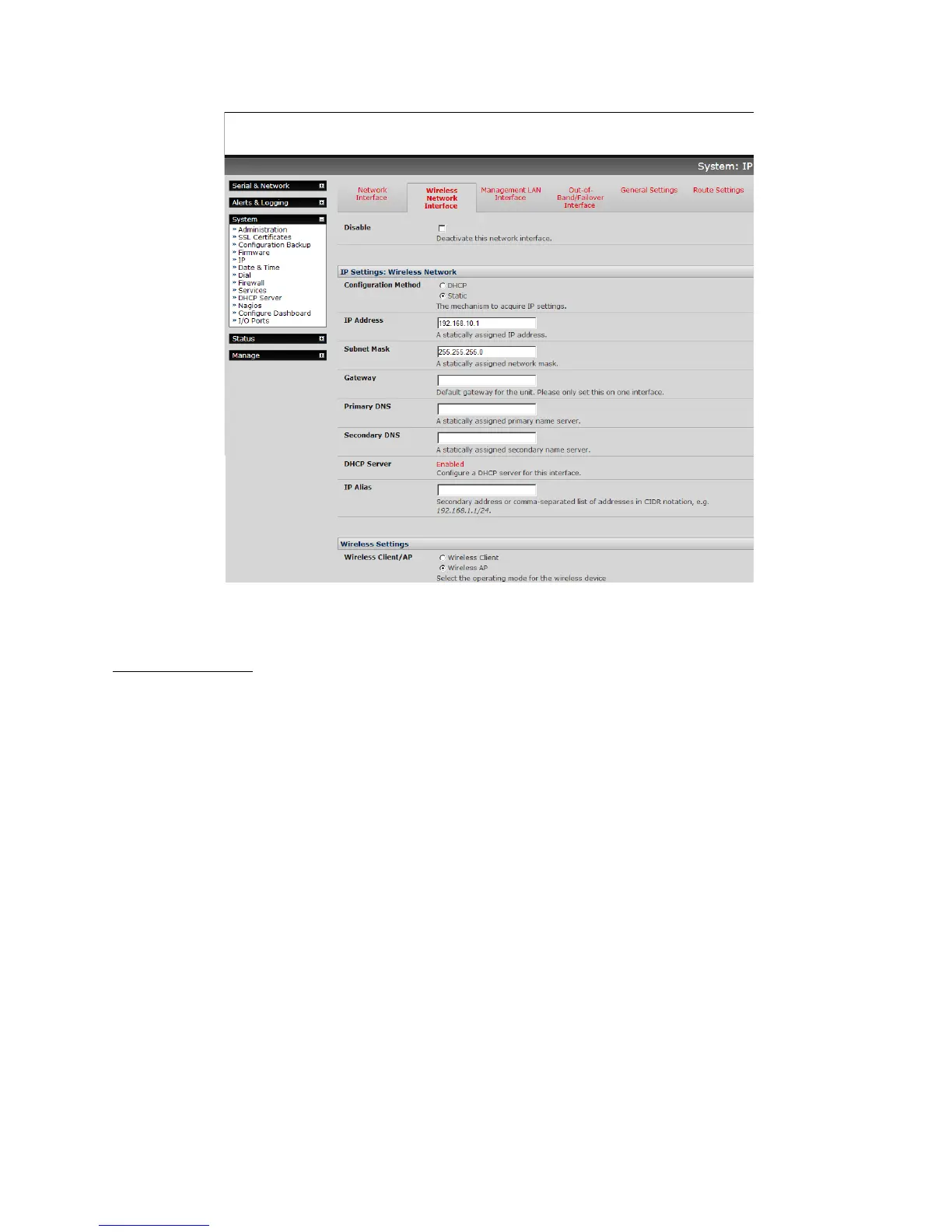
Un-tick the Disable box.
WAP configuration:
!
Configure the IP Settings for the Wireless Network. Generally, if the device is being used as a
Wireless AP, a static address is set here in the IP Settings. In this example, 192.168.10.1 is used.
Set the IP address, and the netmask (in this case, 255.255.255.0 to give 254 unique network
addresses in subnet), but do not fill in the Gateway, Primary DNS, and Secondary DNS. These
settings are used if the interface is to be the primary network link to the outside world, or if it will
be used for failover.
Select Wireless AP, which will make the Wireless AP Settings section visible:
Country: Select the correct country from the list. If the country does not appear, select the World
Regulatory Domain.
SSID: Select an SSID for the network. It should be unique.
Broadcast SSID: Tick this to broadcast the SSID. This should generally done, disabling
broadcast is not a security measure.











 To Next Page