_____________________________________________________________________
724-746-5500 | blackbox.com Page 136
!
:.$60!3#'!a!!;!2(!a!!;F!;'(<$6'%!$62,!32!+66'%%!3#'!*+,+4'O',3!:2,%2.'E!+,5_2(!6.$60!FFa!
2(!!3*(3/!32!+66'%%!3#'!62OO+,5 !.$,'!62,%2.'M!
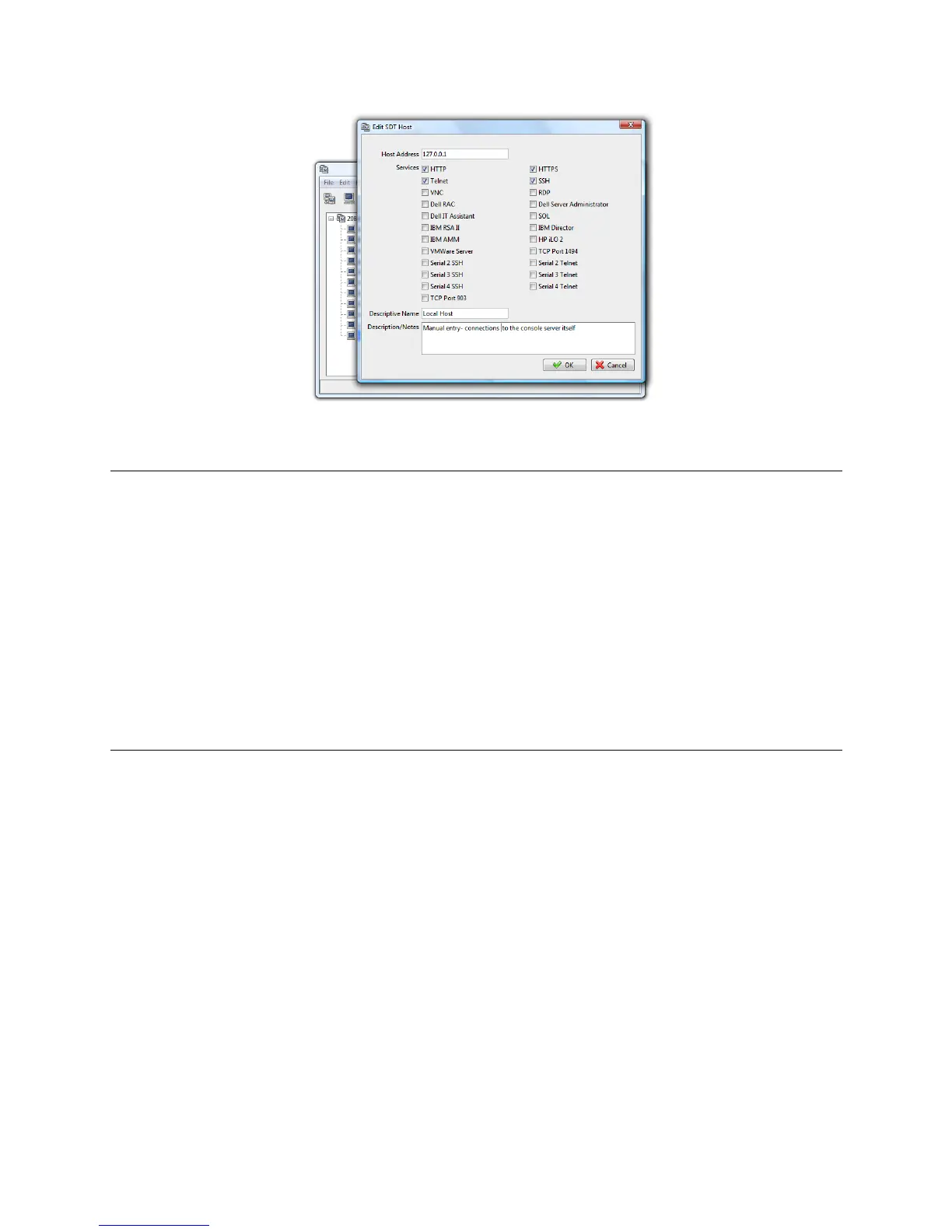
Note: To enable SDT access to the console, you must also configure the console server to allow the
port forwarded network access to itself:
Browse to the console server and select Network Hosts from Serial & Network, click Add
Host, and in the IP Address/DNS Name field enter 127.0.0.1 (this is the Black Box network
loopback address). Then, enter Loopback in Description.
Remove all entries under Permitted Services except for those that you will use to access the
Management Console (80/http or 443/https) or the command line (22/ssh or 23/telnet). Scroll
to the bottom and click Apply.
Administrators by default have gateway access privileges. For Users to access the console
server Management Console, you will need to give those Users the required access
privileges. Select Users & Groups from Serial & Network. Click Add User. Enter a
Username, Description and Password/Confirm. Select 127.0.0.1 from Accessible Host(s)
and click Apply.
!
SDU F= !%70((3A /0,%V% /3*(3/%0,%FFa%A0((3A/%/0%$3,#'**1%'//'A"35%538#A3$%
l2-!6+,!+.%2!-%'!QV= 'M"##&!4"(!32!+66 '%%!3' 93!62, %2 .'%!2, !5'< $6'%!3# +3!+('!+ 33+6# '5 !32!3#' !!"#$"%&'
$&()&(!%'($+.!N2(3%M!










 To Next Page