_____________________________________________________________________
724-746-5500 | blackbox.com Page 115
o The Operational Status will change as the cellular modem finds a channel and connects to
the network.
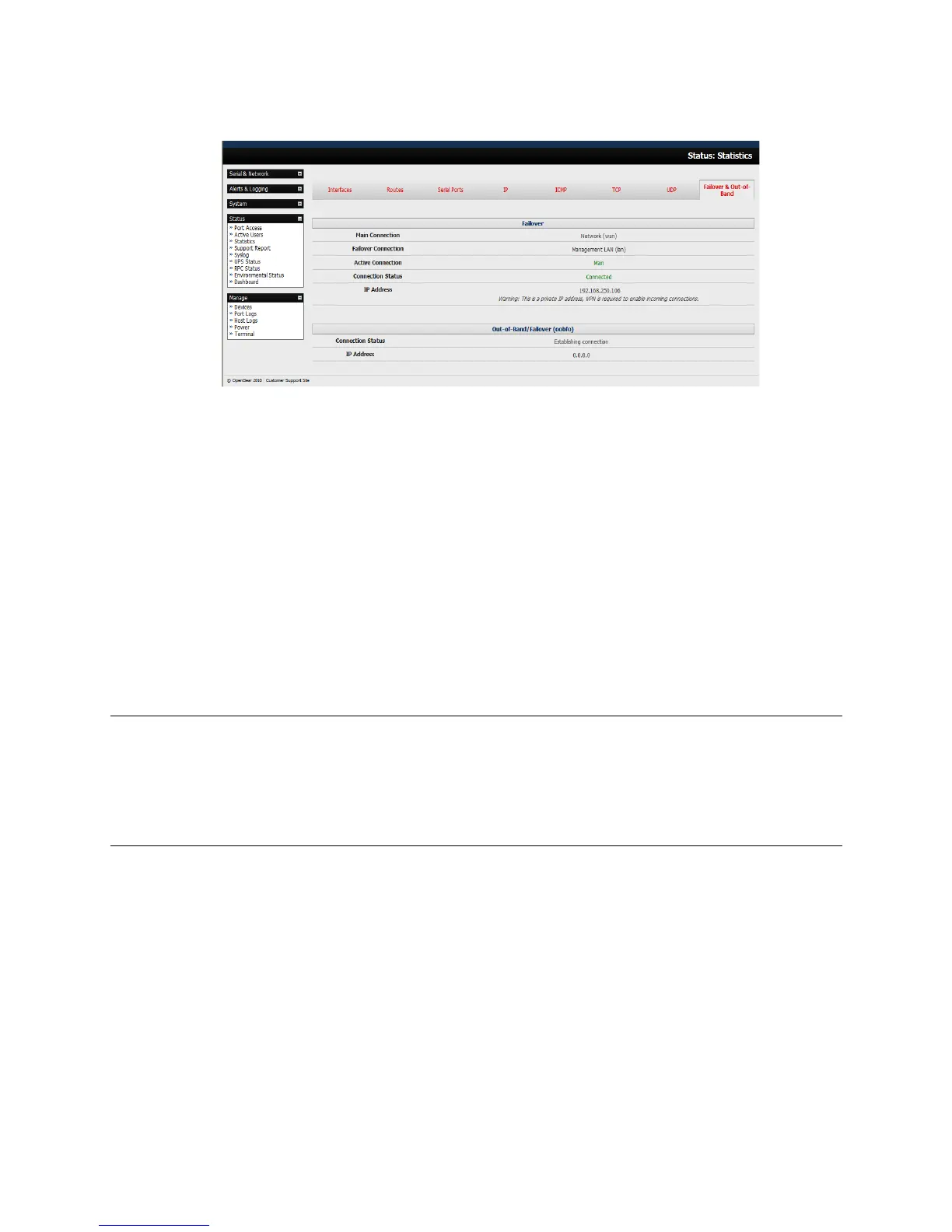
o The Failover & Out-of-Band screen will display information relating to a configured
Failover/OOB interface and the status of that connection. The IP Address of the Failover /
OOB interface will be presented in the Failover & Out-of-Band screen once the
Failover/OOB interface has been triggered.
5.7.3 Cellular routing
Once you have configured carrier connection, the cellular modem can be configured to route traffic
through the console server. This requires setting up forwarding and masquerading - as detailed in
Chapter 5.8.
5.7.4 Cellular CSD dial-in setup
Once you have configured carrier connection, the cellular modem can be configured to receive Circuit
Switched Data (CSD) calls.
Note: CSD is a legacy form of data transmission developed for the TDMA based mobile phone systems
like GSM. CSD uses a single radio time slot to deliver 9.6 kbps data transmission to the
GSM Network and Switching Subsystem where it could be connected through the equivalent of a
normal modem to the Public Switched Telephone Network (PSTN) allowing direct calls to
any dial-up service. CSD is provided selectively by carriers and it is important you receive a Data
Terminating number as part of the mobile service your carrier provides. This is the number which
external modems will call to access the console server.
Select the Cellular Modem panel on the System: Dial menu.
Check Enable Dial-In and configure the Dial-In Settings.











 To Next Page