_____________________________________________________________________
724-746-5500 | blackbox.com Page 160
7.2 Check Conditions
To configure the condition that will trigger the Auto-Response:
Click on the Check Condition type (e.g. Environmental, UPS Status or ICMP ping) to be
configured as the trigger for this new Auto-Response in the Auto-Response Settings menu
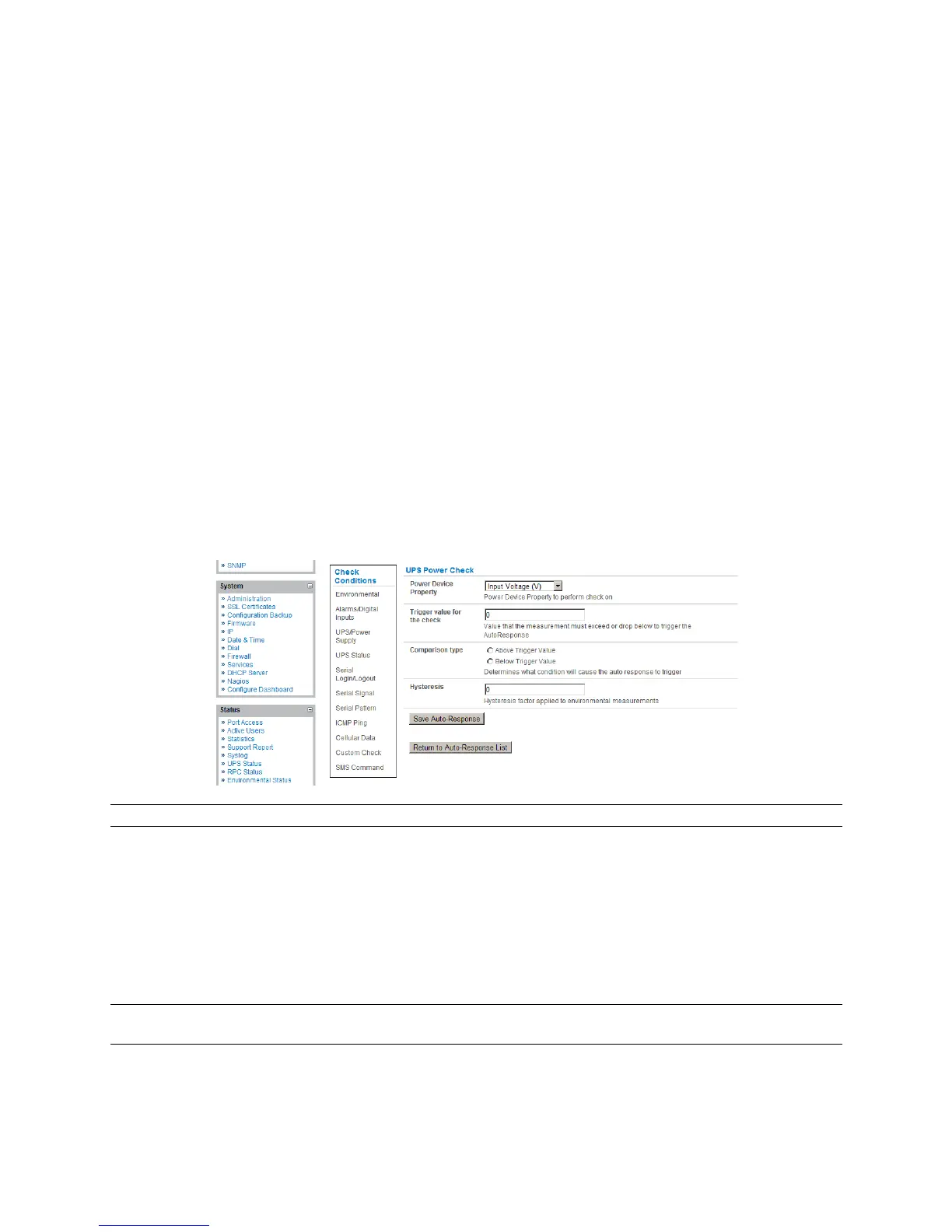
7.2.1 UPS / Power Supply
To use the properties of any attached UPS as the trigger event:
Click on UPS / Power Supply as the Check Condition.
Select UPS Power Device Property (Input Voltage, Battery Charge %, Load %, Input
Frequency in Hz, or Temperature in °C) that will checked for the trigger.
Specify the Trigger value that the check measurement must exceed or drop below to trigger
the AutoResponse.
Select Comparison type as being Above Trigger Value or Below Trigger Value to trigger.
Specify any Hysteresis factor that is to be applied to environmental measurements (e.g. if an
Auto-Response was set up with a trigger event of a battery charge below 20% with a
Hysteresis of 5 then the trigger condition would not be seen as having been resolved till the
battery charge was above 25%).
Check Save Auto-Response.
Note: Before configuring UPS checks in Auto-Response you first must configure the attached UPS.
7.2.2 UPS Status
To use the alert state of any attached UPS as the Auto-Response trigger event:
Click on UPS Status as the Check Condition.
Select the reported UPS State to trigger the Auto-Response (either On Battery or Low
Battery). The Auto-Response will resolve when the UPS state returns to the "Online" state.
Select which connected UPS Device to monitor and check Save Auto-Response.
Note: Before configuring UPS state checks in Auto-Response, you first must configure the attached
UPS.











 To Next Page