_____________________________________________________________________
724-746-5500 | blackbox.com Page 78
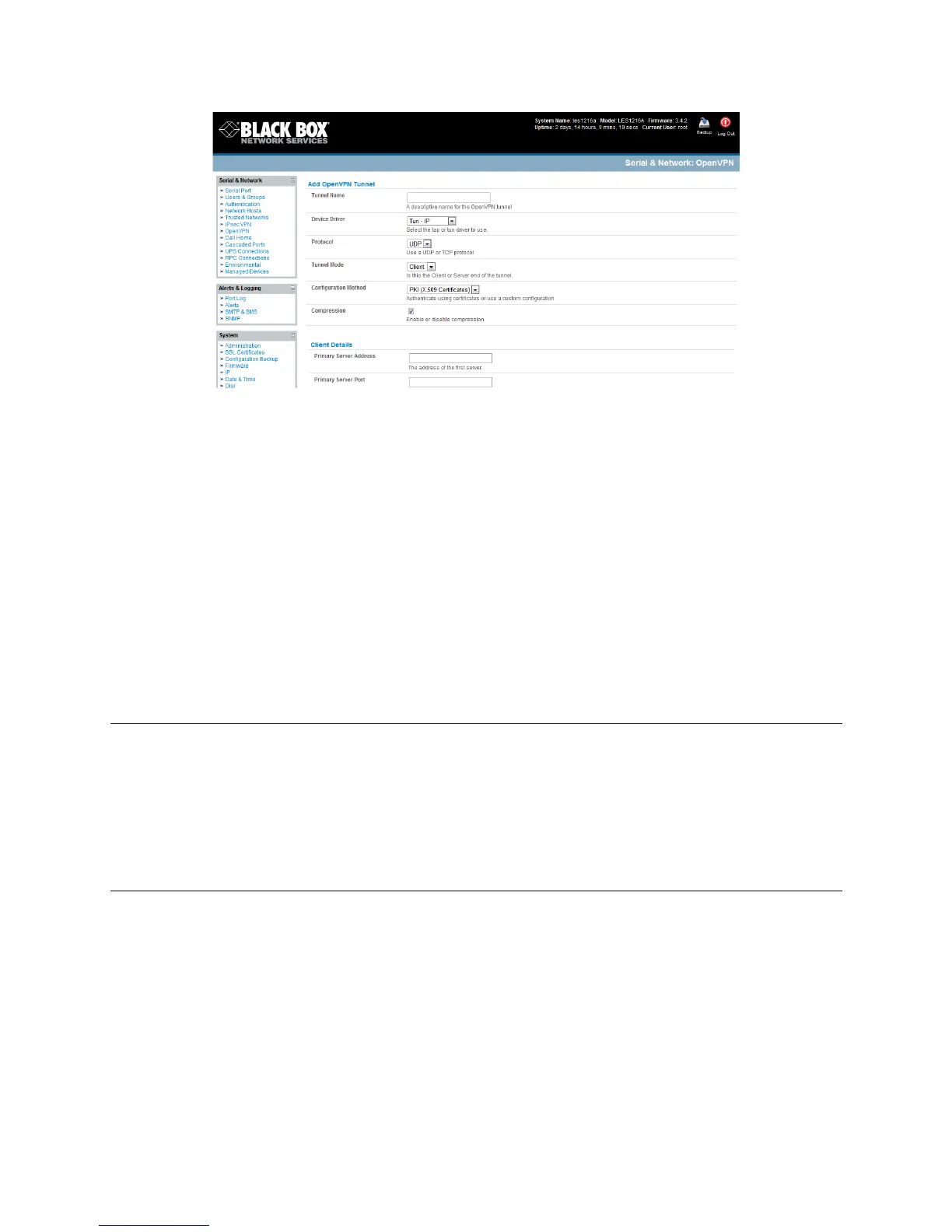
Enter any descriptive name you wish to identify the OpenVPN Tunnel you are adding, for
example, NorthStOutlet-VPN.
Select the Device Driver to be used, either Tun-IP or Tap-Ethernet. The TUN (network tunnel)
and TAP (network tap) drivers are virtual network drivers that support IP tunneling and Ethernet
tunneling, respectively. TUN and TAP are part of the Linux kernel.
Select either UDP or TCP as the Protocol. UDP is the default and preferred protocol for
OpenVPN.
In Tunnel Mode, nominate whether this is the Client or Server end of the tunnel. When running
as a server, the advanced console server supports multiple clients connecting to the VPN server
over the same port.
In Configuration Method, select the authentication method to be used. To authenticate using
certificates, select PKI (X.509 Certificates) or select Custom Configuration to upload custom
configuration files. Custom configurations must be stored in /etc/config.
Note: If you select PKI (public key infrastructure) you will need to establish:
Separate certificate (also known as a public key). This Certificate File will be a *.crt file type.
Private Key for the server and each client. This Private Key File will be a *.key file type.
Master Certificate Authority (CA) certificate and key which is used to sign each of the server and
client certificates. This Root CA Certificate will be a *.crt file type.
For a server you may also need dh1024.pem (Diffie Hellman parameters). Refer to
http://openvpn.net/easyrsa.html for a guide to basic RSA key management. For alternative authentication
methods, see http://openvpn.net/index.php/documentation/howto.html#auth. For more information, also
see http://openvpn.net/howto.html
Check or uncheck the Compression button to enable or disable compression, respectively
UDEQDC% 70(4#-),3%'$%F3,83,%0,%7*#3(/%%%
Complete the Client Details or Server Details depending on the Tunnel Mode selected.
o If Client has been selected, the Primary Server Address will be the address of the
OpenVPN Server.











 To Next Page