_____________________________________________________________________
724-746-5500 | blackbox.com Page 162
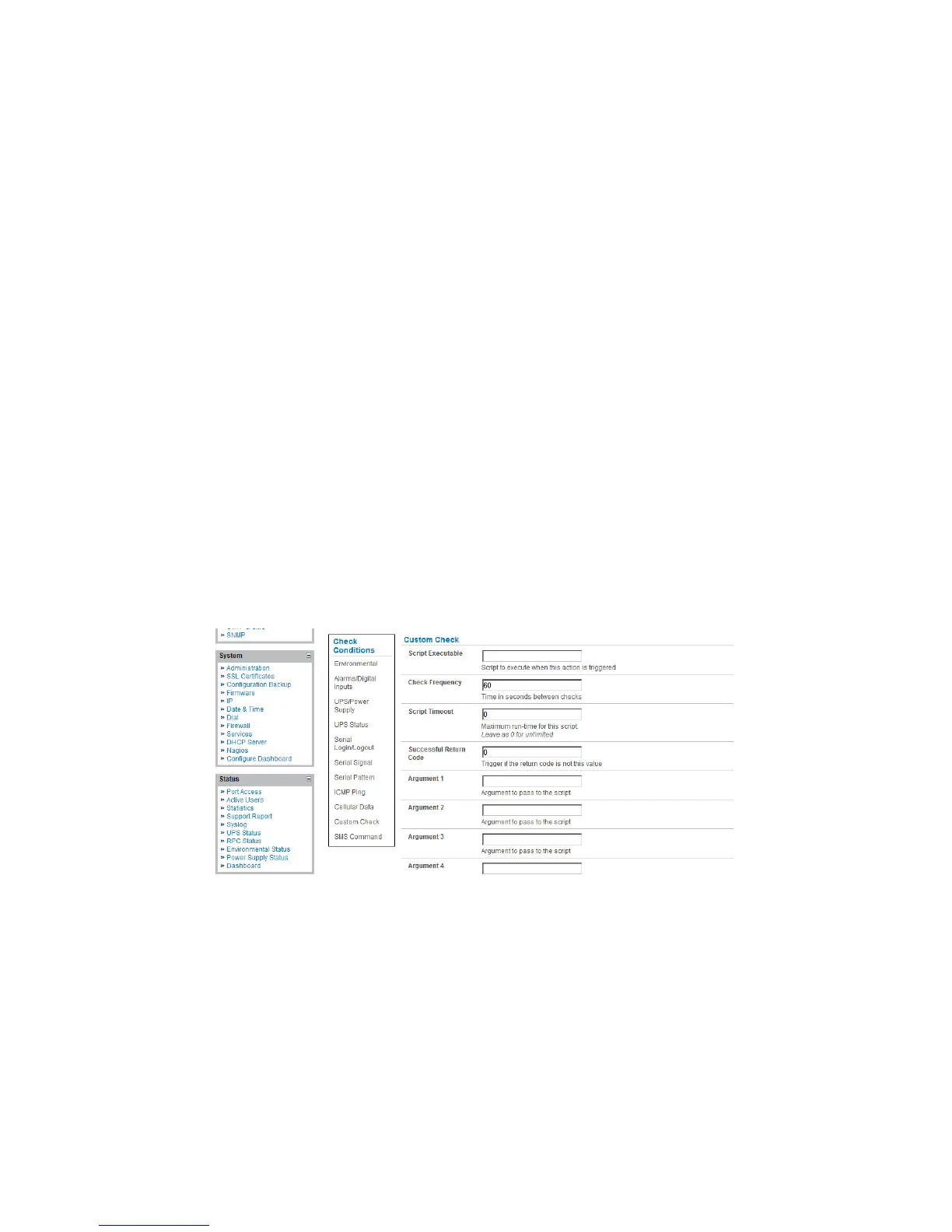
Click on Custom Check as the Check Condition.
Create an executable trigger check script file e.g. /etc/config/test.sh
#!/bin/sh
logger "A test script"
logger Argument1 = $1
logger Argument2 = $2
logger Argument3 = $3
logger Argument4 = $4
if [ -f /etc/config/customscript.0 ]; then
rm /etc/config/customscript.0
exit 7
fi
touch /etc/config/customscript.0
exit 1
Refer to the online FAQs for a sample web page html check and other script file templates.
Enter the Script Executable file name (e.g. /etc/config/test.sh).
Set the Check Frequency (i.e. the time in seconds between re-running the script) and the
Script Timeout (i.e. the maximum run-time for the script).
Specify the Successful Return Code. An Auto-Response is triggered if the return code from
the script is not this value.
Enter Arguments that are to be passed to the script (e.g. with a web page html check script,
these Arguments might specify the web page address/DNS and user logins).
Check Save Auto-Response.
7.2.7 SMS Command
An incoming SMS command from a nominated caller can trigger an Auto-Response:
Click on SMS Command as the Check Condition.
Specify the Phone Number (in international format) of the phone sending the SMS message.
Set the Incoming Message Pattern (PCRE regular expression) to match to create a trigger
event.











 To Next Page