_____________________________________________________________________
724-746-5500 | blackbox.com Page 109
console server as both the MDN and MSID with no spaces or hyphens e.g. “5551231234” for
“555-123-1234”
Click Activate. If no errors occur you will see the new values entered into the NAM Profile at the
Cellular page on Status: Statistics.
Navigate to the Internal Cellular Modem tab on System: Dial. To connect to your carriers 3G
network enter the appropriate phone number (usually #777) and a Username and Password if
directed to by your account/plan documentation.
Select Enable and then click Apply to initiate the Always On Out-of-Band connection.
5.6.3 Verifying the cellular connection
Out-of-band access is enabled by default, so the cellular modem connection should now be on.
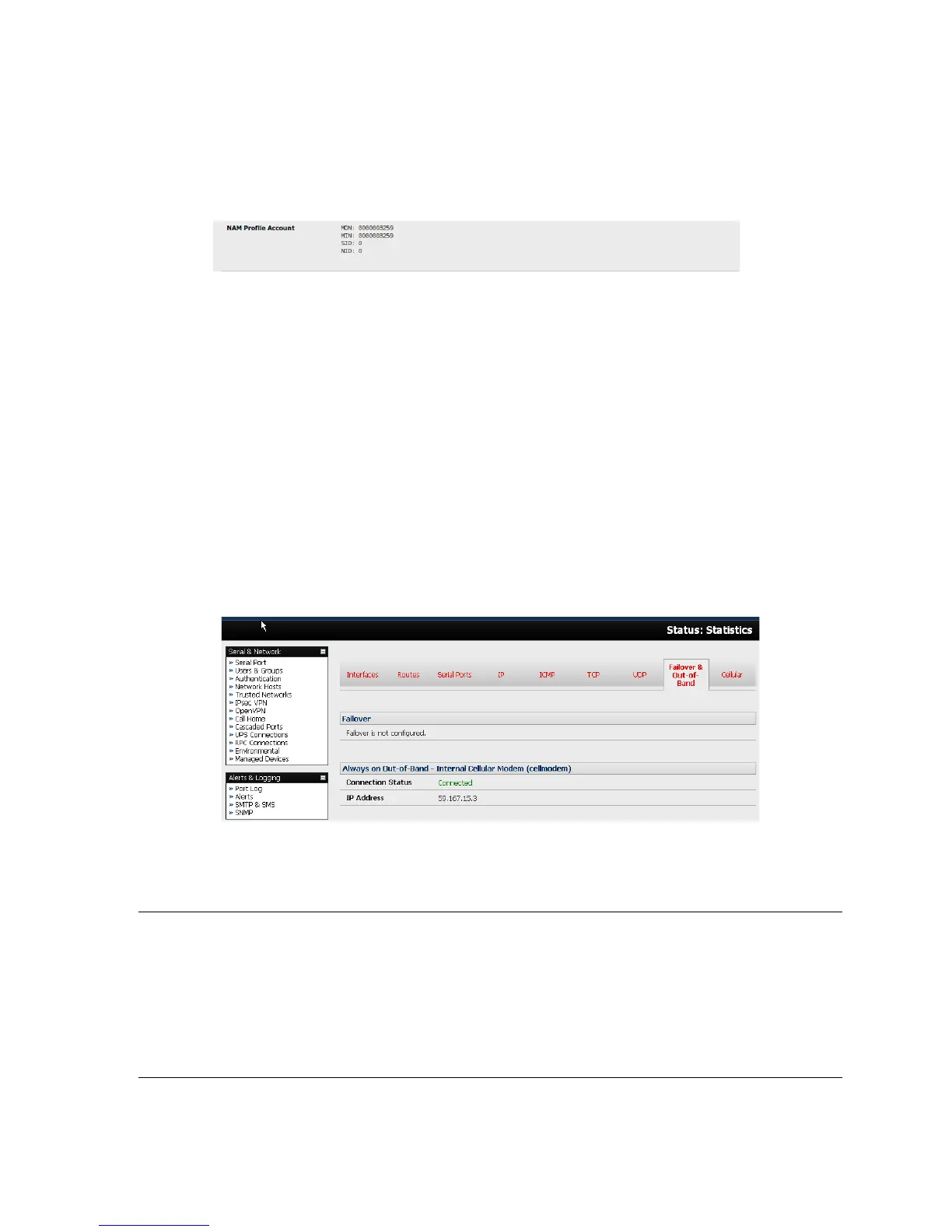
You can verify the connection status from the Status: Statistics.
o Select the Cellular tab and in Service Availability verify Mode is set to Online.
o Select Failover& Out-of-Band and the Connection Status reads Connected.
o You can check your allocated IP address.
You can measure the received signal strength from the Cellular Statistics page on the Status:
Statistics screen. This will display the current state of the cellular modem, including the Received
Signal Strength Indicator (RSSI).
Note: Received Signal Strength Indicator (RSSI) is a measurement of the Radio Frequency (RF)
power present in a received radio signal at the mobile device. It is generally expressed
in dBm and the best throughput comes from placing the device in an area with the highest
RSSI.
-100 dbm or less = Unacceptable coverage.
-99 dbm to –90 dbm = Weak Coverage.
-89 dbm to – 70 dbm = Medium to High Coverage.
-69 dbm or greater = Strong Coverage.











 To Next Page