_____________________________________________________________________
724-746-5500 | blackbox.com Page 114
5.7.2 Cellular failover setup
In this mode, a dial-out cellular connection is only established if the main network is disrupted. The
cellular connection normally remains idle - in a low power state - and is only activated if a ping fails. This
standby mode can suit remote sites with expensive power or very high cellular traffic costs.
In this mode, the appliance continually pings nominated probe addresses over the main network
connection and if a ping fails, it dials out and sets up a dial-out ppp over the cellular modem and access
is switched transparently to this network connection. Then, when the main network connection is restored,
access is switched back.
Once you have configured carrier connection, the cellular modem can be configured for failover.
This will tell the cellular connection to remain idle in a low power state. If the primary and secondary probe
addresses are not available, it will bring up the cellular connection and connect back to the cellular carrier.
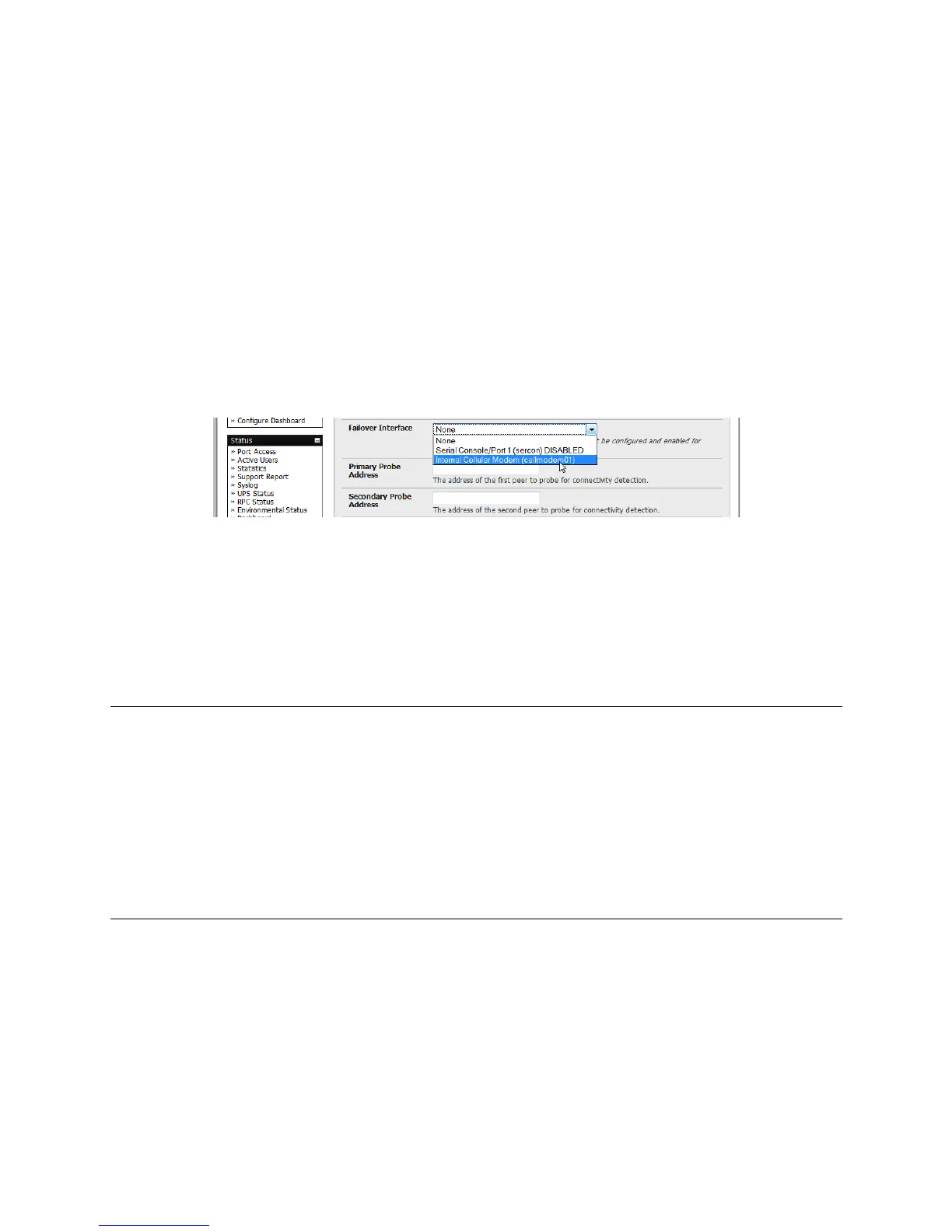
Navigate back to the Network Interface on the System:IP menu and specify Internal Cellular
modem (cell modem 01) as the Failover Interface to be used when a fault has been detected.
Specify the Probe Addresses of two sites (the Primary and Secondary) that the console server
is to ping to determine if the principal network is still operational.
If the principal network fails, the 3G network connection is activated as the access path to the
console server (and Managed Devices). Only HTTPS and SSH access is enabled on the failover
connection (this should enable the administrator to connect and fix the problem).
Note: By default, the advanced console server supports automatic failure-recovery back to the original
state prior to failover (V3.1.0 firmware and later). The advanced console server continually pings
probe addresses whilst in original and failover states. The original state will automatically be set
as a priority and reestablished following three successful pings of the probe addresses during
failover. The failover state will be removed once the original state has been re-established.
For earlier firmware that does not support automatic failure-recovery, to restore networking to a
recovered state, the following command then needs to be run:
rm -f /var/run/*-failed-over && config -r ipconfig
If required, you can run a custom bash script when the device fails over. You can use this script
to implement automatic failure recovery, depending on your network setup. The script to create is:
/etc/config/scripts/interface-failover-alert
You can check the connection status by selecting the Cellular panel on the Status: Statistics
menu.











 To Next Page