_____________________________________________________________________
724-746-5500 | blackbox.com Page 33
TDU% F3,8#A3$%'(5%F3,8#A3%'AA3$$%%%
The Administrator can access and configure the console server (and connected devices) using a range of
access protocols/services. For each such access:
- the particular service must first be configured and enabled to run on the console server.
- then access through the firewall must be enabled for each network connection.
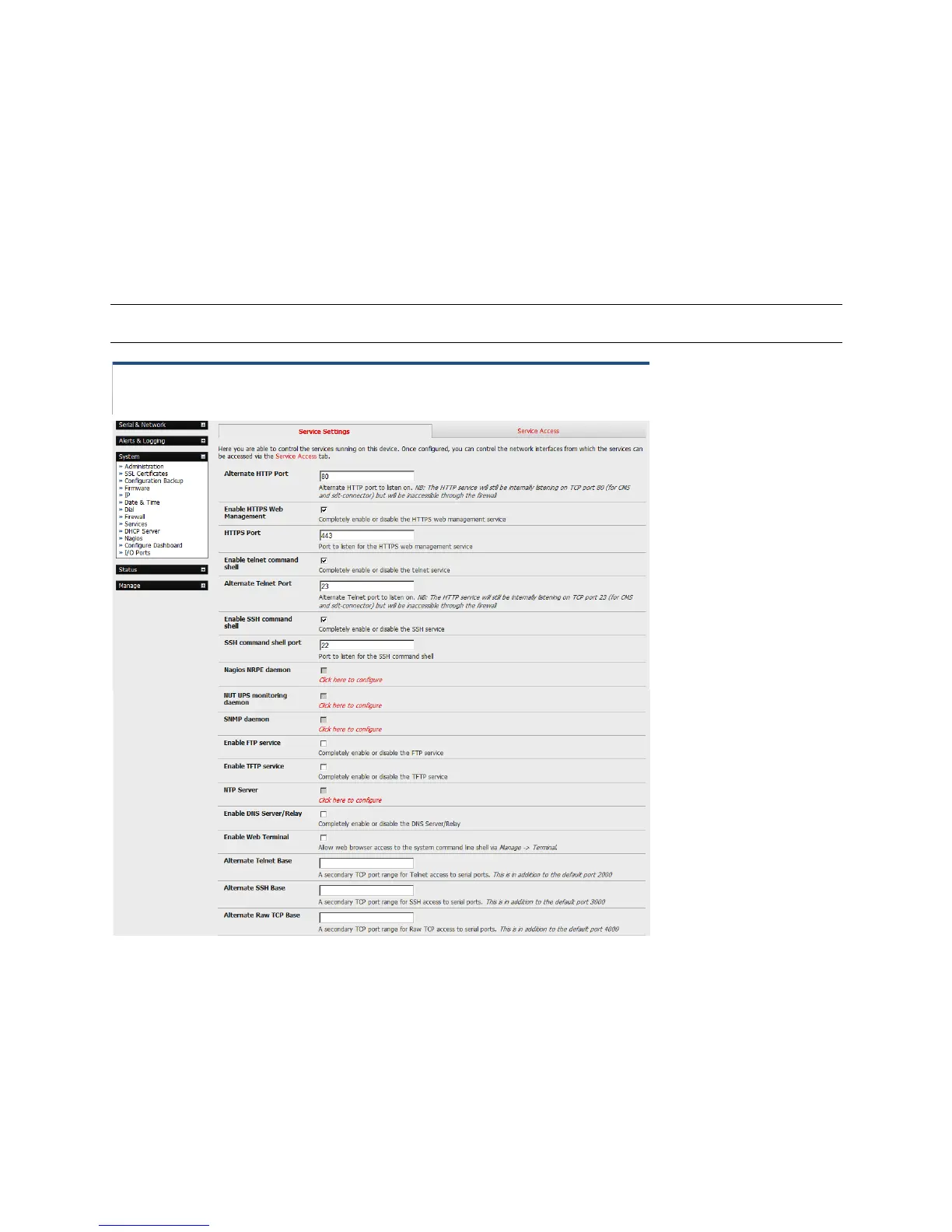
To enable and configure a service:
Select the Service Settings tab on the System: Services page.
Note With firmware releases pre 3.5.3 services are enabled and configured using the Service Access
tab on the System: Firewall page.
Enable and configure basic services:
HTTP By default, the HTTP service is running and it cannot be fully disabled. By default,
HTTP access is disabled on all interfaces and we recommend that this access remain
disabled if the console server is to be remotely accessed over the Internet.
HTTPS By default, the HTTPS service is running and this service is enabled on all network
interfaces. We recommend that you use only HTTPS access if the console server will











 To Next Page