_____________________________________________________________________
724-746-5500 | blackbox.com Page 30
!
TDT% @3/G0,H%B;%'55,3$$%
"#'!,'93!%3'N!$%!32!',3'(!+,!UW!+55('%%!72(!3#'!N($,6$N+.!?3#'(,'3!=C2;S;&40"(TS;&40"(TBJ!N2(3!2,!3#'!
!"#$"%&'$&()&(E!2(!',+R.'!$3%!X\:W!6.$',3!%2!3#+3!$3!+-32O+3$6+..1!2R3+$,%!+,!UW!+55('%%!7(2O!+!X\:W!
%'(<'(!2,!3#'!,'3/2(0!$3!/$..!62,,'63!32M!
Q,!3#'!F1$/36 ]%B;!O',-E!%'.'63!3#'!@3/G0,H%B(/3,4'A3%N+4'E!3#', !6# '60 !5"A2%2(!$/'/#A%72(!3#'!
70(4#-),'/#0(%&3/"05D!
U7!12-!%' .' 63' 5 !F/'/#AX%12-!O-%3!O+,-+..1!',3'(!3#'!,'/!B;%L55,3 $ $E!F)<( 3/%&'$HE!Y'/3G'1X!
+,5!=@F!%'(<'(!5'3+$.%M!"#$%%%'.'63$2,!+-32O+3$6+..1!5$%+R.'%!3#'!X\:W!6.$',3M!
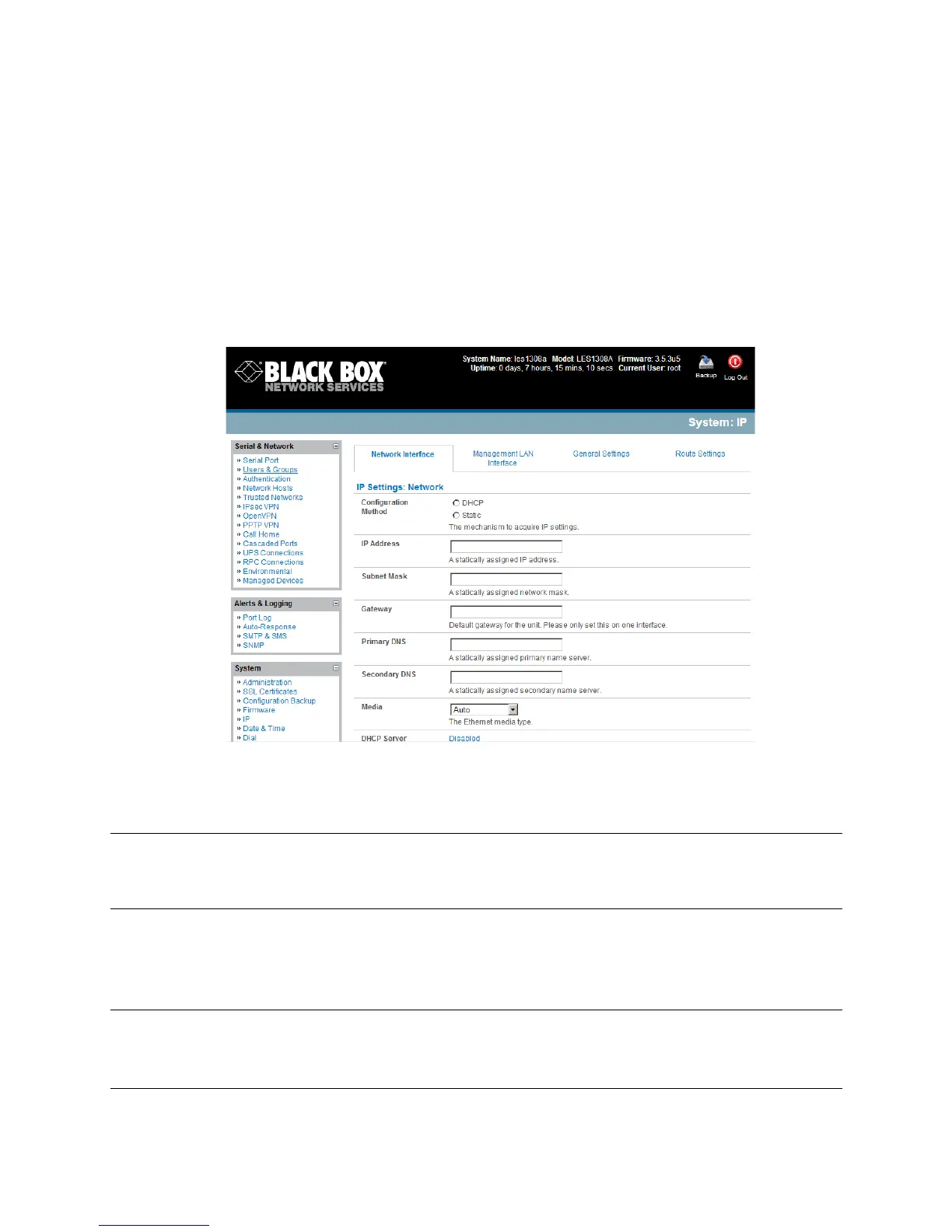
By default the console server LAN port auto detects the Ethernet connection speed. However you
can use the Media menu to lock the Ethernet to 10 Mbps or 100Mbps and to Full Duplex (FD) or
Half Duplex (HD).
Note If you encounter packet loss or poor network performance with the default auto-negotiation
setting, try manually setting the Ethernet Media settings on the console server, and the device it
is connected to. In most cases, select 100BASETX-FD (100 megabits, full duplex). Make sure
both sides are set identically.
U7!12-!%' .' 63' 5 !=a7;X%3#'!!"#$"%&'$&()&(!/$..!.220!72(!62,7$4-(+3$2,!5'3+$.%!7(2O!+!X\:W!%'(<'(!
2,!12-(!O+,+4'O',3!>DTM!"#$%!%'.'63$2,!+-32O+3$6+..1!5$%+R.'%!+,1!%3+3$6!+55('%%M!"#'!!"#$"%&'
$&()&(!*D:!+55('%%!$%!N($,3'5!2,!+!.+R'.!2,!3#'!R+%'!N.+3'M!
Note In its factory default state (with no Configuration Method selected), the console server has its
DHCP client enabled, so it automatically accepts any network IP address assigned by a DHCP
server on your network. In this initial state, the console server will then respond to both its Static
address (192.168.0.1) and its newly assigned DHCP address.











 To Next Page