_____________________________________________________________________
724-746-5500 | blackbox.com Page 152
Or, you can set the advanced connection and access on the Windows computer to use the
console server defaults:
Specify 10.233.111.254 as the From: address.
Select Allow calling computer to specify its own address.
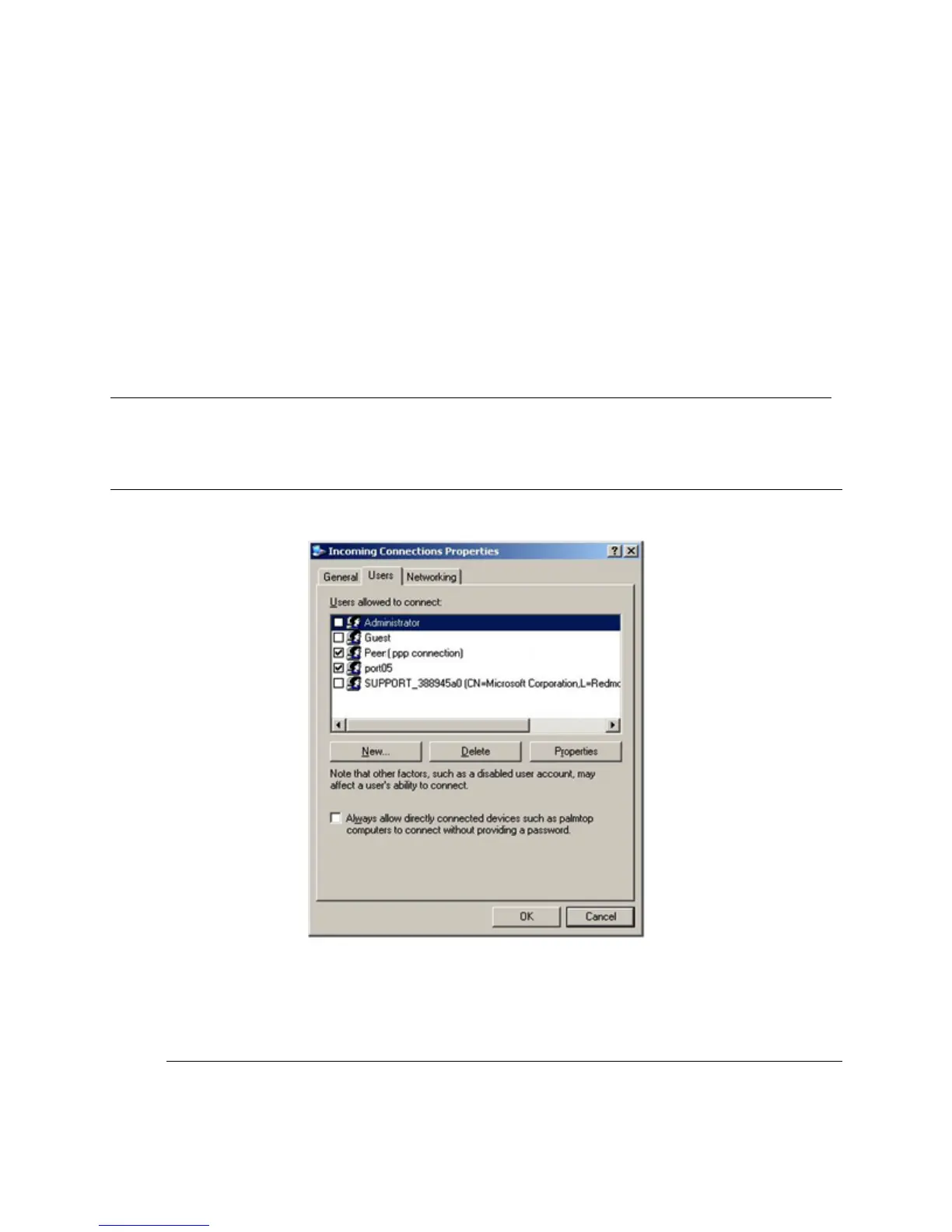
Also, you could use the console server default username and password when you set up the
new Remote Desktop User and gave this User permission to use the advance connection to
access the Windows computer:
The console server default Username is portXX where XX is the serial port number on the
console server.
The default Password is portXX
To use the defaults for a RDP connection to the serial port 2 on the console server, you would
have set up a Windows user named port02.
!
i#',!3#'!WWW!62,,'63$2,!#+%!R'',!%'3!-NE!+!,'3/2(0!$62,!/$..!+NN'+(!$,!3#'!i$,52/%!3+%0!R+(M!
Note The above notes describe setting up an incoming connection for Windows XP. The steps are
similar for Vista and Windows Server 2003/2008, but the set up screens present slightly differently:
You need to put a check in the box for Always allow directly connected devices such as
palmtop…..
The option for to Set up an advanced connection is not available in Windows 2003 if RRAS is
configured. If RRAS has been configured, you can enable the null modem connection for the dial-
in configuration.
'











 To Next Page