_____________________________________________________________________
724-746-5500 | blackbox.com Page 36
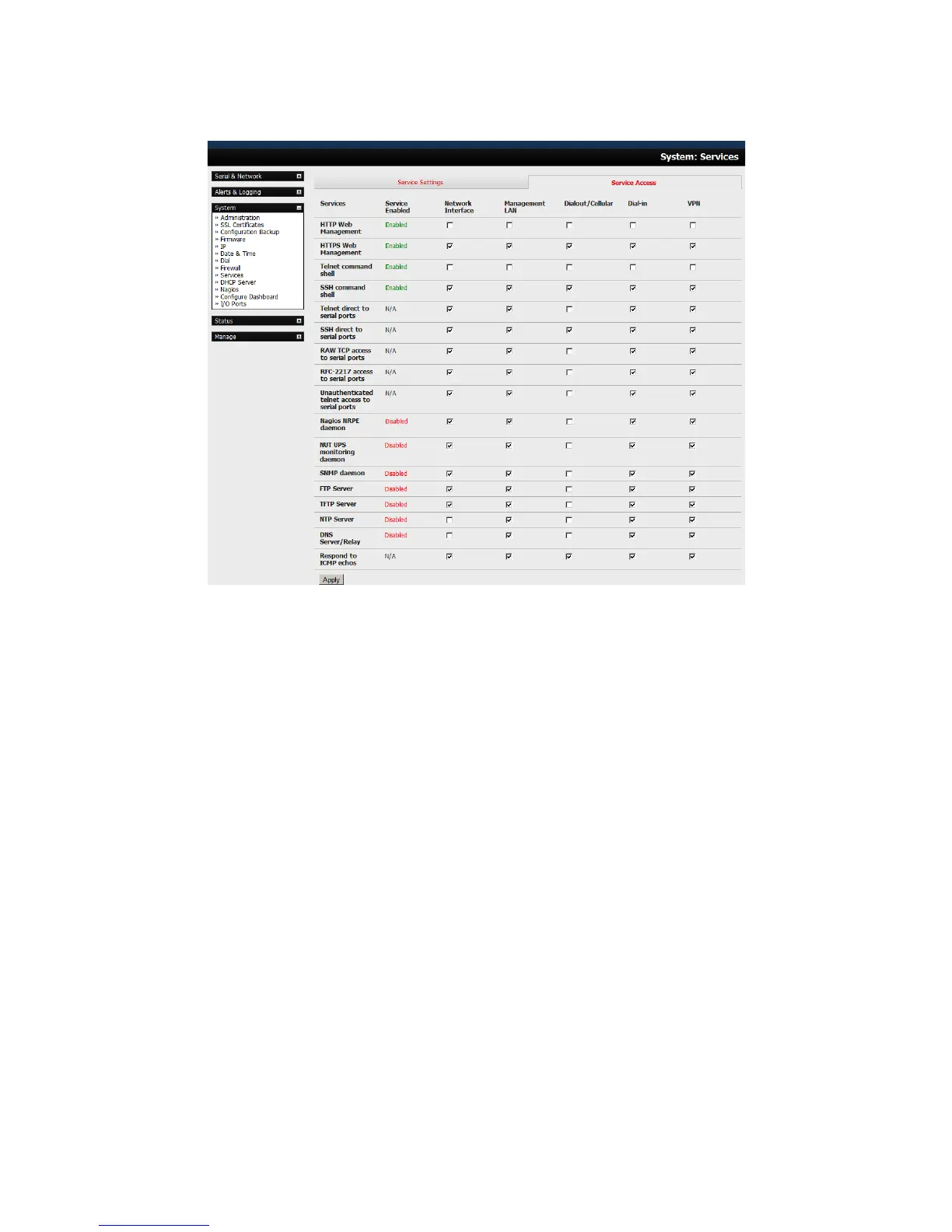
This will display the services currently enabled for the console server’s network interfaces.
Depending on the particular console server model the interfaces displayed may include:
- Network interface (for the principal Ethernet connection).
- Management LAN / OOB Failover (second Ethernet connections).
- Dialout/Cellular (V90 and 3G modem).
- Dial-in (internal or external V90 modem).
- Wi-Fi (802.11 wireless).
- VPN (IPsec or Open VPN connection over any network interface).
Check/uncheck for each network which service access is to be enabled /disabled.
In the example shown next, local administrators on local Management LAN have Telnet access
directly to the console server (and attached serial ports), while remote administrators using Dial In
or Cellular have no such Telnet access (unless they set up a VPN).











 To Next Page