SERVSWITCH™ DKM CONFIGURATION
41
6.1.1.7 Keyboard Control:
Within the masks you may navigate with the following keys (key sequences)
<Cursor left> Cursor left – only inside an Input field or Switch Mask
<Cursor right> Cursor right – only inside an Input field or Switch Mask
<Cursor up> Line up (with wrap around) in Input fields or Switch Mask,
Line up (without wrap around) in Menus
<Cursor down> Line down (with wrap around) in Input fields or Switch Mask,
Line down (without wrap around) in Menus
<Page up> Page up in Input-/Status Masks with several pages
<Page down> Page down in Input-/Status Masks with several pages
<Tab> Next field in Input Masks
<Shift> + <Tab> Previous field in Input Masks
<+> Next Option in Select fields
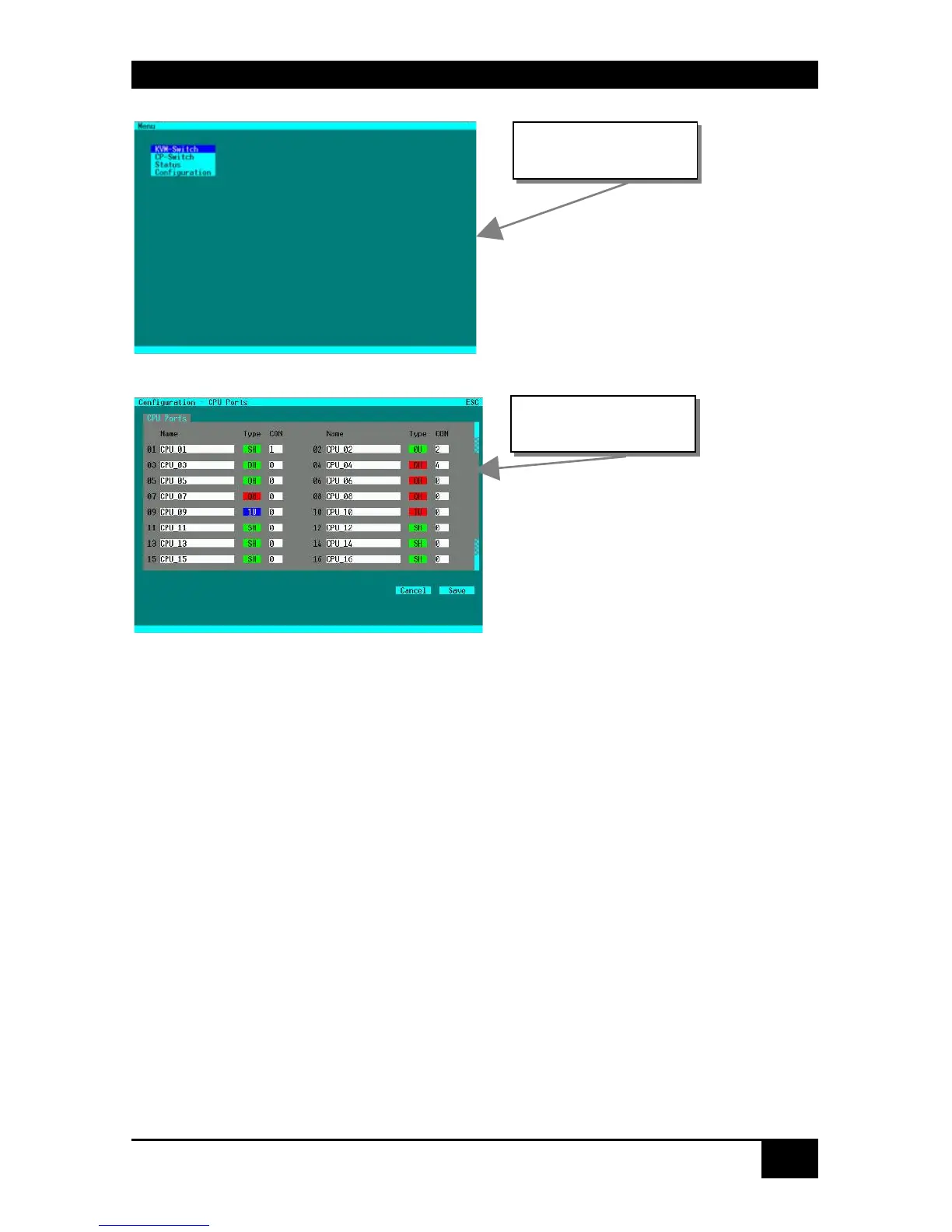
Example: Menu
Example: Input Mask
Mask fields:
Name Text field with xx characters
Type Selection field
CON Numerical field with xx
digits














 To Next Page