SERVSWITCH™ DKM CONFIGURATION
59
6.1.10 Configuration of CPU Ports
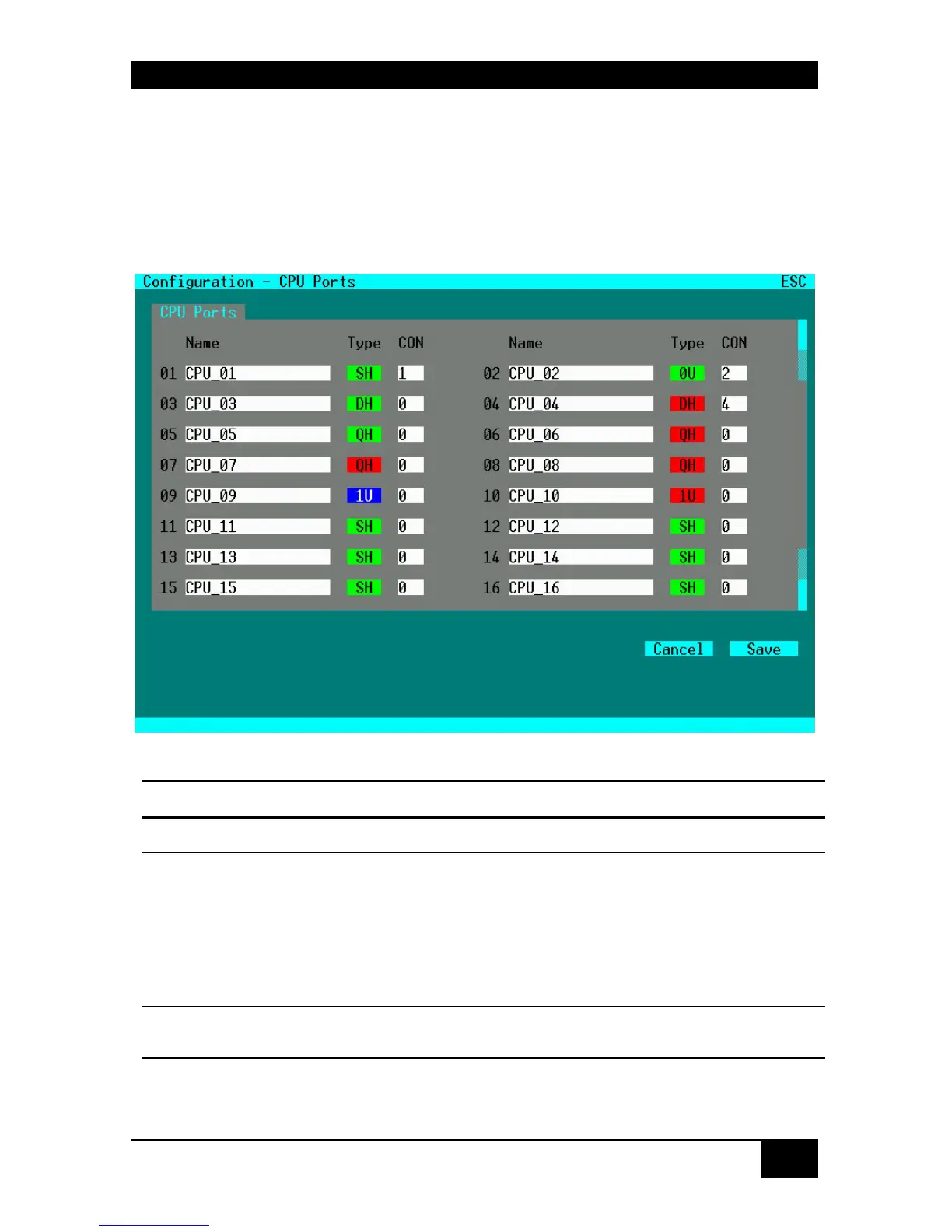
Please select the option “CPU Ports” in the “Configuration” menu by using the cursor buttons
and confirm with <RETURN>.
The “CPU Ports” mask is displayed full screen.
In this menu, the administrator can define for each CPU Port the name, the type, and the
connected CON Port. For further details, cf. to Configuration of CON Ports on page 55.
Configuration Options:
Field Type Description
Name CHR16
Name of the CPU connected to this Port
Type SELECT
SH = Single-Head Port
DH = Dual-Head Port
QH = Quad-Head Port
0U = USB2.0 Port
1U = Single-Head Port with USB2.0 Port
3U = Triple-Head Port with USB 2.0 Port
CON VAL2
No. of CON Port connected to this CPU (Status) or. to
be connected by <SAVE>














 To Next Page