CONTROL OF SERVSWITCH™ DKM
101
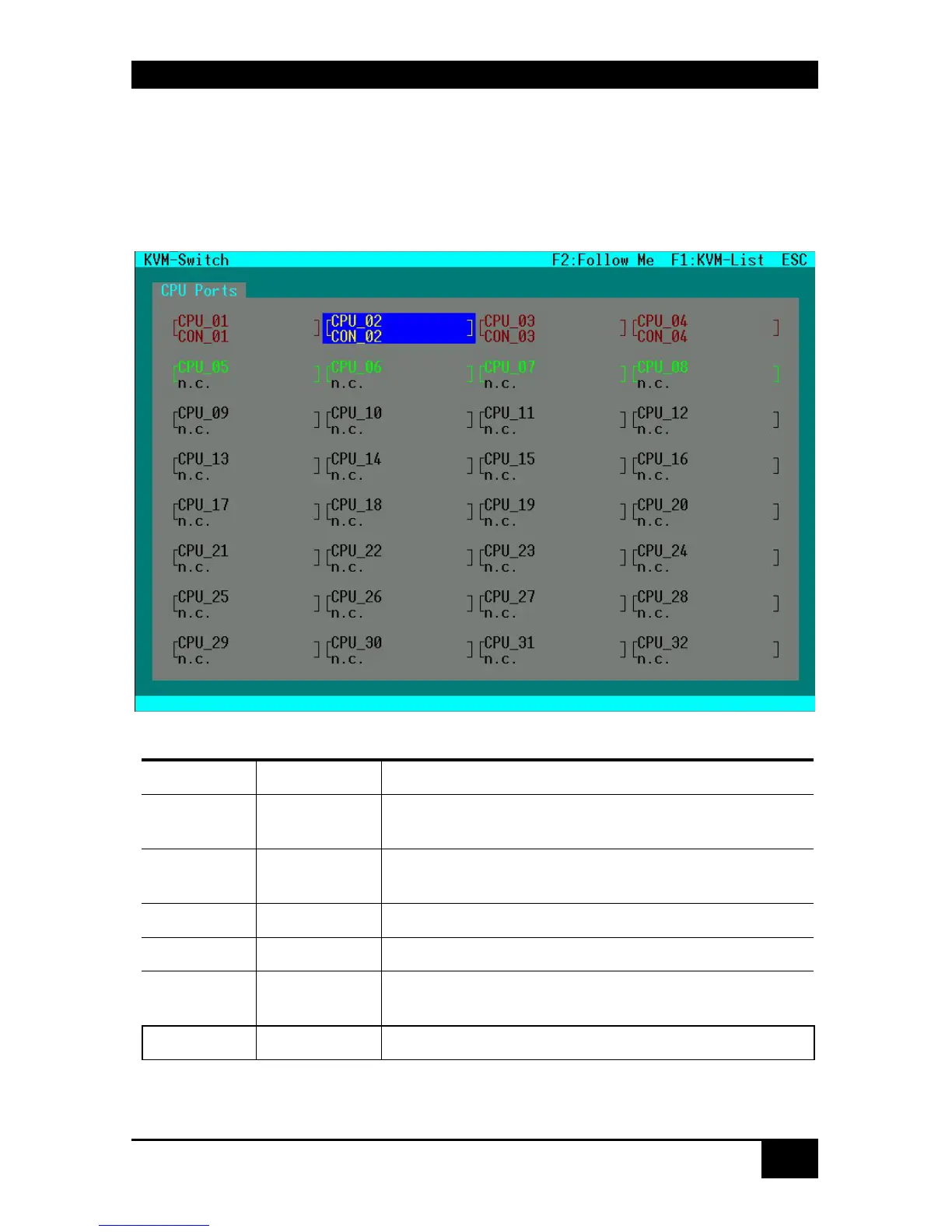
8.2.2 Switching in „KVM-Switch“ Mask:
This mask will appear as you enter into the OSD if the configuration has been modified
accordingly.
In this mask, all CPU Ports are displayed regardless of their accessibility.
Color Codes
CPU Port CON Port Meaning
Green n.c. CPU Port not connected
Video maybe shared to other console
Green Yellow CPU Port not connected
Video shared to own console
Yellow Yellow CPU Port connected to own console
Red Red CPU Port connected to other console
Red Yellow CPU Port connected to other console
Video shared to own console
Black n.c. CPU Port not available














 To Next Page