ServSwitch™ DKM
108
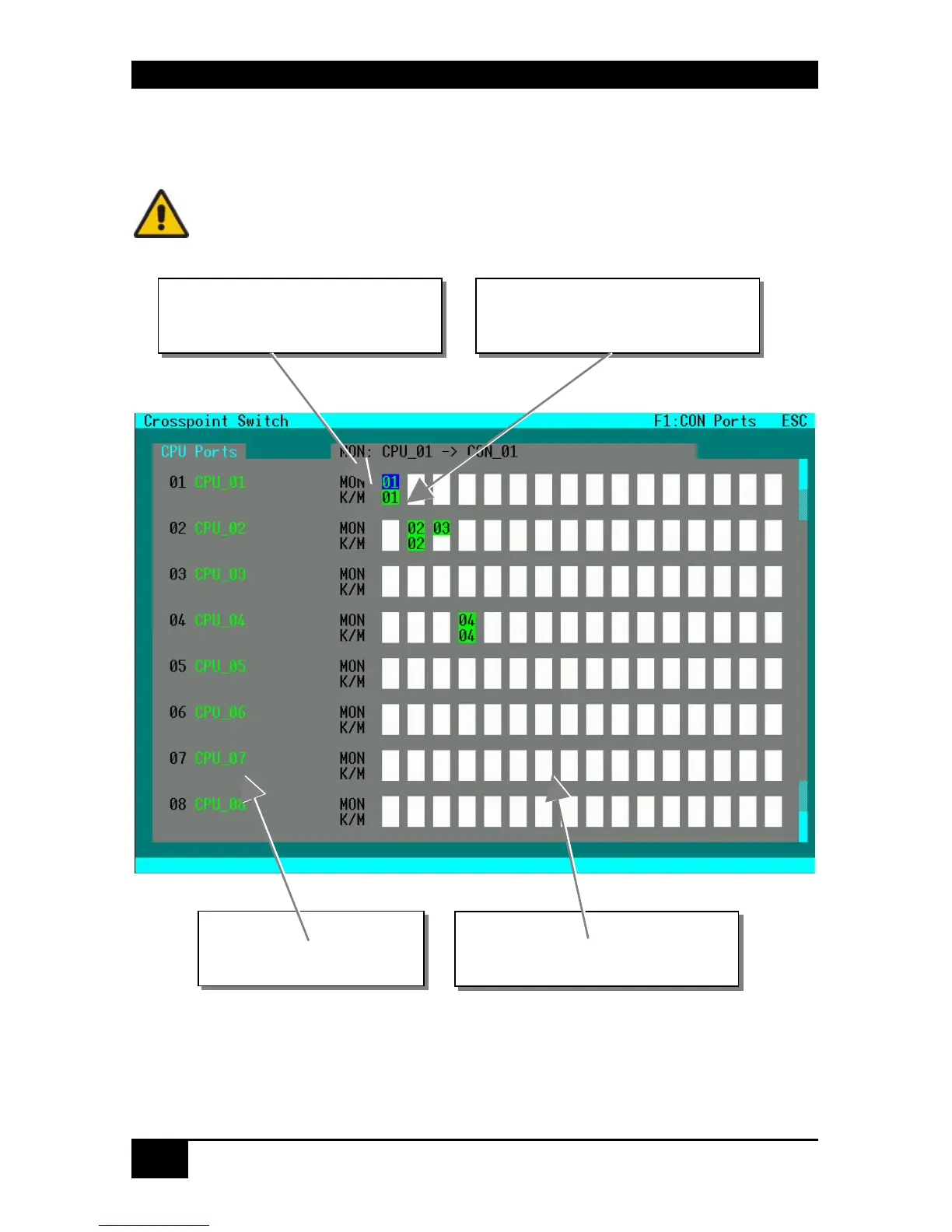
8.3.3 Switching in „Crosspoint Switch / CPU Ports“ Mask“
To enter into the „Crosspoint Switch / CPU Ports“ mask from the Crosspoint Switch / CON
Ports“ Mask press <F1>.
Expert mode for free switching! Responsibility for switch
result lies with the user!
To each CPU, any number of monitors can be assigned but only one time keyboard/mouse
(K/M).
The lines correspond to the
32 CPU Ports
(4 pages+ with 8 Ports each)
The upper line shows to which CON
Port the video is attached
The columns correspond to the
16 CON Ports
The lower line shows to which
Console keyboard/mouse are
attached.














 To Next Page