EasyManua.ls Logo

BOC Edwards iH600 - Switch off Menu; Switch off

Default Icon
192 pages
Print Icon
To Next Page IconTo Next Page
To Previous Page IconTo Previous Page
Loading...
4-8 iH Dry Pumping Systems
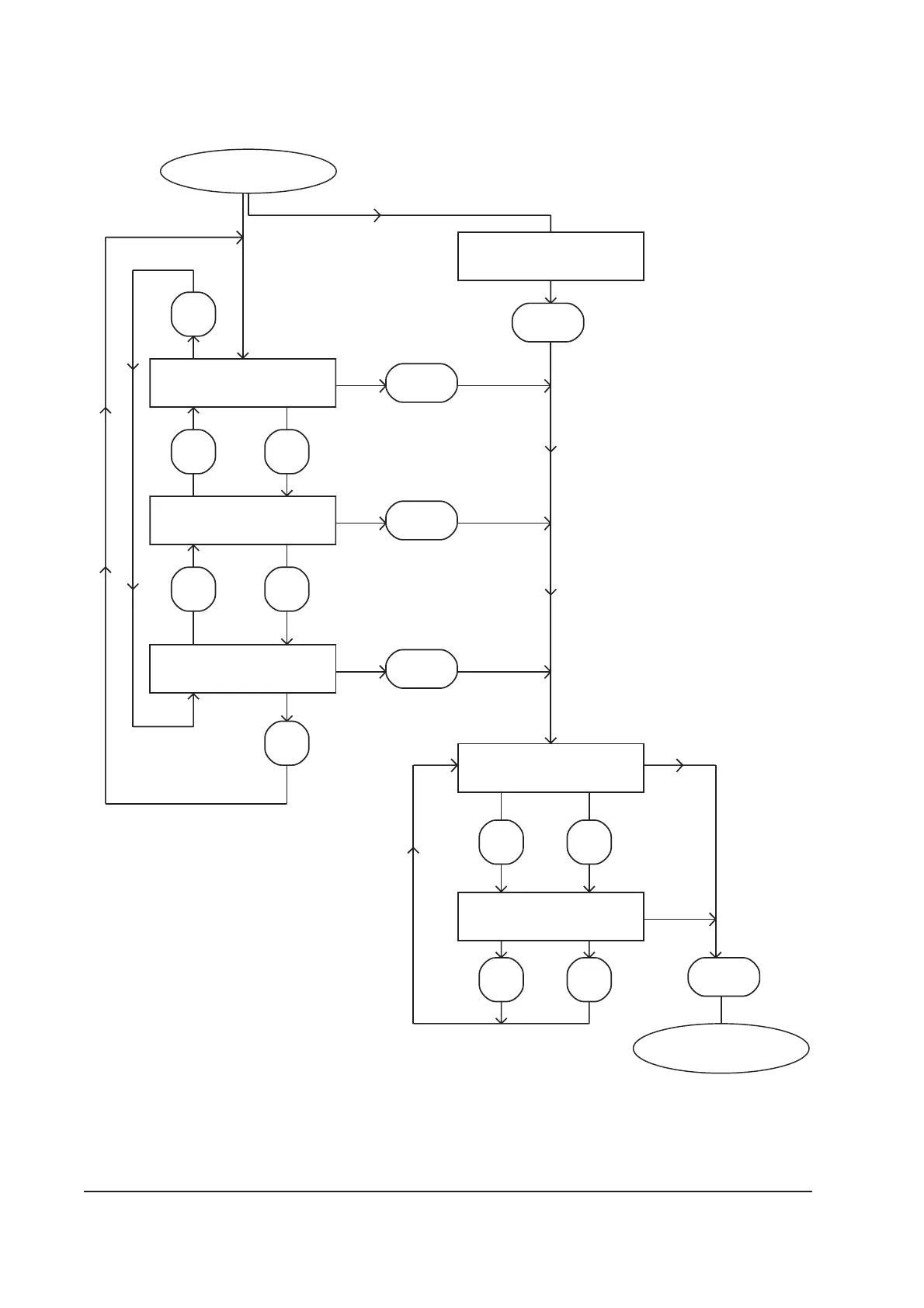
Figure 4-4 - Switch off menu
SELECT PUMP
Process pump
SELECT PUMP
Load lock pump
SELECT PUMP
L/Lock + Process
ENTER
ENTER
ENTER
Normal [4-5]
Switch off
Single pump
menu (that is, no
load-lock pump
is
connected).
Multi pump
menu (that is, a
load-lock pump
is connected).
AUTO SHUTDOWN <
FAST SHUTDOWN
AUTO SHUTDOWN
FAST SHUTDOWN <
ENTER
ENTER Pump off
CANCEL Clears
ENTER
Only available if you have
an iH Interface Module
fitted with an Auxiliary
Interface Card connected
to the iH system.
Only available if you have
an iH Interface Module
fitted with an Auxiliary
Interface Card connected
to the iH system.

Table of Contents

Related product manuals