If you have a Single Equipment Monitor connected to the iH system, the Monitor contains
three configuration sets which contain preset configuration values (for example setpoints) for
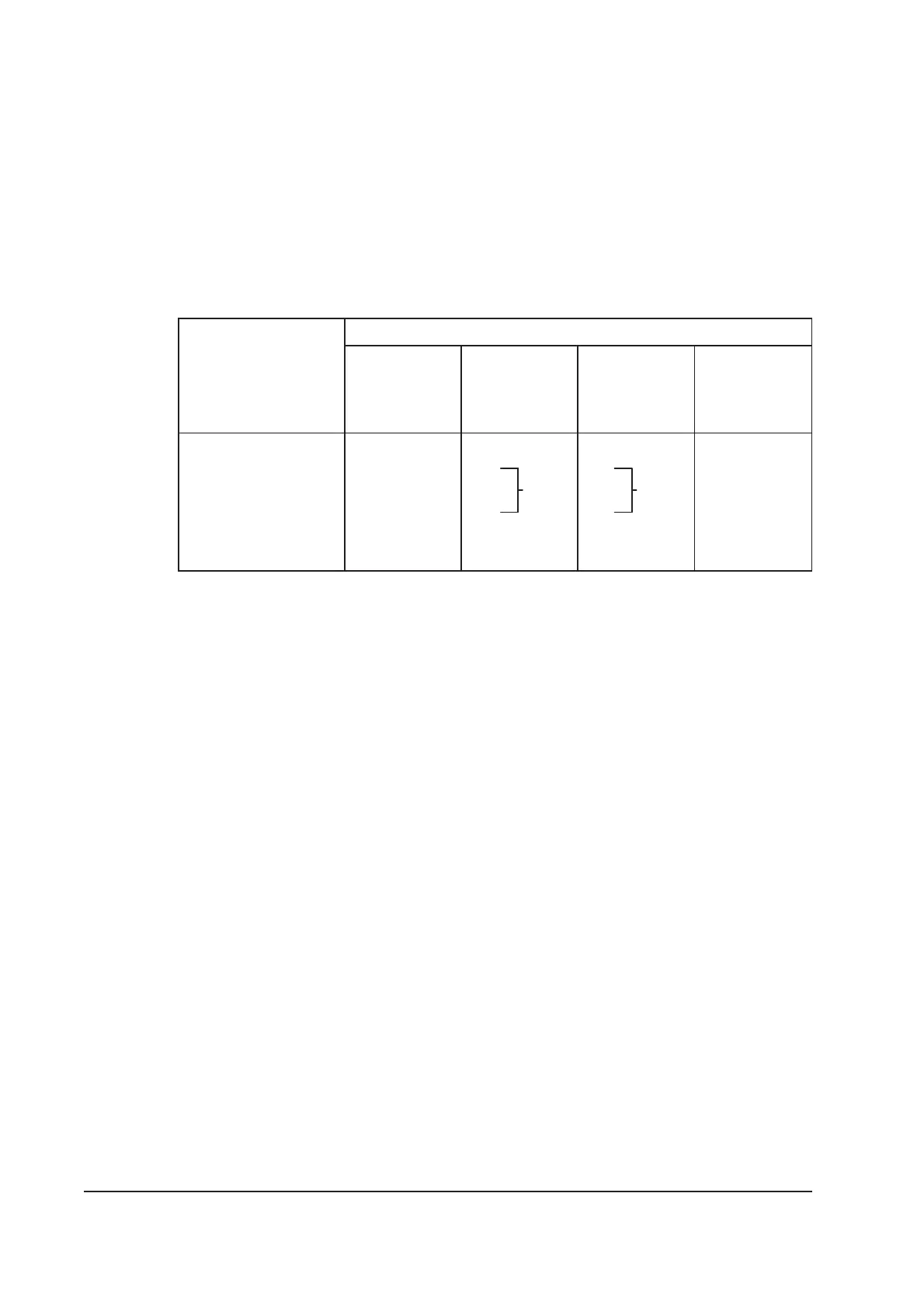
the iH system, for light, medium and process duty applications. Table 5-1 shows the nominal
flow rates associated with each of these configuration stores.
You can use the Single Equipment Monitor to download one of these configuration sets to the
iH system. Ensure that you use the correct configuration set for your application; contact
your supplier or BOC Edwards for advice before you download a configuration set.
Purge gas flow
Nominal flow rates (slm)
Low gas
configuration
store
Medium gas
configuration
store
Medium gas
+ exhaust
configuration
store
High gas
configuration
store
Shaft-seals purge 4444
2/3-interstage purge - 5
3/4-interstage purge - 30
Exhaust-purge - - 5 5
Total purge 4 14 19 44
Table 5-1 - Configuration store nominal gas flows
5.4 Change the display format
5.4.1 Change the normal display
During normal operation (or whenever the Normal menu is selected), the Pump Display
Terminal will show the first page of the normal display. The normal display has two pages
and each page can show the readings of one or more sensors or internal clocks or counters.
As supplied, the information shown on the first page is:
•
HCDP pump power consumption
•
HCDP pump-body temperature.
If you press the up or down button, the Pump Display Terminal will then show the second
page of normal display; as supplied, the information shown on the second page is:
•
HCMB pump power consumption
•
HCMB pump temperature.
If required, you can use the Setup/Normal display menu to change the information shown on
the two normal display pages.
5-4 iH Dry Pumping Systems
10
10



 To Next Page