3.4 Remove the enclosure panels
1. Refer to Figure 3-3.
2. Remove the right-hand side panel from the iH system:
•
Place your hand against the top of the right-hand side panel (4) to support it and use a
posidrive screwdriver to release the two or four M5 screws.
•
Swing the top of the panel out slightly and lift out the panel so that the holes in the bottom
of the panel disengage from the pins (5) on the frame.
•
Fully remove the panel and place it in a safe location.
3. Remove the left-hand side panel: use the method in Step 2 above.
iH Dry Pumping Systems 3-5
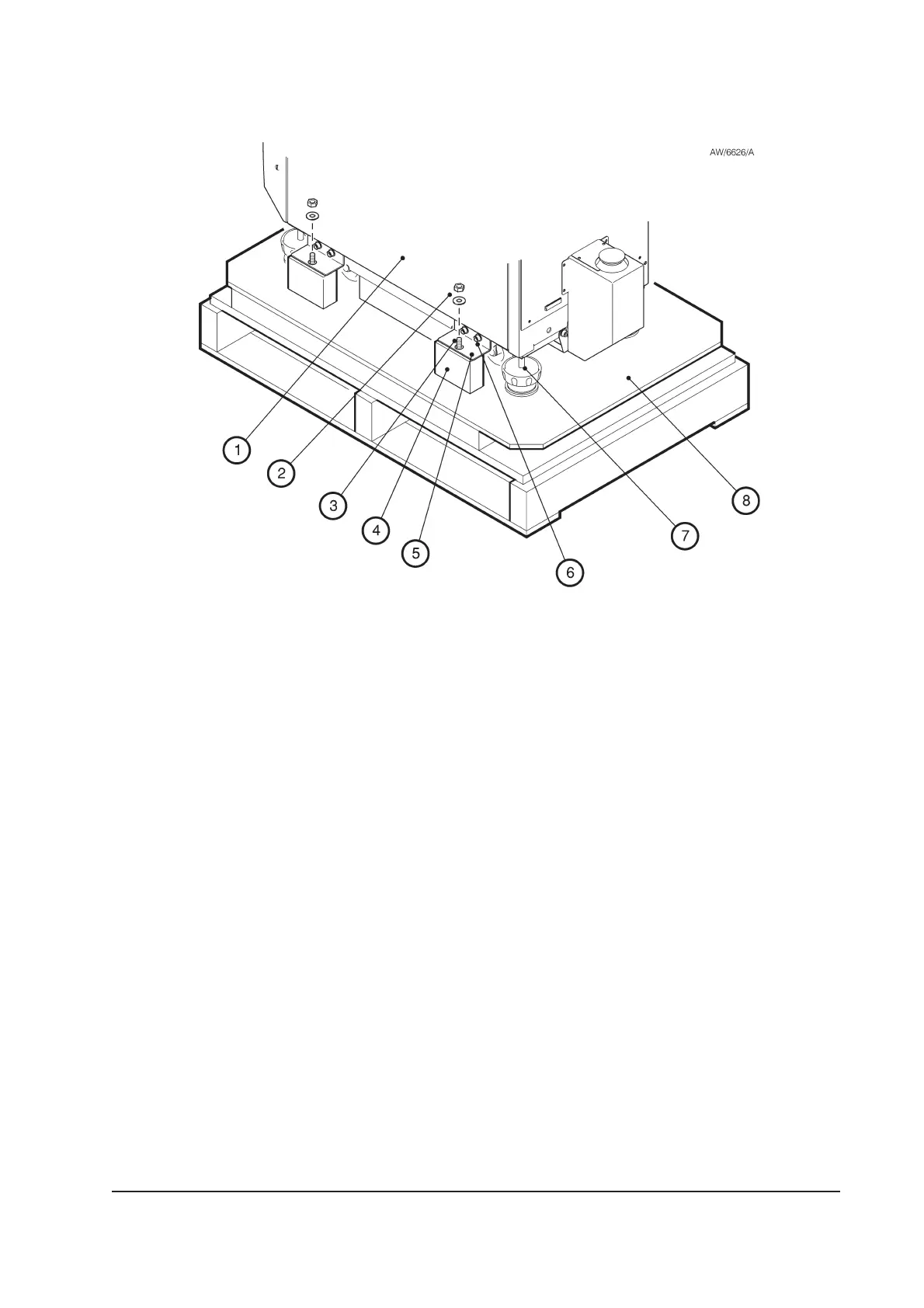
Figure 3-1 - Remove the iH system from the pallet
1. iH system
2. Nut and washer
3. Stud
4. Block
5. Seismic Bracket
6. Cap-head screw and washer
7 Levelling foot
8. Pallet



 To Next Page