787 Flight Crew Operations Manual
DO NOT USE FOR FLIGHT
Chapter 1Airplane General, Emergency
Equipment, Doors, Windows
Controls and Indicators Section 30
Copyright © The Boeing Company. See title page for details.
D615Z003-TBC 1.30.1
1.30 Airplane General, Emergency Equipment, Doors, Windows-Controls and Indicators
Airplane General, Emergency Equipment, Doors, Windows30 Controls and IndicatorsControls and Indicators
Push–Button Switches
The airplane has two types of push–button switches: alternate action and
momentary action. Both types direct crew attention to system status and faults.
Note: Maintenance personnel should change switch lights. Changing the light
requires changing the entire switch cap.
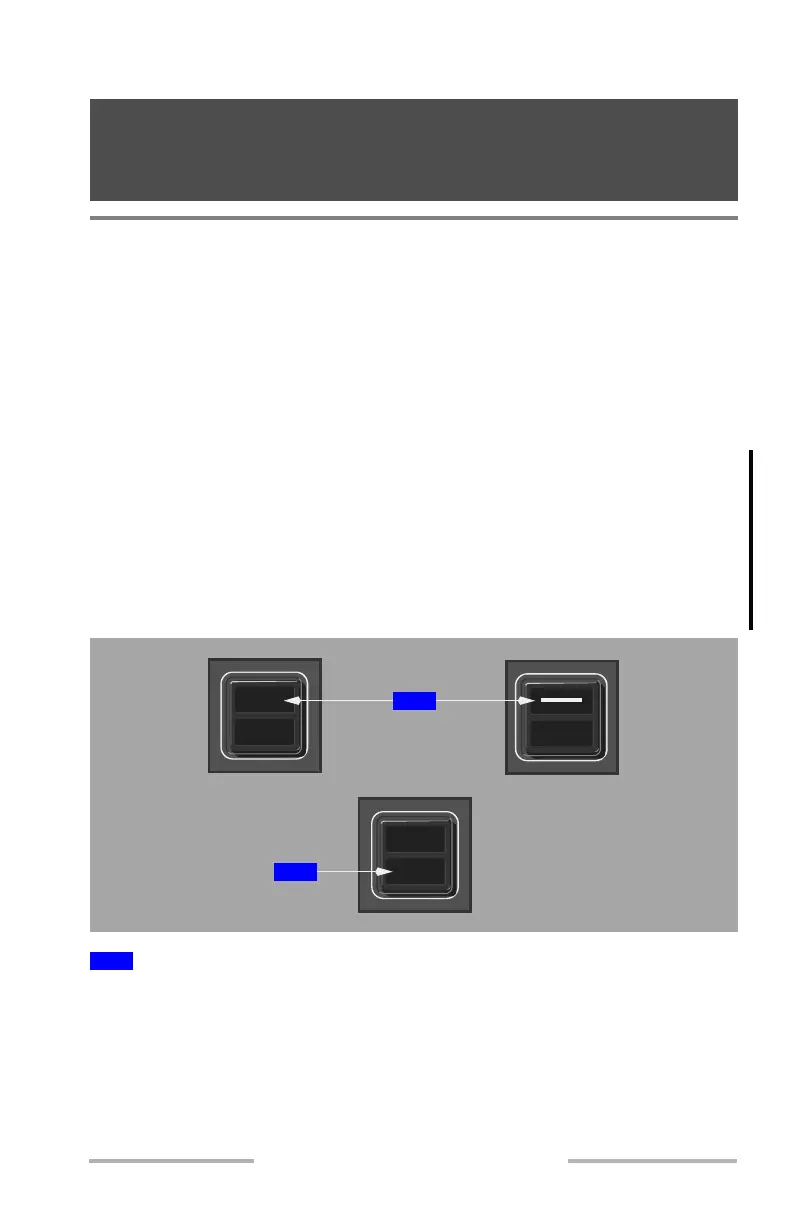
Alternate Action Switches
Alternate action switches have two positions: on and off.
When pushed in and flush with the panel, the switch is on. When the switch is on,
a mechanical shutter on the top half of the switch opens to show an illuminated
legend, such as "ON", "AUTO", or a flow bar.
When pushed out and extended, the switch is off. When the switch is off, the
mechanical shutter closes so the legend is not shown.
Additionally, the bottom half of many switches has a light to indicate system state,
such as "PRESS", "FAIL", "INOP", or "OFF".
ON, AUTO, or flow bar visible.
For some switches, system status (FAULT, MAN, OFF, VALVE) may be shown
in the lower half of the switch.
1
Switch is ON
OFF
FAULT
ON
1
2
February 15, 2010



 To Next Page