787 Flight Crew Operations Manual
DO NOT USE FOR FLIGHT
Airplane General, Emergency
Equipment, Doors, Windows -
Controls and Indicators
Copyright © The Boeing Company. See title page for details.
1.30.22 D615Z003-TBC
Two red symbolic indicator lights are positioned at the top of the door frame.
There is one on the cabin side and one on the flight deck side.
The lights are on when the door is latched, the lights are blinking when the time
delay has been activated, and the lights are off when the door is unlatched.
Selection starts a fixed time delay to allow entry into the vestibule area.
On the cabin side, the handle is not physically part of the latch mechanism. The
handle is only used to push or pull the door when it is unlatched.
On the flight deck side, the handle can be turned to unlatch the door at any time.
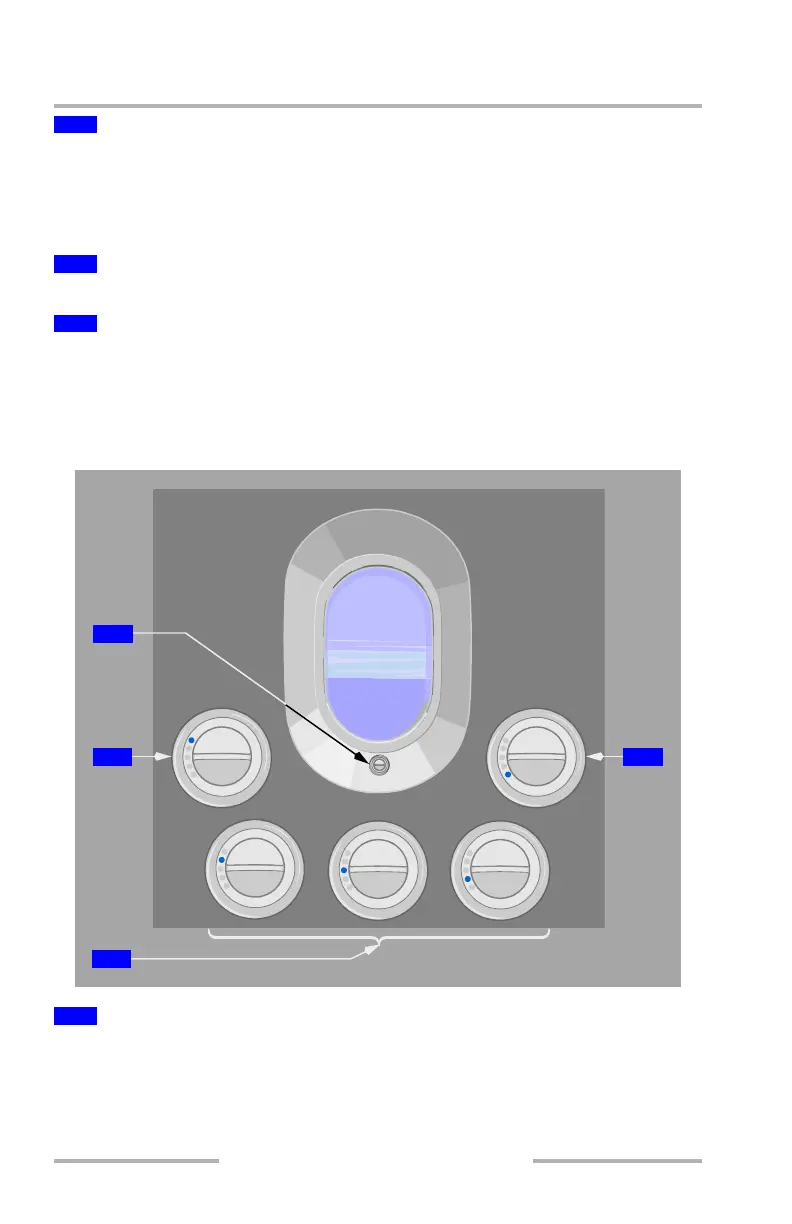
Passenger Cabin Window
Individual window dimming is adjusted by using this switch. Push the upper part
to lighten the window. Push the lower part to darken the window. Blue LEDs
indicate the level of dimming.
1
Door Latch Graphic Indicator Lights
2
Access Switch
3
Door Handle
1
Window Dimming Control Switch
4
2
3
1
February 15, 2010



 To Next Page