787 Flight Crew Operations Manual
DO NOT USE FOR FLIGHT
Communications Chapter 5
Controls and Indicators Section 10
Copyright © The Boeing Company. See title page for details.
D615Z003-TBC 5.10.1
5.10 Communications-Controls and Indicators
Communications10 Controls and IndicatorsControls and Indicators
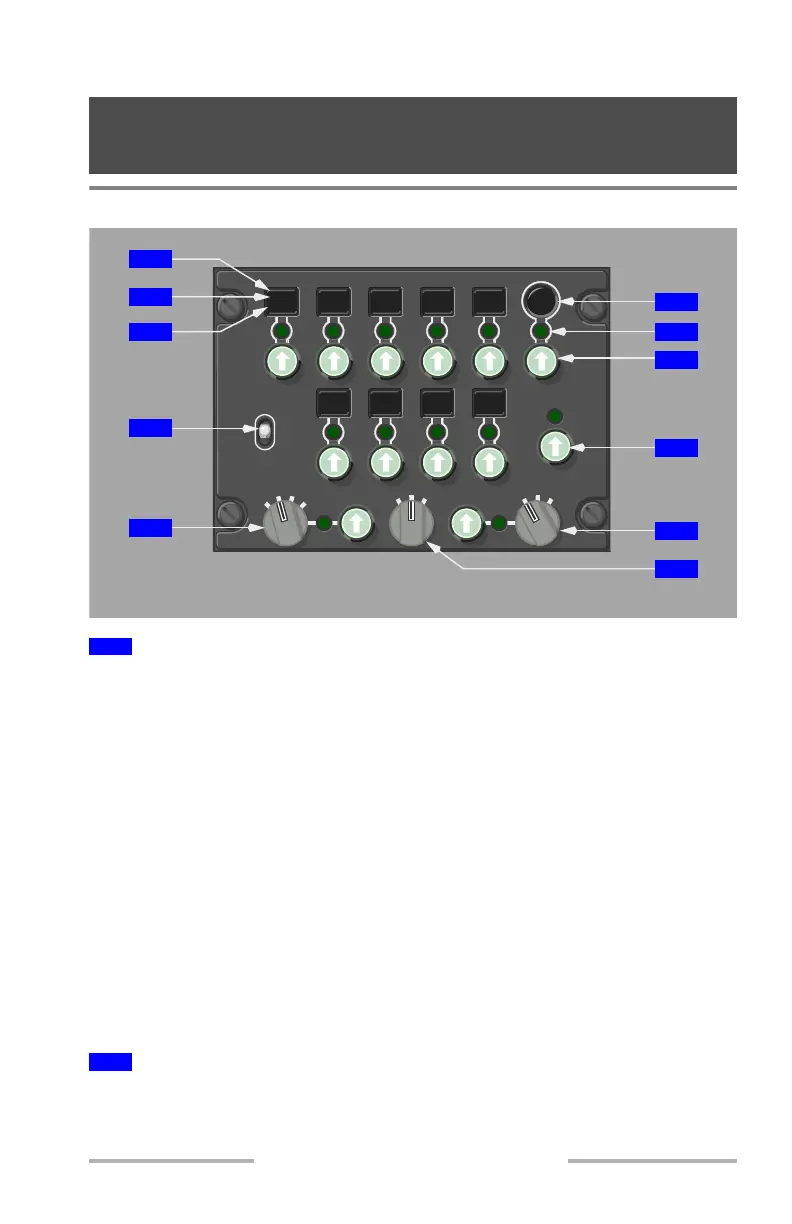
Audio Control Panel (ACP)
Push –
• the MIC light illuminates
• normally, the MIC light for any other transmitter extinguishes
• selects the respective transmitter (radio or intercommunications) for
transmission from this crew station
• normally, only one switch is selected at a time for each crew station
• CAB and SAT may be selected at the same time for cabin to SATCOM
conferencing
• selects the receiver audio on, if not already manually selected on
Second push –
• deselects the transmitter
• deselects receiver audio
Note: Second push of the CAB select switch deselects the transmitter and
receiver audio only after one second has elapsed from the first push.
Illuminated (green) – indicates the transmitter is selected.
1
Transmitter Select Switches
2
MIC Lights
MIC
CALL
MIC
CALL
L
HF
R
MIC
CALL
MIC
CALL
MIC
CALL
CAB
MIC
CALL
MIC
INT
R
V
R
B
L
MKR
APP
R
L
ADF
R
VOR
L
SPKR
PA
C
VHF
L
VHF
R
VHF
MIC
CALL
MIC
CALL
MIC
CALL
FLT
1
SAT
2
AFT AISLE STAND PANEL
4
5
9
10
11
8
6
7
1
2
3
October 31, 2007



 To Next Page