787 Flight Crew Operations Manual
DO NOT USE FOR FLIGHT
Flight Instruments, Displays -
Controls and Indicators
Copyright © The Boeing Company. See title page for details.
10.10.40 D615Z003-TBC
EFIS Control Panels
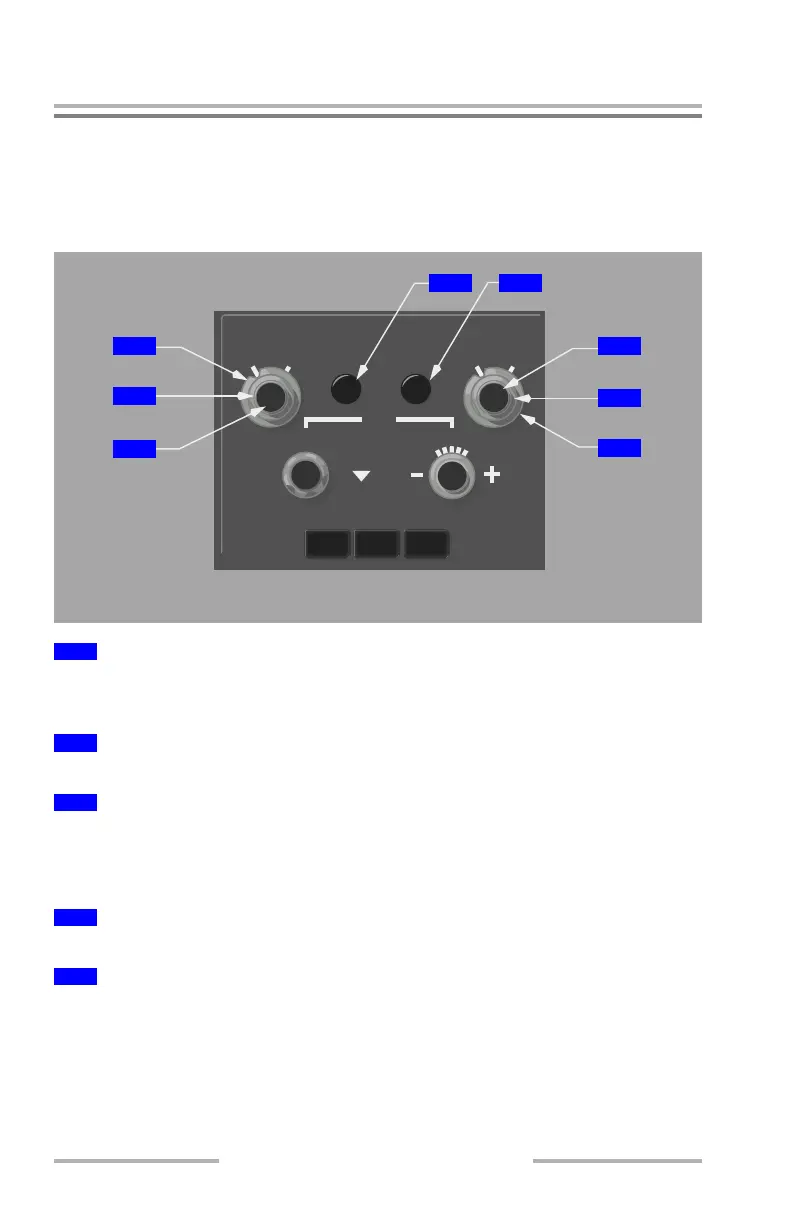
The left EFIS control panel controls the left PFD and ND. The right EFIS control
panel controls the right PFD and ND.
EFIS Control Panel – PFD Controls
RADIO – selects radio altitude as the PFD minimums reference.
BARO – selects barometric altitude as the PFD minimums reference.
Rotate (slew) – adjusts the PFD radio or baro minimums altitude.
Push –
• resets the PFD minimums alert display
• blanks the minimums display when green
Push – displays the PFD flight path vector.
Push – displays PFD altitude meters indications.
1
Minimums (MINS) Reference Selector (Outer)
2
Minimums (MINS) Selector (Middle)
3
Minimums Reset (MINS RST) Switch (Inner)
4
Flight Path Vector (FPV) Switch
5
Meters (MTRS) Switch
TERR
TFC
WXR
STD
RST
CTR
MINS
RADIO BARO
MAP
PLAN
MENU
RANGE
FPV MTRS
IN
BARO
HPA
ND
SEL
GLARESHIELD PANEL
1
2
3
54
6
7
8
February 15, 2010



 To Next Page