787 Flight Crew Operations Manual
DO NOT USE FOR FLIGHT
Flight Instruments, Displays -
Controls and Indicators
Copyright © The Boeing Company. See title page for details.
D615Z003-TBC 10.10.43
Map Keys and Information Selections
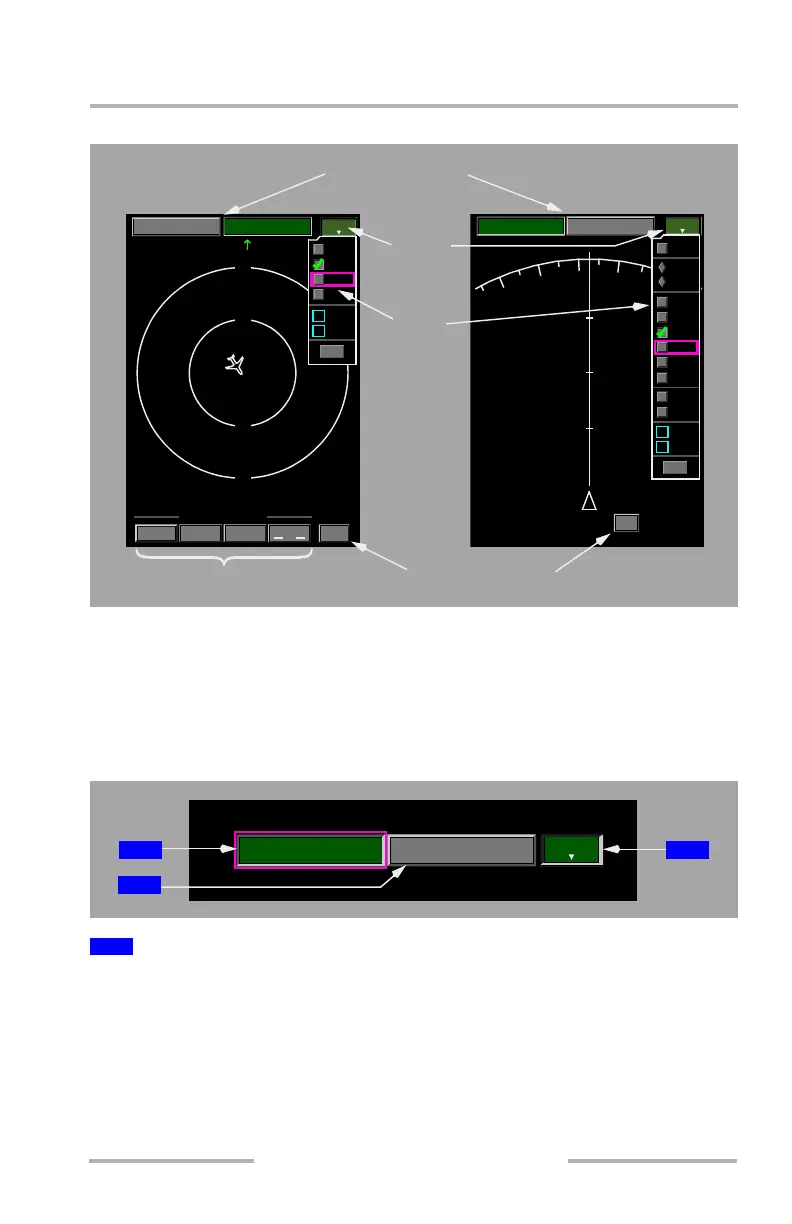
Map keys are selectable with the ND Mode Selector on the EFIS control panel, the
CCD, or the MFD Cursor Control Selector on the MFK. Each key is gray when
available for selection and green when currently selected. Each key is cyan when
disabled. Each selection on the drop-down menus shows a green check when
currently selected. All map keys and information selections are highlighted by a
magenta box when the cursor is placed on top of the item.
When selected –
[Option – Track up]
• displays a moving, track-up route depiction
• displays FMC-generated route and map information, airplane position,
heading, and track
1
MAP Key
PLAN
MENU
MAP
PICK
WPT
MENU
AIRSP
FIR
VOR R
VOR L
DATA
POS
STA
APT
WPT
WXR
TERR
VSD
EXIT
TFC
MENU
20
MAP CENTERING
AIRPLANE DEST CURSOR
CTR ON
WPT
PICK
MAP
MENU
PLAN
MENU
AIRSP
FIR
DATA
STA
APT
WPT
EXIT
MENU
40
N
S
WE
40
20
20
MENU
Map Centering keys
Pick Waypoint key
MAP / PLAN keys
Map
key
menu
PLAN
MENU
MAP
MENU
1 3
2
February 15, 2010



 To Next Page