787 Flight Crew Operations Manual
DO NOT USE FOR FLIGHT
Flight Instruments, Displays -
Controls and Indicators
Copyright © The Boeing Company. See title page for details.
10.10.46 D615Z003-TBC
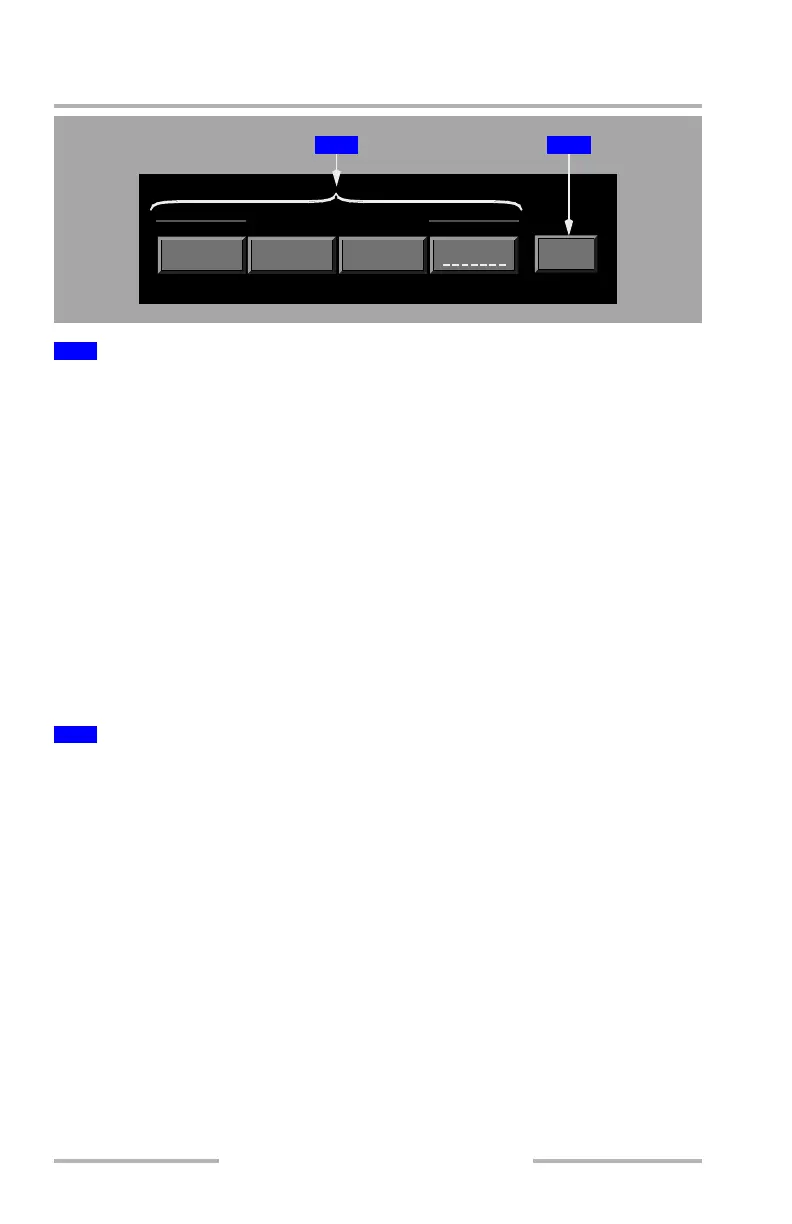
AIRPLANE (momentary push) –
• centers the map on the current latitude and longitude of the airplane
• the map does not continually recenter on the airplane
DEST (momentary push) –
• places the airplane on the center of the destination airport
• displayed cyan if no destination airport is entered in the flight plan
CURSOR (toggle on/off) –
• when activated, recenters airplane on the position where the cursor clicks
• cursor changes shape when mode is active
• deactivated when any of the other centering keys are selected, the center on
CURSOR key is re-selected, or the cursor leaves the ND
CTR ON – – – – – – (momentary push) – centers on any database item (STA, WPT,
APT) or latitude/longitude coordinate already entered in the scratchpad.
Allows the pilot to graphically create a latitude/longitude point or select a visible
waypoint, airport, or navigation aid:
• visible only when the cursor is on the ND map area –
• enabled when the onside CDU is displayed and the scratchpad is empty
• disabled (cyan) when the cursor is on the ND map area and the onside
CDU is not displayed
• disabled (cyan) when the onside CDU is displayed and the scratchpad
contains data
• when activated, the PICK WPT key label changes to CANCEL
1
Map Centering Keys (PLAN Mode only)
2
Pick Waypoint (PICK WPT) Key (MAP and PLAN modes)
MAP CENTERING
DEST CURSOR
CTR ON
WPT
PICK
AIRPLANE
1 2
February 15, 2010



 To Next Page