93
Flags
Adding Labels and Areas in Applications
BMP71 User’s Manual
Flags
A Flag label wraps around a wire or cable, with the ends joined together to form a flag. The
Flag application is designed to work with continuous media or specific multi-area die cut
labels.
To use a Flag label type:
1. Press Apps .
2. Choose Electrical> Flags.
OR
Choose DataComm>Flags.
3. Press OK or Enter .
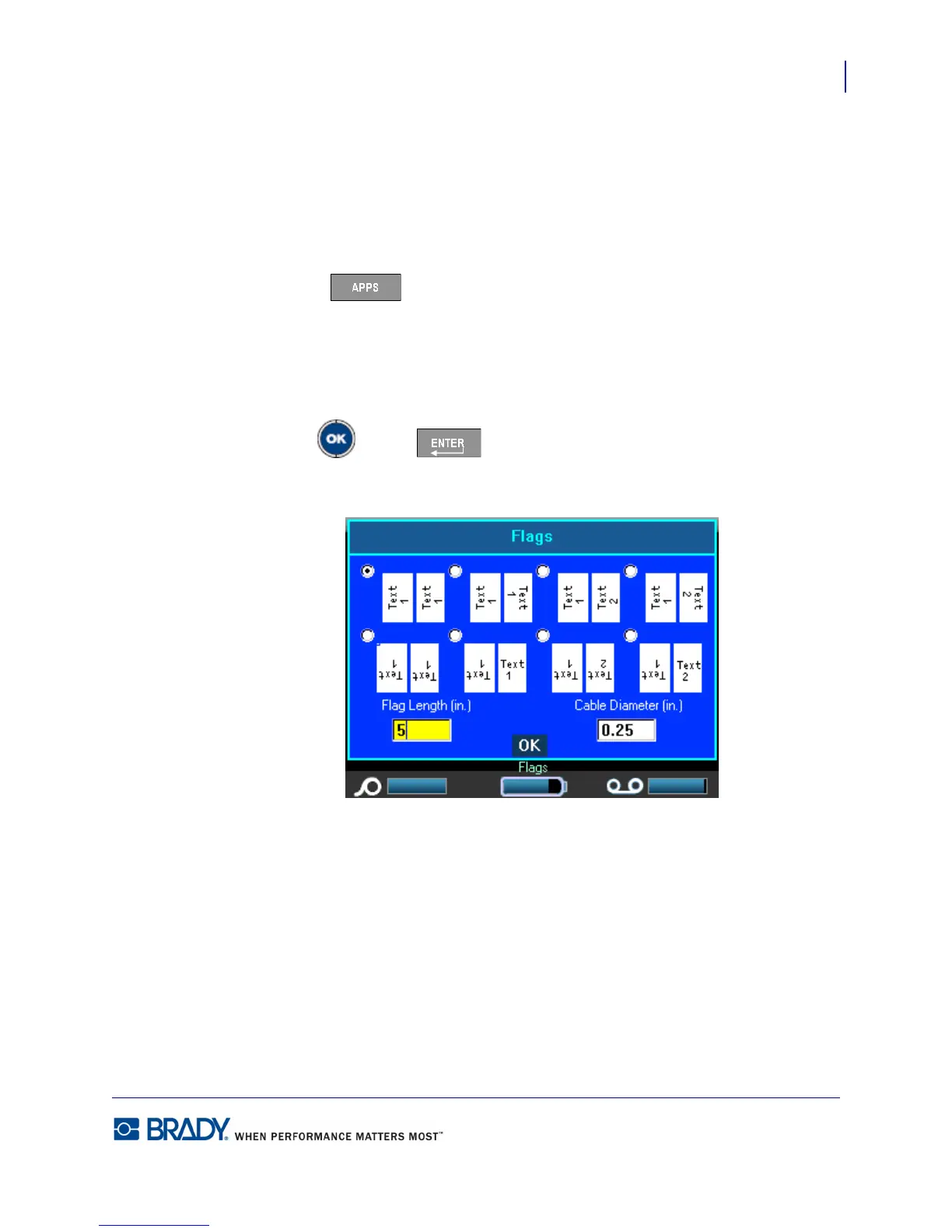
A dialog box displays the different Flag layouts, preceded by a radio button.



 To Next Page