General Templates
Adding Labels and Areas in Applications
102
BMP71 User’s Manual
General Templates
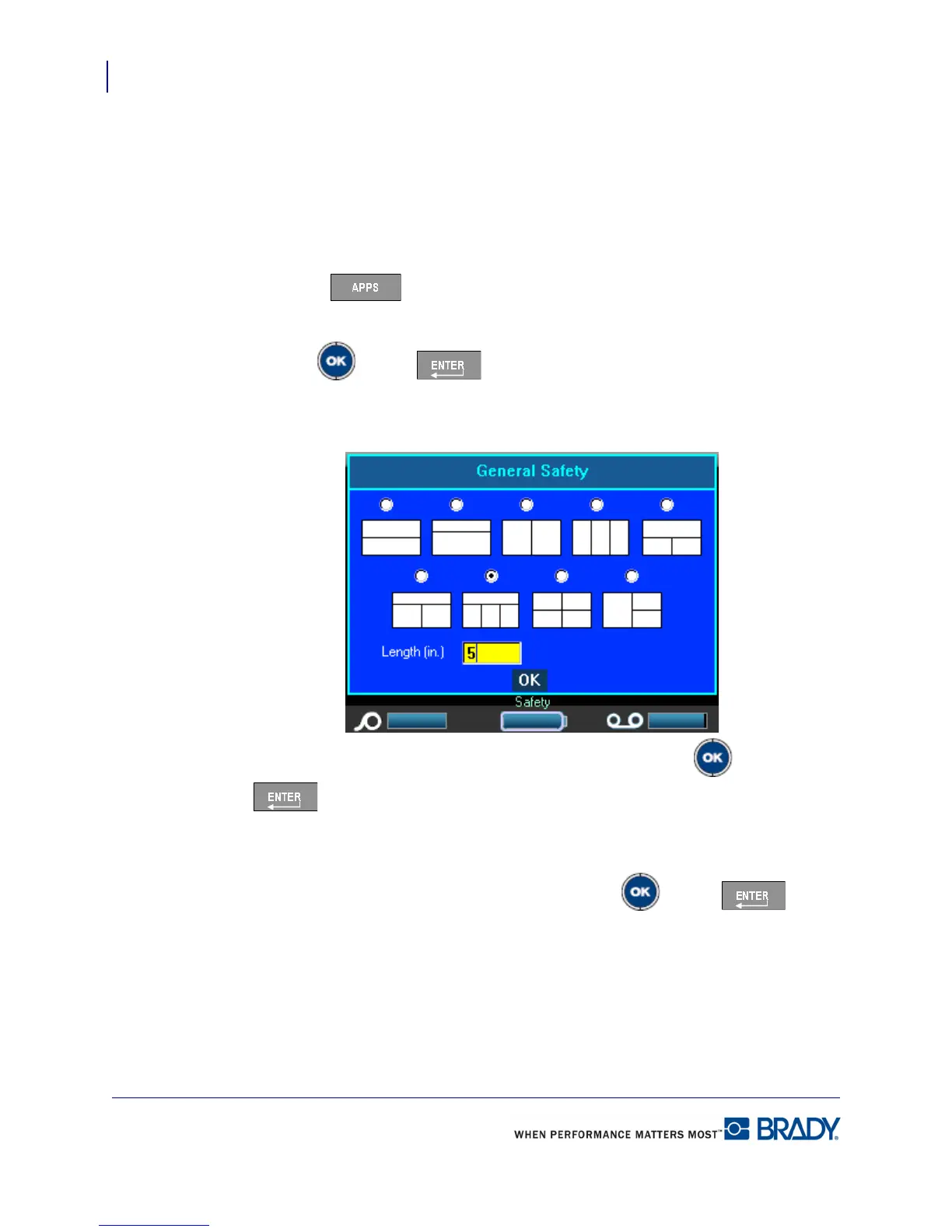
When choosing the General Templates you are presented with a grid outlining the different
templates to use for the label you want to produce. There are nine templates from which to
choose. General Templates are designed for use with die cut or continuous labels.
To use a General Template:
1. Press Apps .
2. Choose EU Safety>General Templates.
3. Press OK or Enter .
A dialog box displays the templates from which to choose.
4. To select a template, navigate to the desired template and press OK or Enter
.
5. For continuous labels, navigate to the Length field and enter the intended length of the
label.
6. When finished, navigate to the OK button and press OK or Enter .



 To Next Page