97
110-Block, Bix Block Label Type
Adding Labels and Areas in Applications
BMP71 User’s Manual
110-Block, Bix Block Label Type
The 110-Block and Bix Block use only the following dedicated label parts.
• 110-Block: M71C-475-412 or M71C-412-422
• Bix Block: M71C-625-412 or M71C-625-422
The 110-Block label type is based on user-selected pair configurations, with the length of the
label determined by the pair type selected. The label height uses a dedicated 110-Block part
height of 0.475 inch. The length of a 110-Block label is 7.5 inches, with a total strip length of
7.9 inches. The number and formatting of areas is based on pair configuration and serialization
selected.
Bix Block template information is similar to the 110-block, with some variations on height and
length of strip. The label height uses a dedicated Bix Block part height of 0.625 inch. The
length of a Bix Block label is 6.2 inches with a total strip length of 6.6 inches.
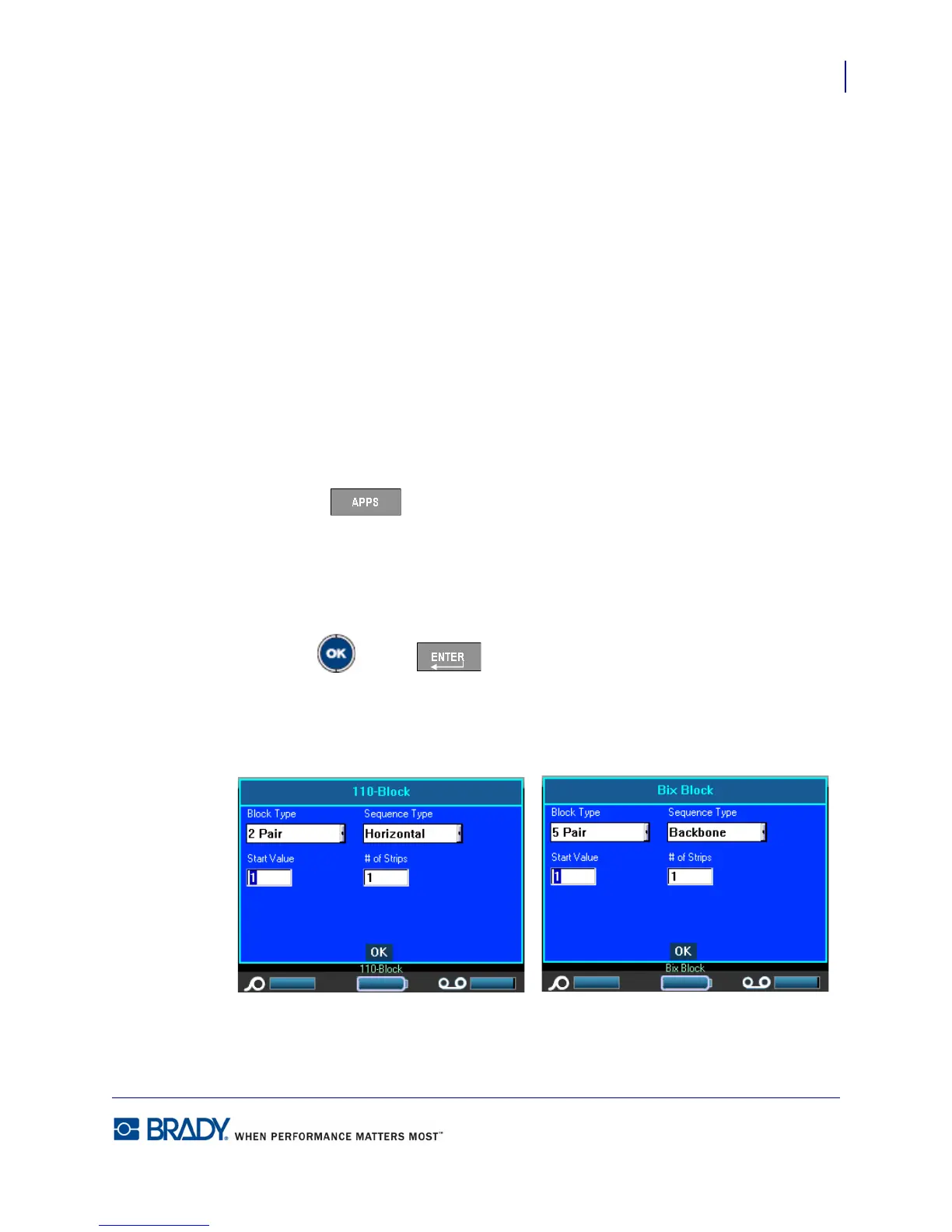
To use the 110- or Bix Block application:
1. Press Apps .
2. Choose DataComm>110-Block.
OR
Choose DataComm>BIX Block.
3. Press OK or Enter .
A dialog box displays requesting further information. (For a review of dialog box navigation,
see page 24.)



 To Next Page