11
Ribbon
Loading a Ribbon
BMP71 User’s Manual
Ribbon
Use only BMP71-specific ribbons. The ribbon can be loaded with the power on or off.
Loading a Ribbon
Turn the top spool of the ribbon counterclockwise to clear the printhead area of
used ribbon.
The color of the ribbon displays in the color of the text entered on the editing screen. The
amount of ribbon remaining in the cartridge registers in the gauge in the lower right of the
status bar.
BMP71 displays a message if no ribbon is installed. You do not have to install a ribbon to
create a label. However, if no ribbon is installed the system defaults to the last known ribbon
cartridge used.
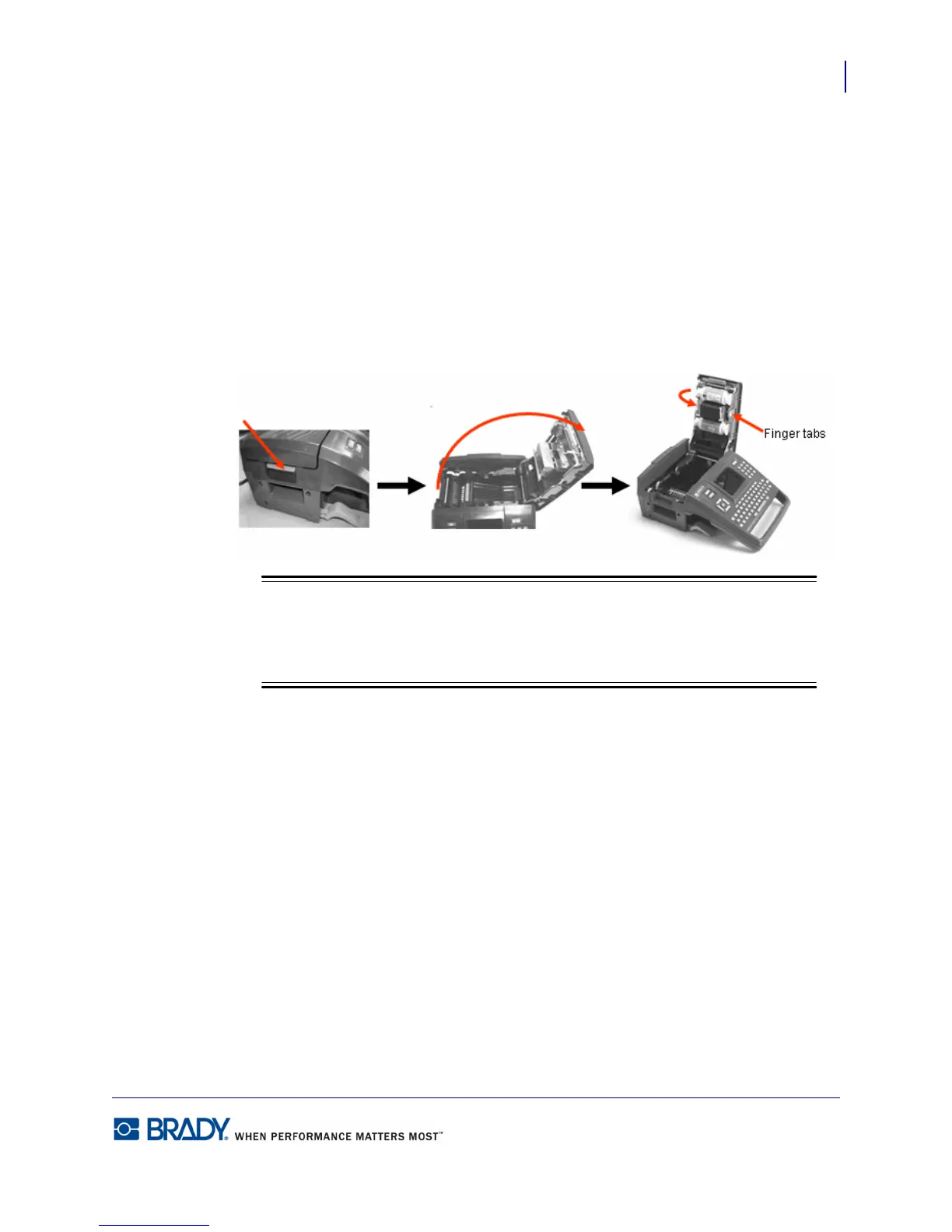
1. Pull up on cover latch. 2. Open the cover. 3. With the cartridge label facing up,
grasp finger tabs of cartridge and
place directly over printhead,
pushing slightly to snap into place.
Then, close the cover until it
latches.



 To Next Page