BradyPrinter S3700 User Manual 103
Maintenance
Cleaning the Printer
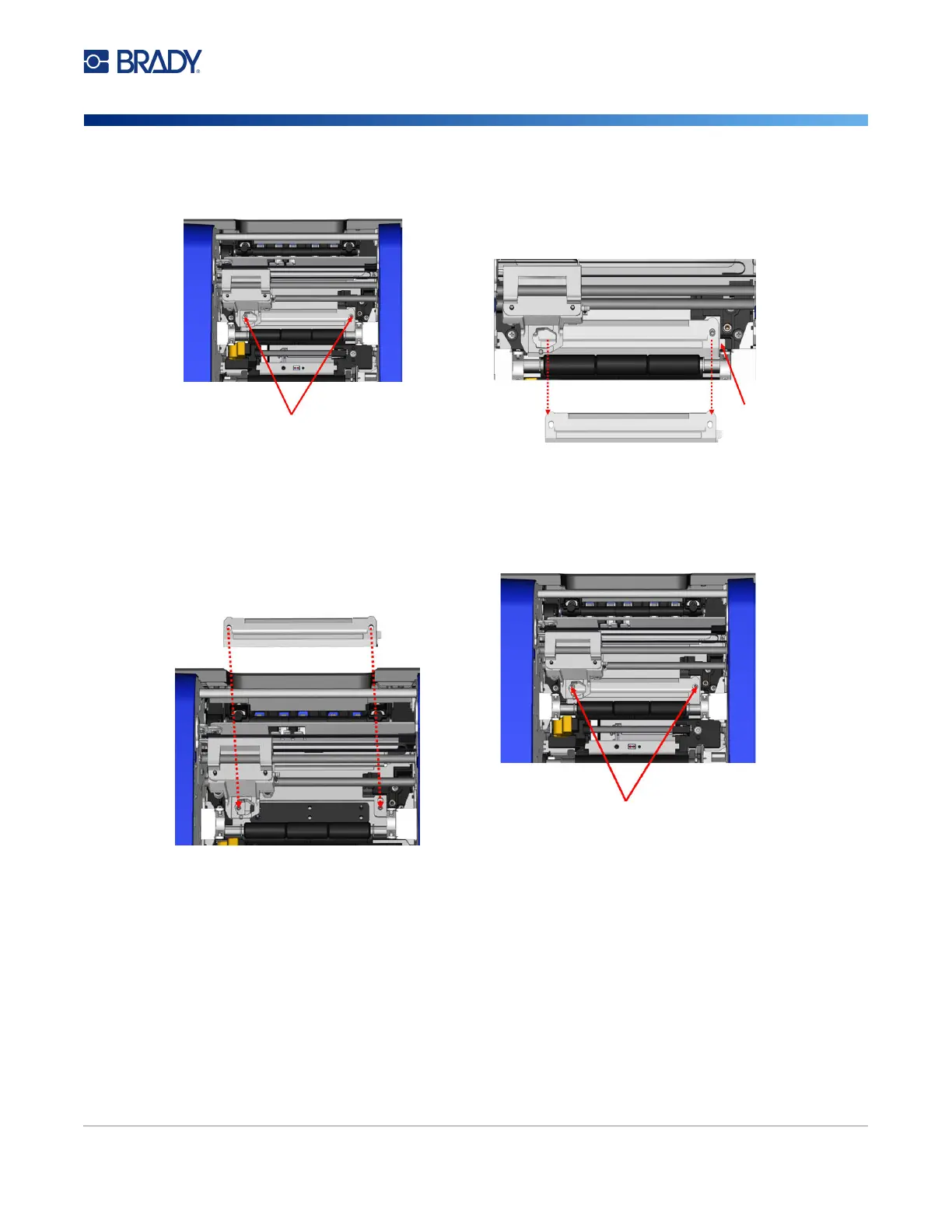
6. Remove the cut pad screws.
7.
Gently pull up on the tab to loosen the cut
pad, then swing the cut pad out from
underneath the XY cutter carriage to remove it.
8. Use a moistened wipe from the cleaning kit to clean the cut pad.
To reinstall the cut pad and upper guide:
9.
Tuck the left edge of the cut pad underneath
the cutter module carriage, then swing the
right edge back into place, lining up the holes
for the screws.
10. Re-insert the two screws into the aligned
holes and tighten.











 To Next Page