BradyPrinter S3700 User Manual 104
Maintenance
Cleaning the Printer
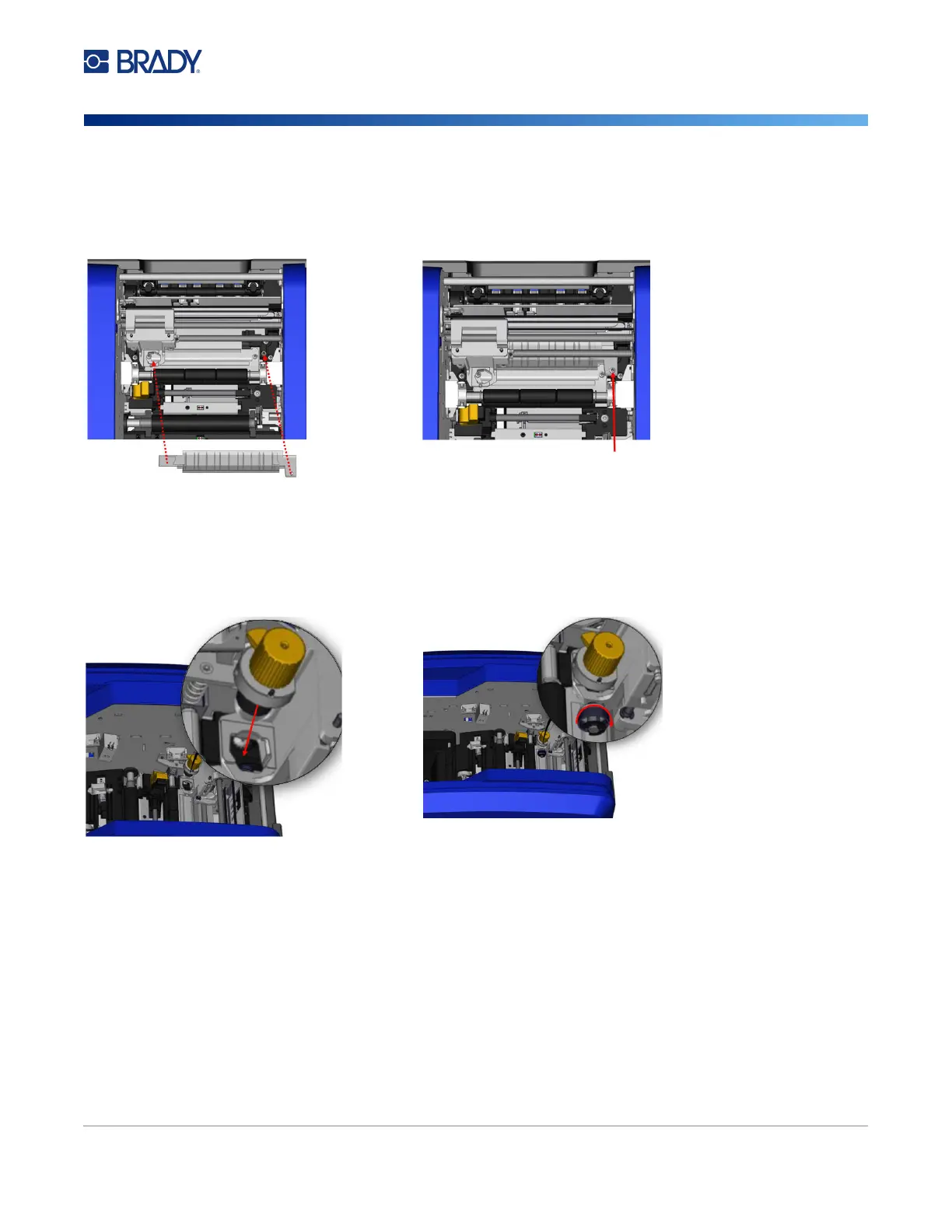
11. Tuck the left edge of the upper guide
underneath the cutter module carriage, on top of
the cut pad, aligning the hole on the right side
with the empty screw hole.
12. Replace the upper guide screw into the
screw hole and tighten.
13. Replace the cutter module by placing the flat surface of the collar against the carriage, then
inserting the cutter module into the carriage.
14. Insert the thumbscrew in the hole on the side of the cutter module carriage and tighten until it
clicks.











 To Next Page