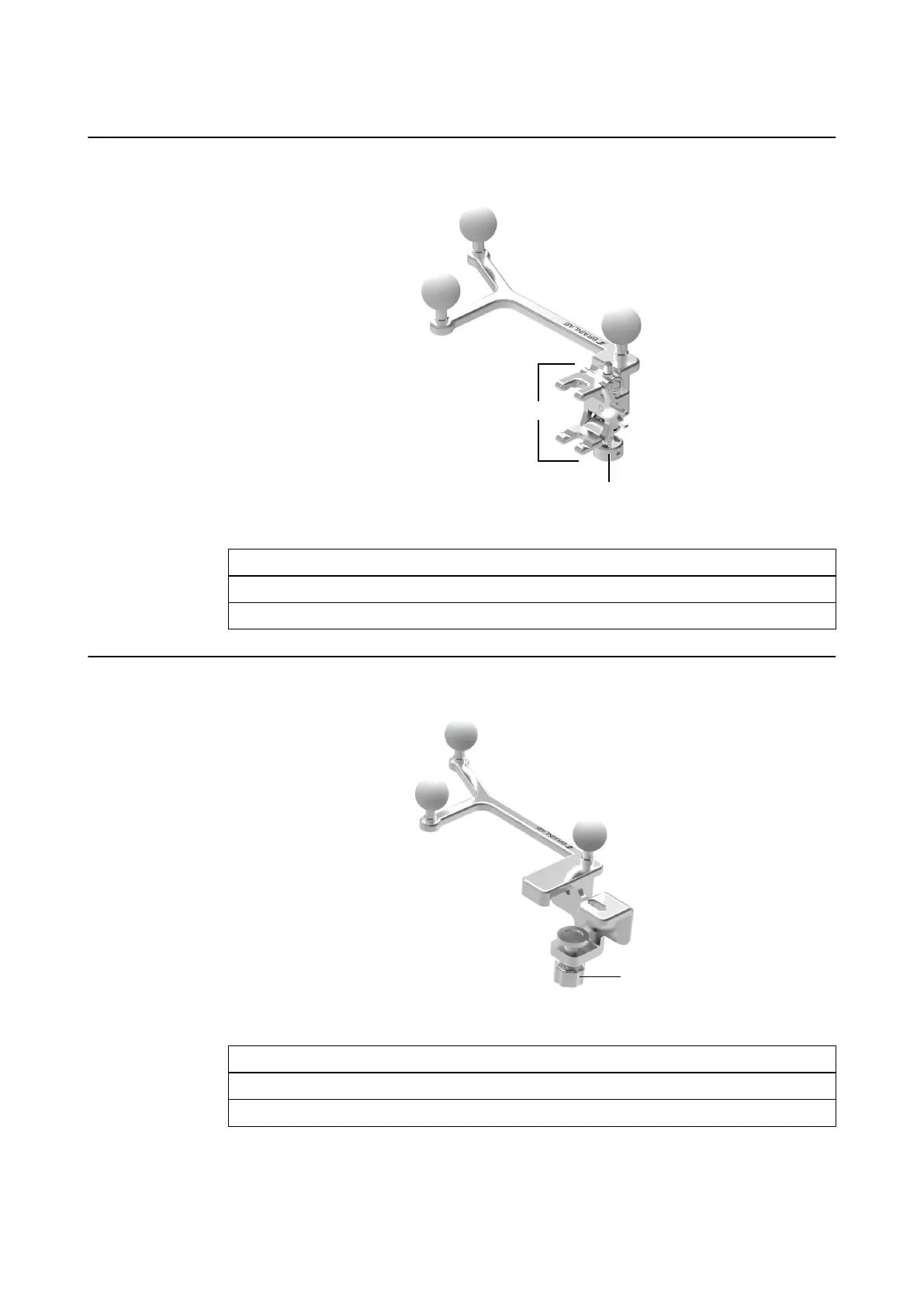
How to Attach Adapters with a Jaw Lock
Figure 50
Step
1. Place the Ultrasound Adapter onto the ultrasound probe.
2. Tighten the screw ① until the tong ② fits securely onto the probe.
How to Attach Adapters with a Vise Lock
Figure 51
Step
1. Place the ultrasound adapters onto the ultrasound probe.
2. Tighten the screw ① until the vise fits securely on the probe.
ULTRASOUND
Instrument User Guide Rev. 2.3 Cranial/ENT Optical 91



 To Next Page