GENERAL
KUKJE MACHINERY CO., LTD.
32
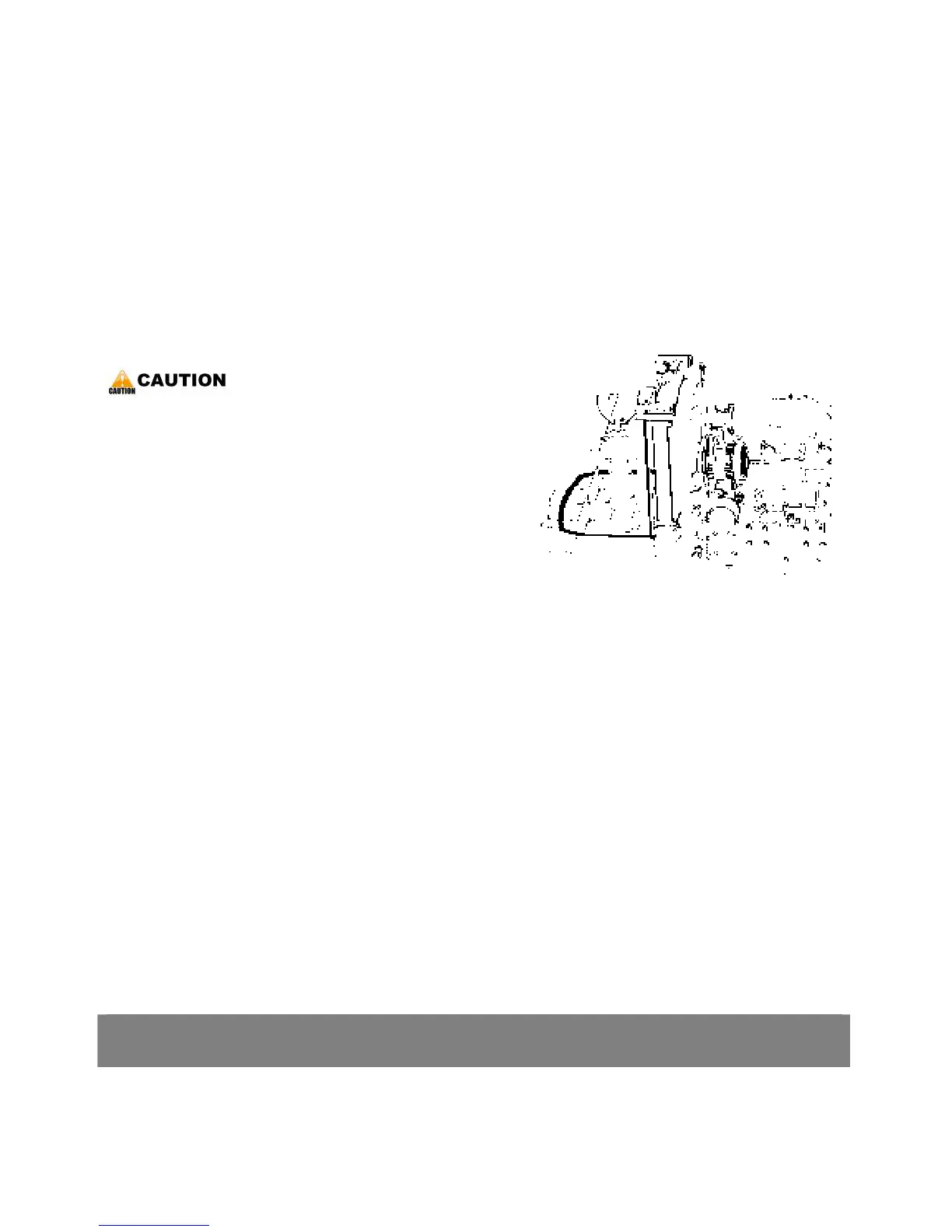
*. PART NAME
1) Radiator cap 2) Recovery tank
3) Drain cock
< Replacing radiator hose (Water pipes) >
1. Replace the hoses and clamps.
-. Reference the page 28.
< Replacing fuel hose >
1. Replace the fuel hoses and clamps.
-. Reference the page 27.
< Replacing intake air line >
1. Replace the hoses and clamps, if necessary.
-. Reference the page 28.
< Flush cooling system and changing coolant >
▶ Do not remove the radiator cap when the engine
is hot. Then loosen cap slightly to the stop to
relieve any excess pressure before removing cap
completely.
1. Stop the engine and let cool down.
2. To drain the coolant, open the radiator drain
cock, and remove radiator cap. The radiator cap
must be removed to completely drain the
coolant.
3. After all coolant is drained, close the drain plug.
4. Fill with clean water and cooling system cleaner.
5. Follow directions of the cleaner instruction.
6. After flushing, fill with clean water and anti-
freeze until the coolant level is just below the
port.
7. Start and operate the engine for few minutes.
8. Stop the engine. Check coolant level and add
coolant if necessary.
9. Install the radiator cap securely.
7. DISASSEMBLING AND SERVICING



 To Next Page