3.2 Program setting method
This registers programs with the settings that are required for gluing. After a program has been registered, it can be retrieved simply
by selecting the program number.
⚫ Thirty programs P01 to P30 can be set.
⚫ Programs cannot be added or deleted.
⚫ Each program consists of from 1 to 8 steps.
▪ Steps can also be changed while gluing is in progress by pressing the knee switch.
▪ At the time of shipment from the factory, each program is set to a single step.
▪ Touch "Step No." on the operation panel screen to add and delete steps. Refer to "3.2.4 Step setting method" for details on
the setting method.
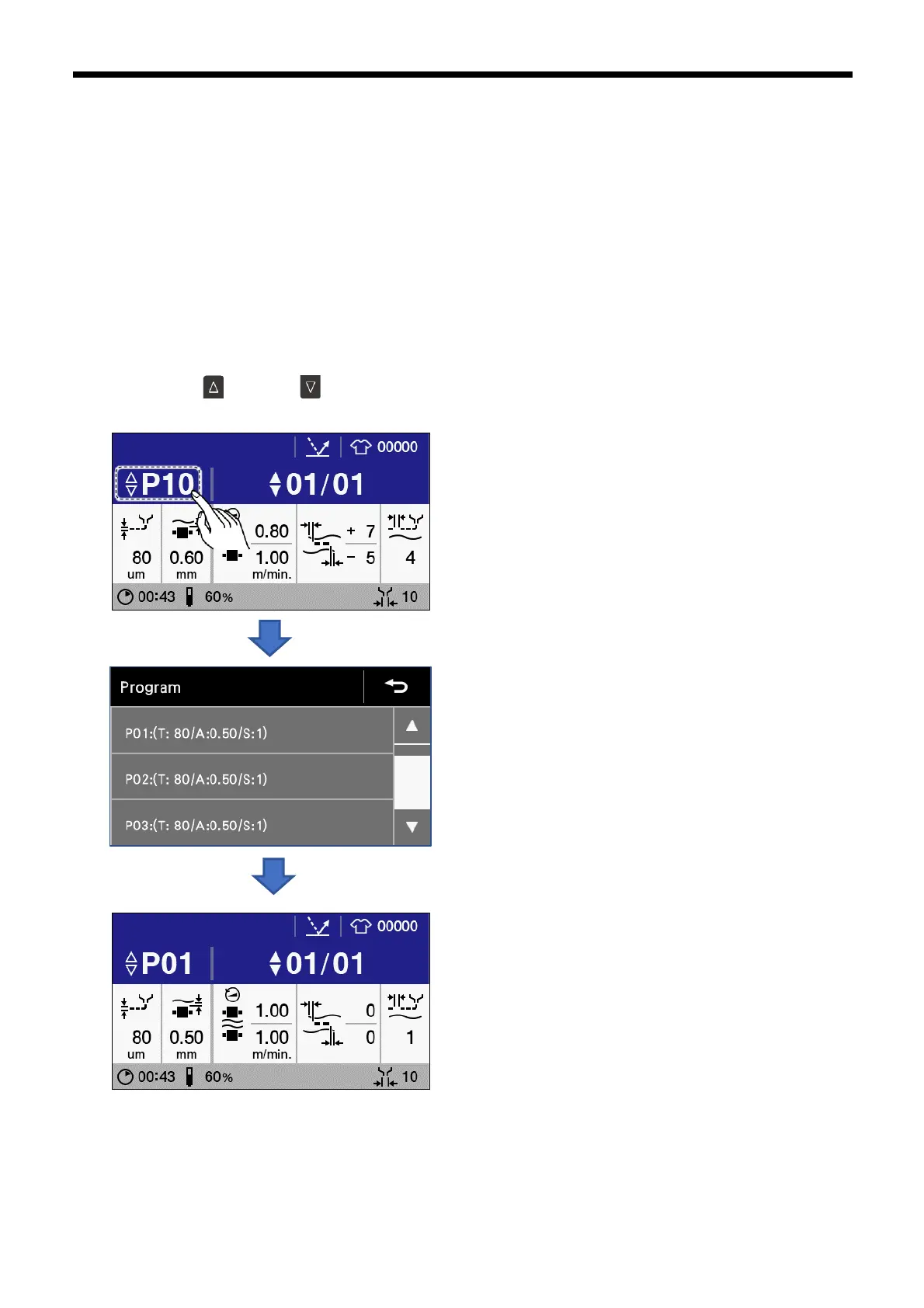
1. Carry out either of the following operations at the home screen to select the program (P01 to P30) that you would like to
change.
A) Press the key (or the key). The program No. increases (decreases) each time you press it once.
B) Touch "Program number" to display the program setting screen, and then touch the program you would like to select.



 To Next Page