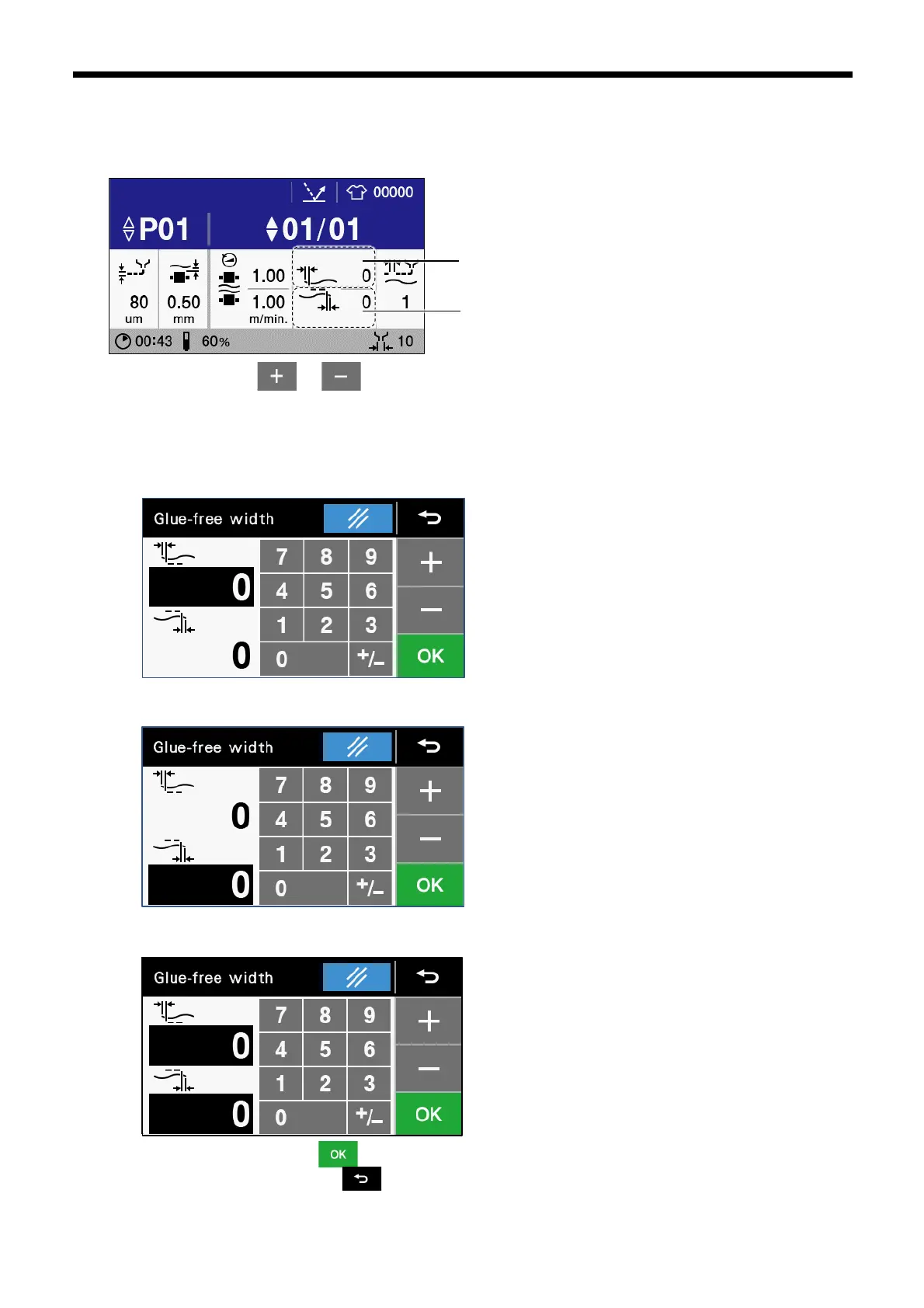
3.2.4.2 Upper and lower cloth glue-free width setting
You can change glue-free width of upper cloth and lower cloth.
1. Touch “Upper cloth glue-free width” or “Lower cloth glue-free width” to display the glue-free width setting screen.
2. Touch the numeric keys, or to enter each of the glue-free widths for the upper cloth and lower cloth.
Places where white numbers are displayed on a black background are where the settings have been changed.The glue-free
widths for the upper cloth and the lower cloth can both be changed at the same time. To change a different setting, touch the
place where the glue-free width that you would like to change is displayed.
⚫ Changing the upper glue-free width
⚫ Changing the lower glue-free width
⚫ Changing the upper and lower glue-free width
3. Once changing is complete, touch to confirm the changed setting and then return to the home screen. If you would
like to cancel the setting change, touch .



 To Next Page