3.4.2 Manual sleep mode
If the length of interruption time from the moment when work is interrupted until it resumes can be estimated (such as when work
begins again after a break), use manual sleep mode.
In manual sleep mode, you can set the amount of time before operation starts again, so that work can begin again straight away
after sleep mode ends.
[Switching to manual sleep mode]
1. At the home screen, hold down the key for two seconds or more.
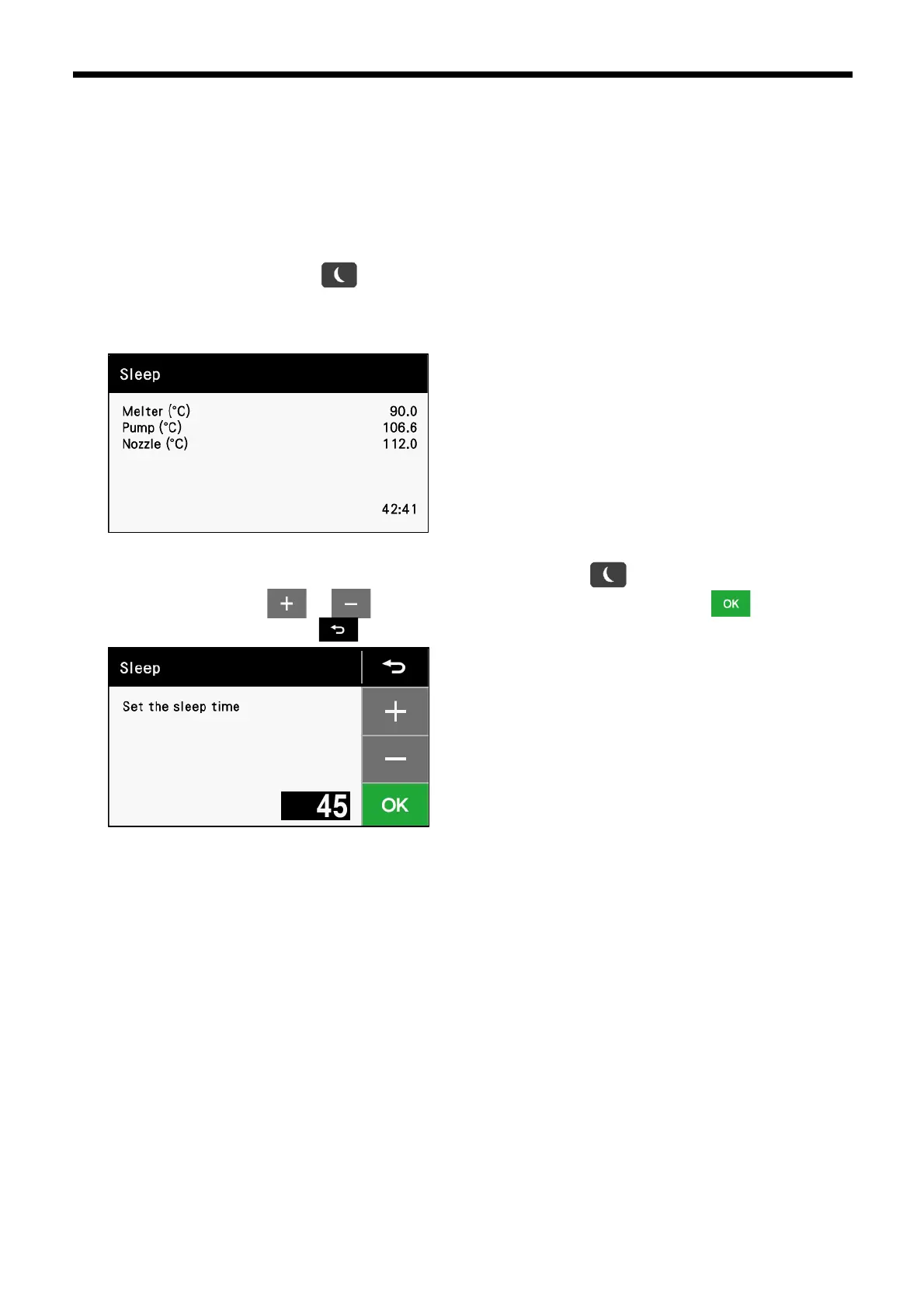
2. The following screen will be displayed, the warning indicator will blink and he bonding machine will enter manual sleep mode.
When the time that is displayed on the screen reaches "0:00", manual sleep mode is exited.
3. To change the length of time before work is to resume (sleep time), press the key. The display will change to the
following screen, so touch or to change the time. To apply the changed setting, touch If you would like
to cancel the setting change, touch .
*The length of time can be set to 30, 45, 75, 90, 105 or 120 minutes.
[Interrupting manual sleep mode]
Carry out he same procedure as given in "Exiting automatic sleep mode" in "3.4.1 Auto sleep mode".



 To Next Page