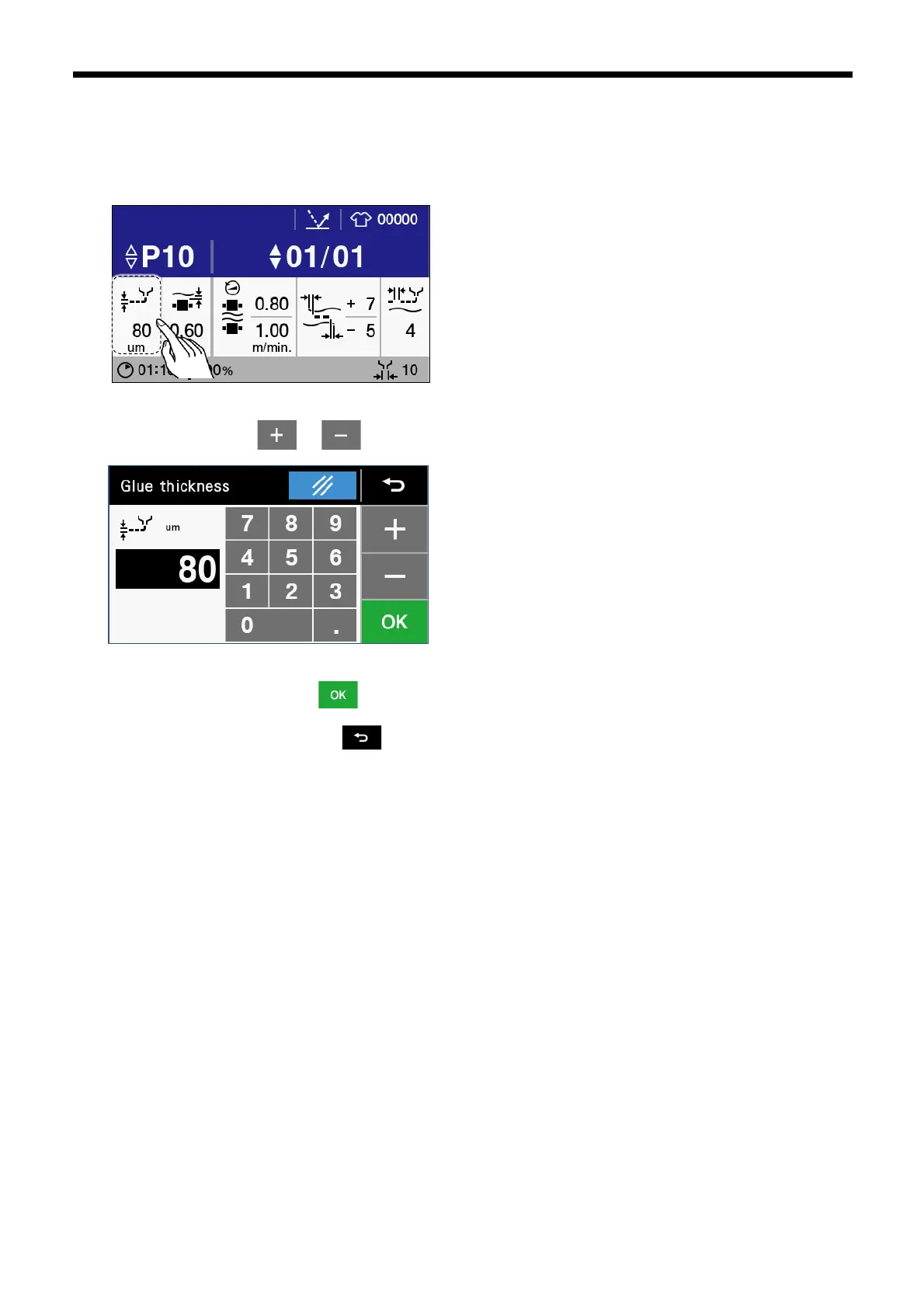
3.2.2 Glue thickness setting method
You can change the thickness of the glue which is being discharged from the nozzle.
1. Touch “Glue thickness” to display the glue thickness setting screen.
2. Touch the numeric keys, or to set the thickness of the glue.
3. Once changing is complete, touch to confirm the changed setting and then return to the home screen. If you would
like to cancel the setting change, touch .



 To Next Page