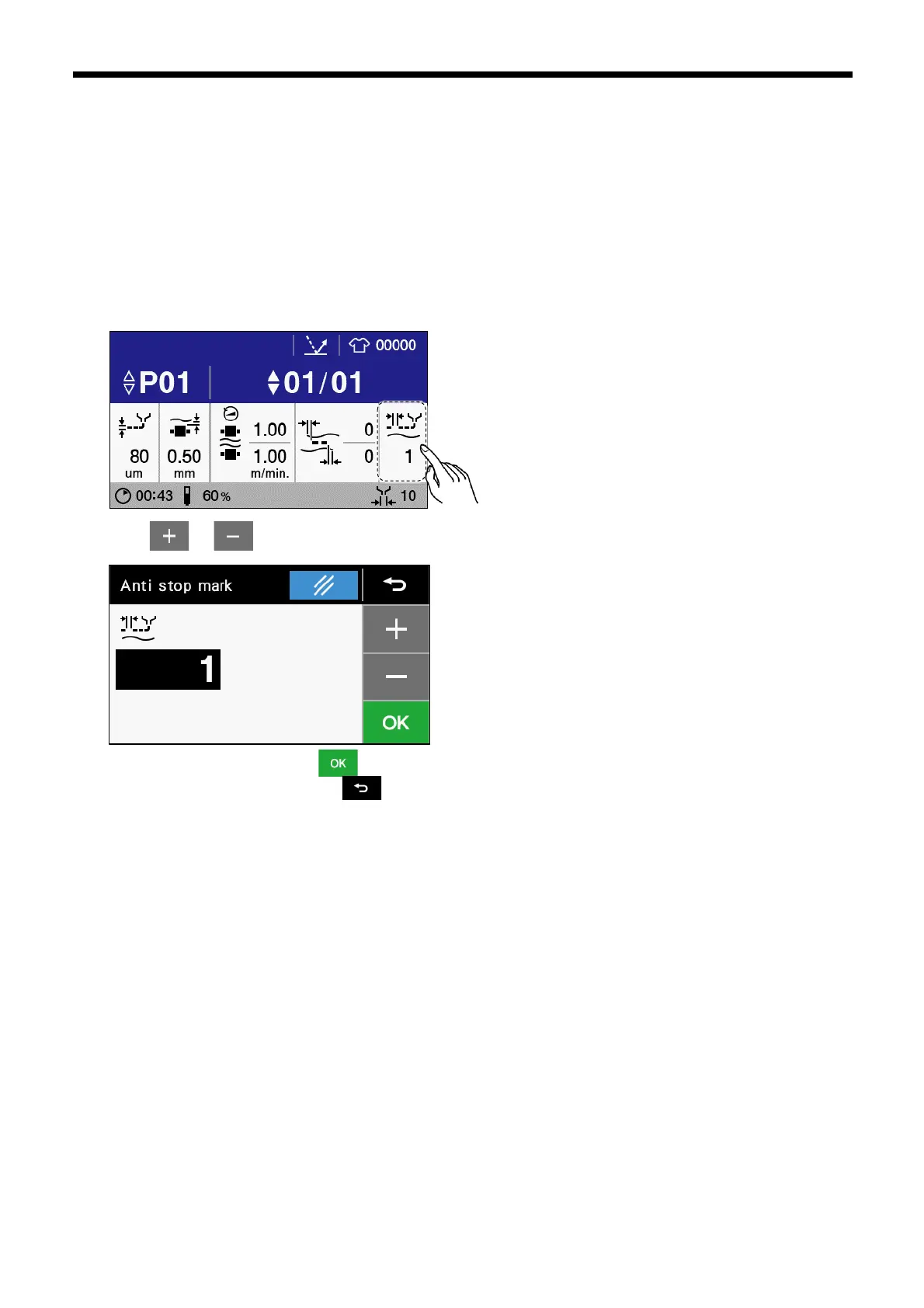
3.2.4.3 Anti stop mark
Stop marks are places where the thickness of the glue being applied to the cloth is uneven, and they occur when glue application is
intermittent (application --> pause --> application) .
To prevent stop marks from occurring, change the "Anti stop mark" setting. If the stretchability of the cloth changes, the optimum
settings for glue application also change, so stop marks can be adjusted for different types of cloth.
In addition, in cases where the stretchability of the cloth varies in the horizontal direction and the vertical direction, set the
adjustments separately for gluing in the horizontal direction and gluing in the vertical direction.
1. Touch “Anti stop mark” to display the anti stop mark setting screen.
2. Touch or to change the parameter.The more stretchable the cloth is, the higher the value you should set.
3. Once changing is complete, touch to confirm the changed setting and then return to the home screen. If you would
like to cancel the setting change, touch .



 To Next Page