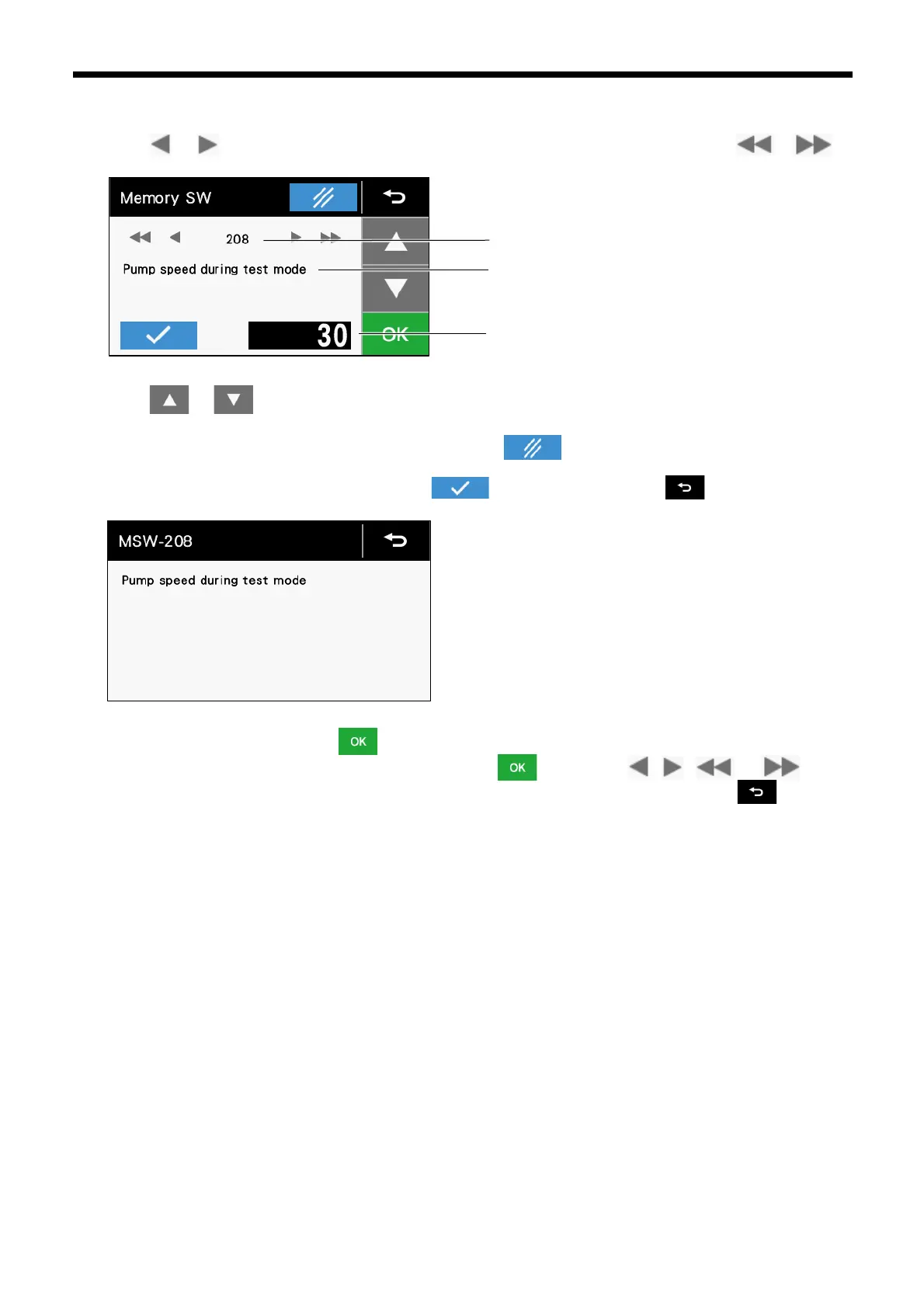
3.5.3 Memory switch setting method
1. Touch or to select a memory switch number that you would like to change the setting for. Touch or to
search for and display only the memory switch that you would like to change from the initial value.
2. Touch or to change the setting value.
⚫ If the setting value is changed, it will start flashing. At this time, the setting has not yet been applied.
⚫ If you would like to return the setting to the initial value, touch .
3. To display details for a memory switch number, touch . At the details screen, touch to return to the memory
switch setting screen.
4. Once the operation is complete, touch to confirm the changed setting. When changed setting has been confirmed, the
setting value display will change from blinking to illuminated. If you touch , , or without
touching XXX, the change will be canceled and a memory switch with a different number will be displayed. Touch XXX
to cancel the setting change and return to the setting screen.
5. To change the settings for other memory switch numbers, repeat the operations in steps 2 to 3 above.



 To Next Page