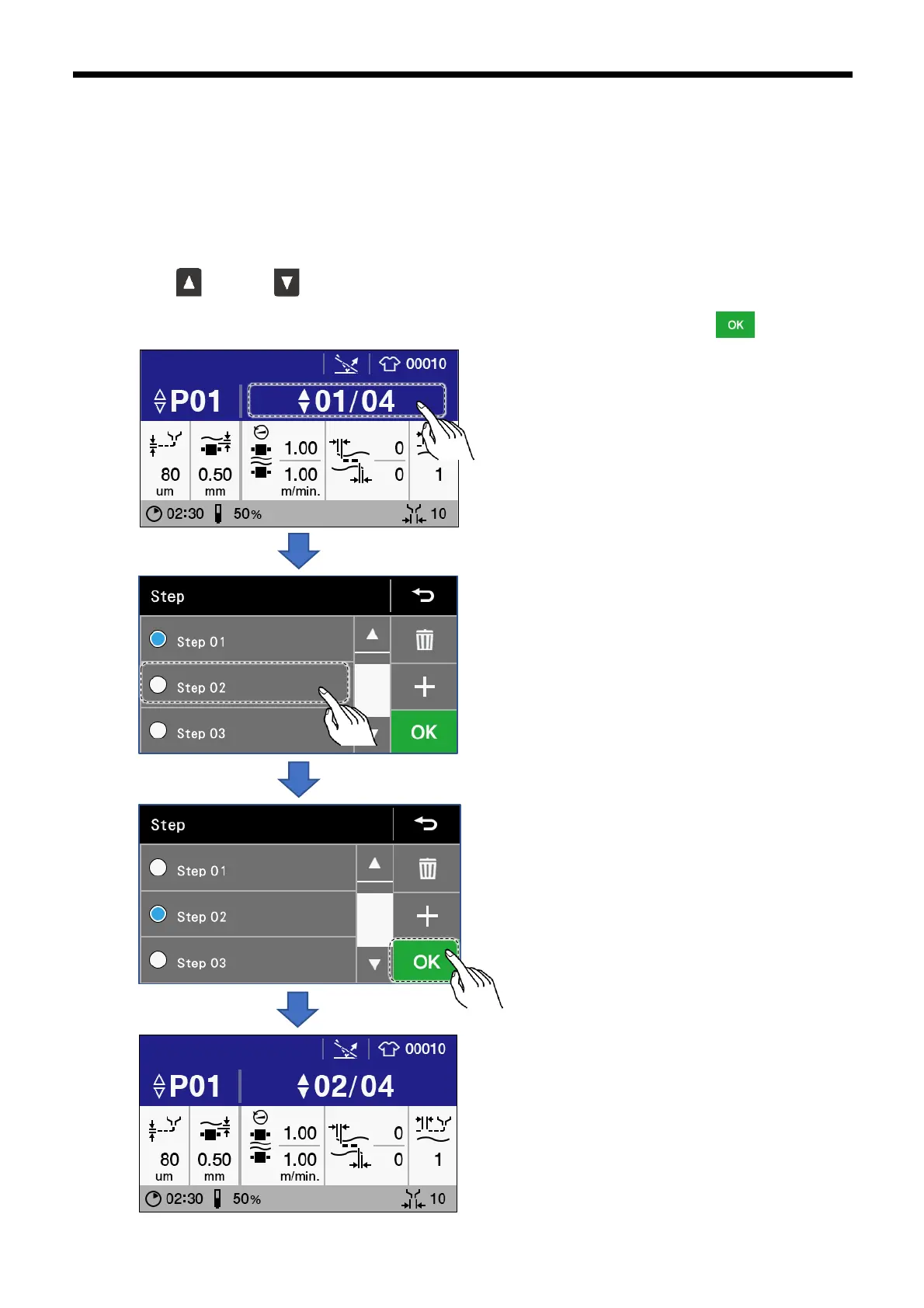
3.2.4 Step setting method
From 1 to 8 steps can be added to a single program. Different parameters can be set separately for each step. Steps can also be
changed while gluing is in progress by pressing the knee switch. Adding/deleting and selecting steps can be carried out in the
"Select/edit step" screen.
1. Select the program No. (P01 – 30) that you would like to change the setting for.
2. Carry out any one of the following operation to select the step No. (01 - 08) that you would like to change the setting for.
A) Press the key or the key. The step No. changes by one each time you press it once.
B) touch the step number to display the "Select/edit step" screen, select the step number, and then touch .



 To Next Page