11.1.1 Nozzle clearance home position adjustment
1. While pressing the key, turn on the power switch.
2. After carrying out steps 2 to 7 in "4.1 Starting the machine", touch ▼ which is displayed on the screen.
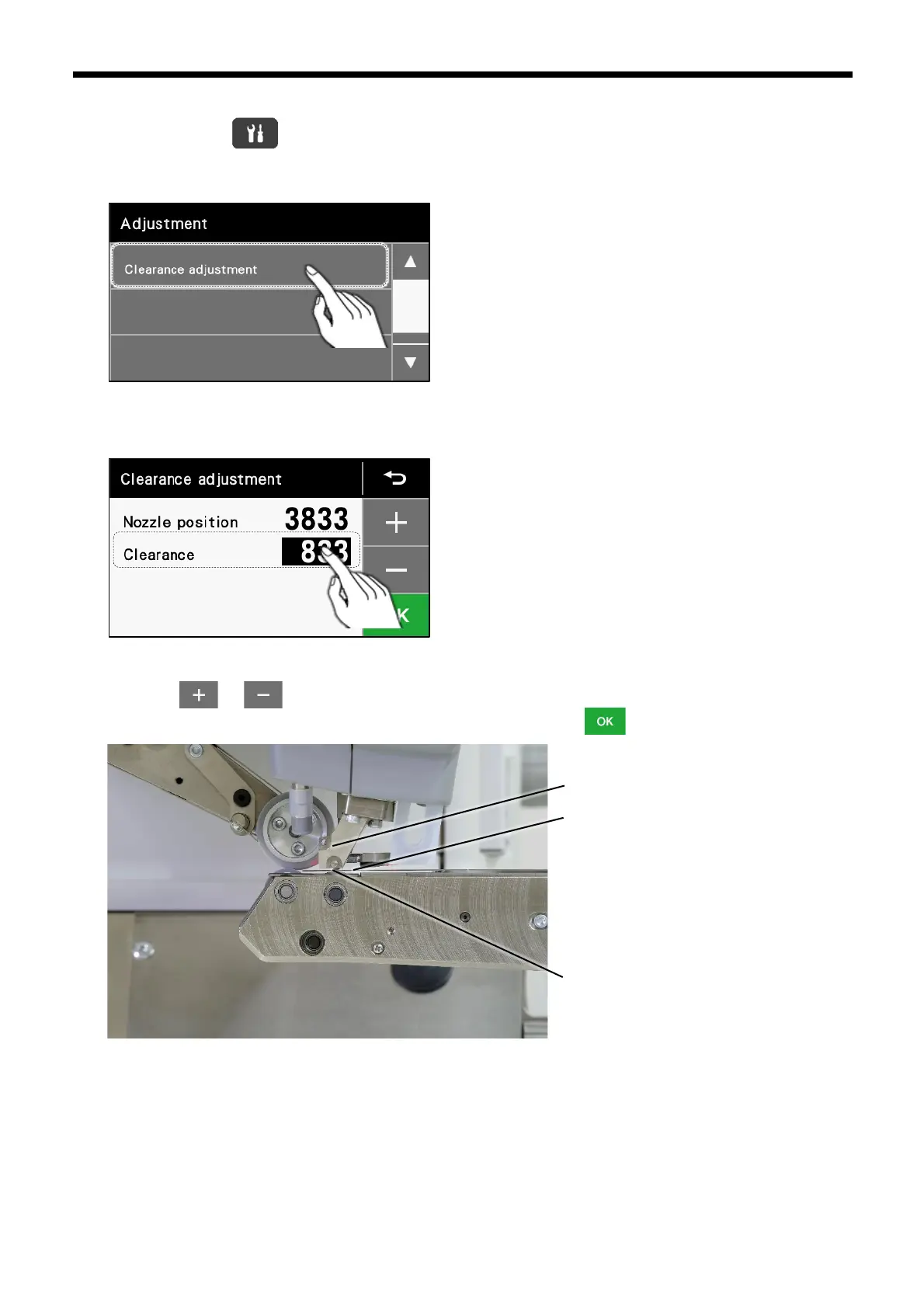
3. Touch "Clearance adjustment".
4. The following screen will be displayed, so touch "Clearance",
Adjust the nozzle position while referring to "11.1.2 Adjusting the nozzle position (feed direction)"
5. Insert a 0.5 mm thickness gauge in between the nozzle and the nozzle lower roller as shown in the image below, and
then touch or to adjust the position of the nozzle lower roller. Once the amount of clearance between the
nozzle and the nozzle lower roller is the same as the thickness gauge, touch .
0.5 mm thickness gauge



 To Next Page