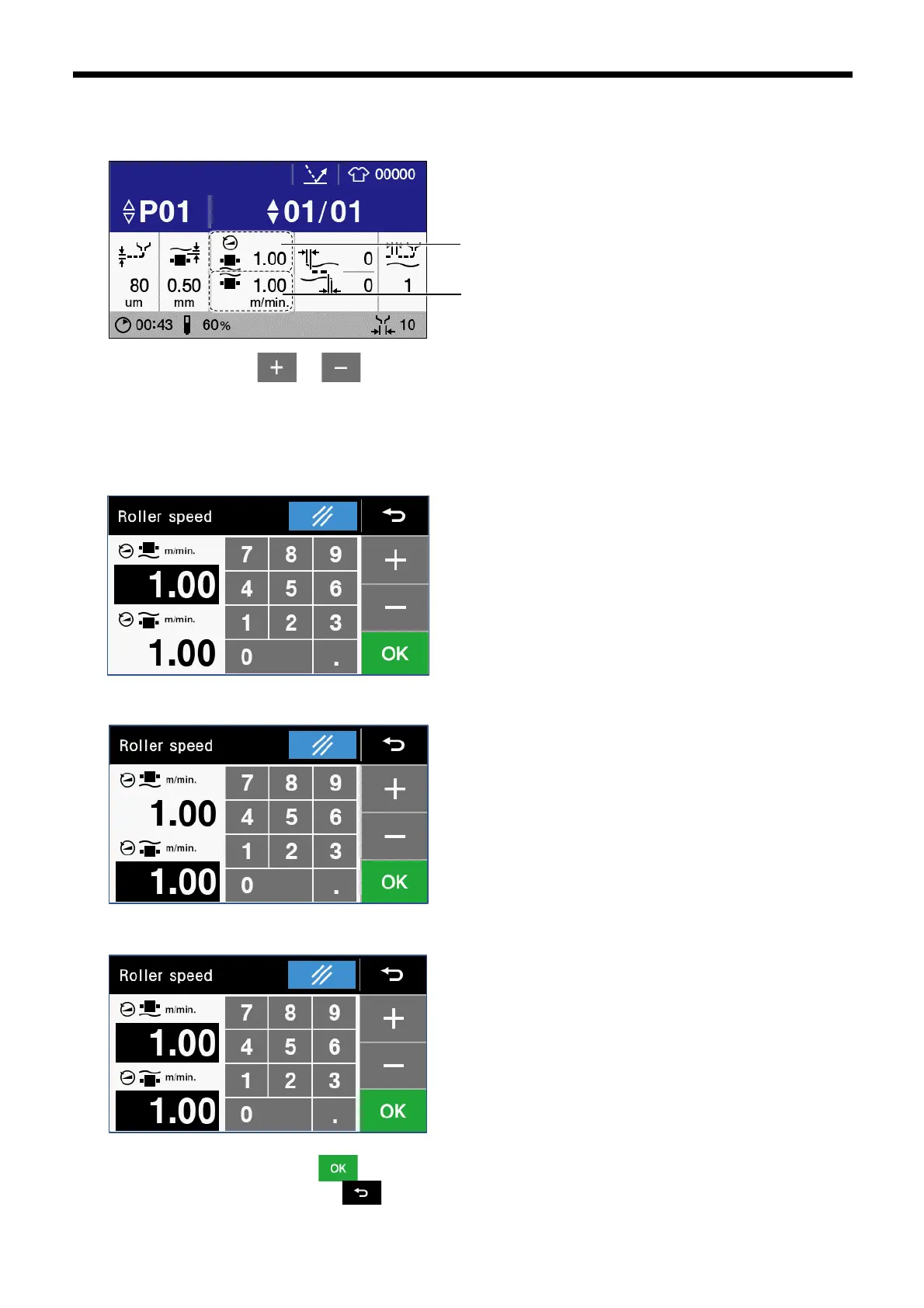
3.2.4.1 Upper and lower roller feed speed setting
You can change the feed speed of the upper roller and lower roller.
1. Touch “Upper roller feed speed” or “Lower roller feed speed” to display the roller feed speed screen.
2. Touch the numeric keys, or to enter each of the feed speeds for the upper roller and lower roller. Places where
white numbers are displayed on a black background are where the settings have been changed. The feed speeds for the
upper roller and the lower roller can both be changed at the same time. To change a different setting, touch the place where the
speed setting that you would like to change is displayed.
⚫ Changing the upper roller feed speed
⚫ Changing the lower roller feed speed
⚫ Changing the upper and lower feed speed
3. Once changing is complete, touch to confirm the changed setting and then return to the home screen. If you would
like to cancel the setting change, touch .



 To Next Page