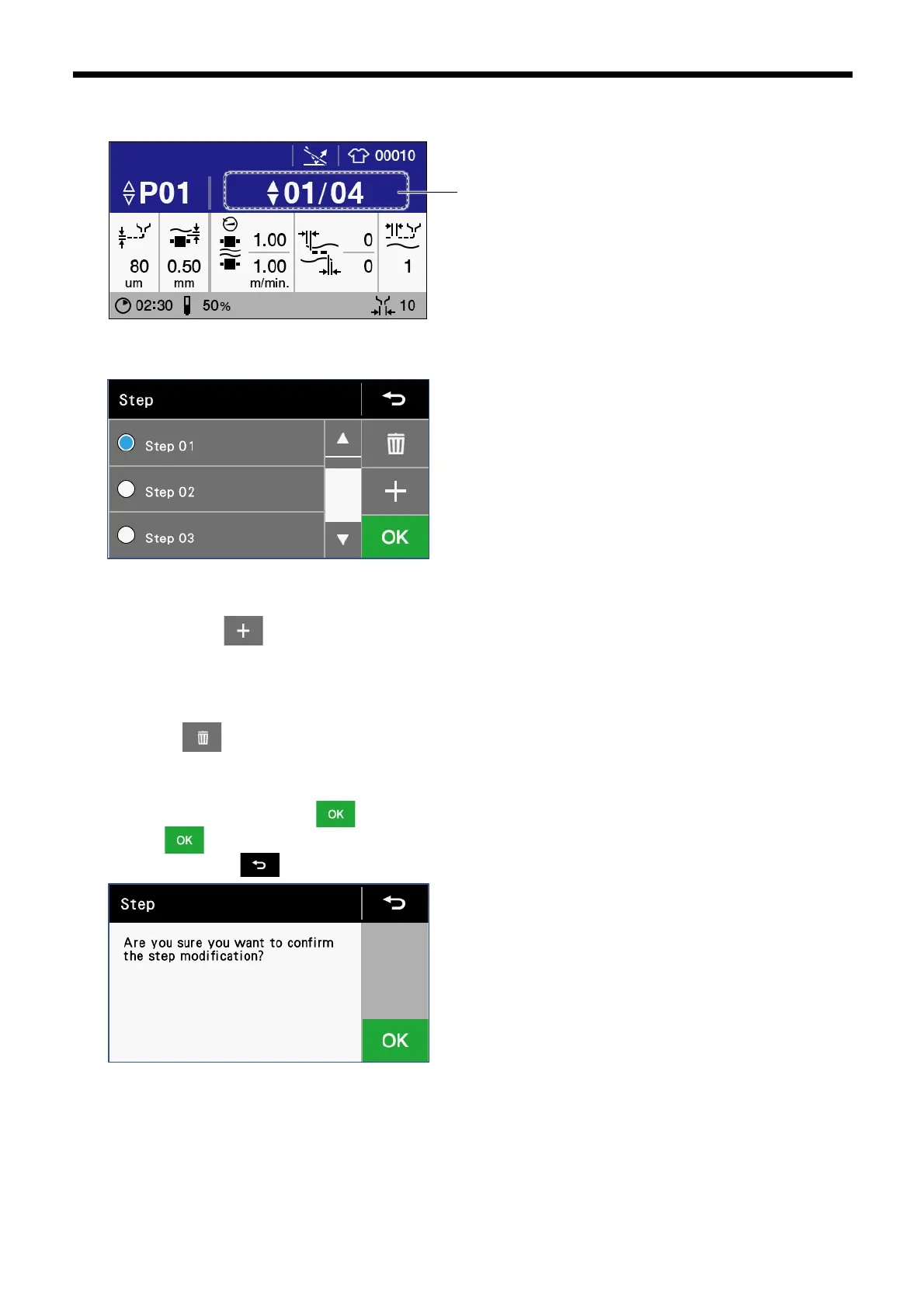
[Add/Delete step]
1. Touch the step No.
2. The "Select/edit step" screen will be displayed for you to add or delete steps.
[Add step]
⚫
If you touch ,
a new step will be added between the currently-selected step and the following step.
⚫ If there are already 8 steps, a new step cannot be added.
[Delete step]
⚫ Touch to delete the step which is currently selected.
⚫ If there is only 1 step, that step cannot be deleted.
3. Once changing is complete, touch .If a step has been added or deleted, the following confirmation screen is displayed,
so touch once more to confirm the setting changes and then return to the home screen.If you would like to cancel the
setting change, touch .



 To Next Page