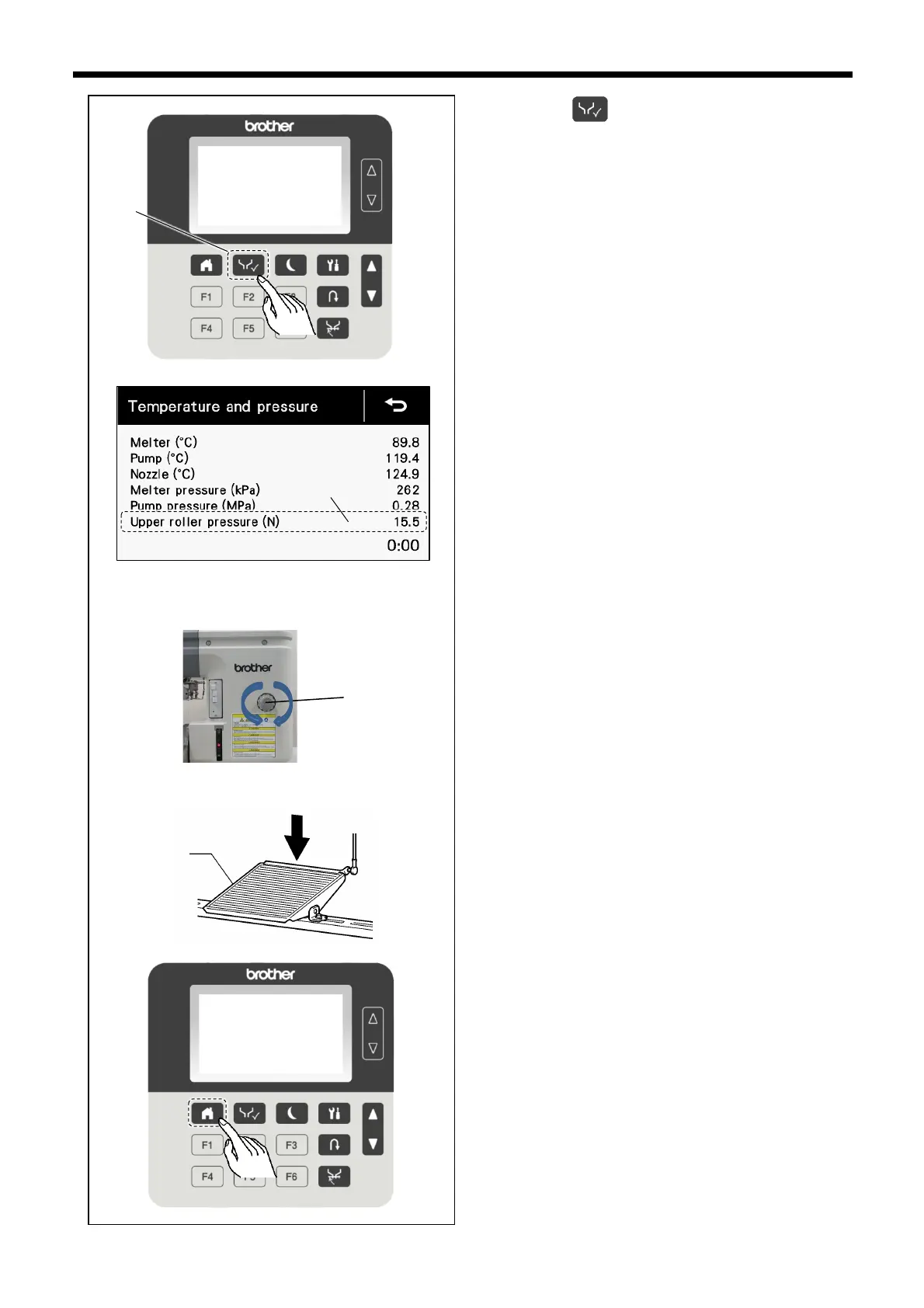
1. Press the key (1) to switch to the test mode.
2. Check the upper roller pressure display (2) in the test
mode screen.
3. Depress the treadle (4).
4. Pull up the upper roller pressure adjustment knob (3) on
a front side of the machine.
5. Turn the upper roller pressure adjustment knob (3) to
adjust the upper roller pressure to the value that you
would like to set.
* Adjust while checking the value in the operation
panel.
6. Press the treadle (4) several times.
7. Check the value for the upper roller pressure display (2)
in the operation panel with the treadle depressed.
* If the value is not at the target value, repeat the
adjustment.
8. Push the upper roller pressure adjustment knob (3).
9. Return the screen to the home screen.



 To Next Page