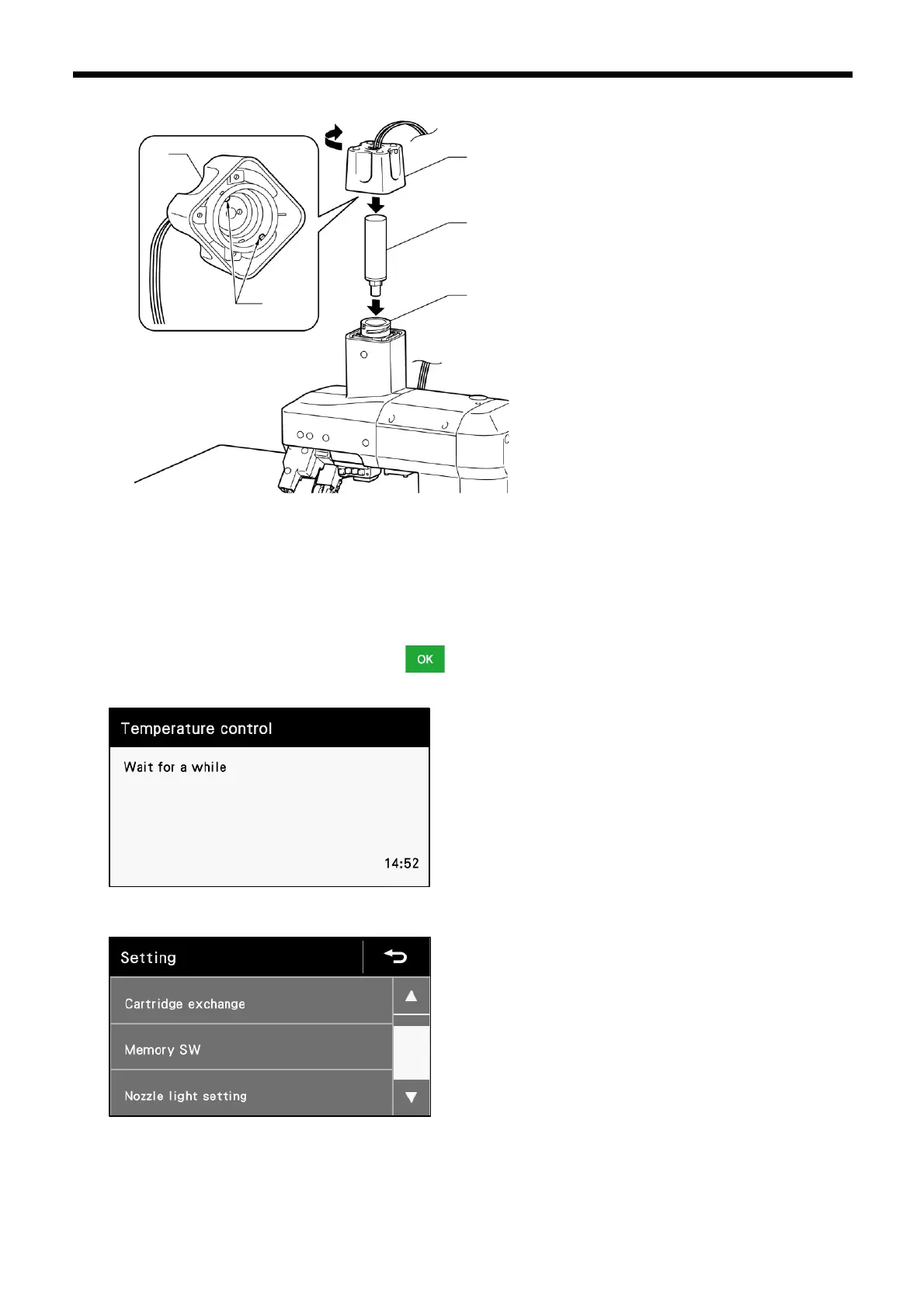
8. Install the glue cartridge (6) to the melter (4) of the machine head.
9. Fit the bosses (8) inside the melter cover (1) into the grooves in the melter (4), and then turn the melter cover (1) in the direction
of the arrow to install it.
10. Use a cloth or similar to wipe off any glue which may be adhering to the punch (5).
NOTE:
⚫ Be careful not to let any of the glue get onto your skin.
11. Once the glue cartridge has been replaced, touch .
12. The panel display will switch as showed below. Wait for a further15 minutes or so.
13. The following screen appears.
14. Discharge the glue from the replacement cartridge for the specified length of time for the cartridge.
Refer to "4.2.2 Automatic discharge mode" for details on the specified time.
If this step is not carried out, air bubbles may become mixed in with the discharged glue, and this will weaken the adhesion strength.



 To Next Page